

Visual Studio Code (VS Code) has quickly become one of the most popular code editors among developers—and for good reason. It’s fast, lightweight, and highly customizable. But what truly sets it apart is its vast ecosystem of extensions that can supercharge your productivity, improve code quality, and streamline your workflow. In this guide, we highlight the 15 best VS Code extensions every programmer should consider using—whether you’re into web development, data science, DevOps, or general coding.
1. Dev Container
For developers using Docker Container, this Extension is simply a “Must Have”. The Dev Containers extension starts (or attaches to) a development container running a well-defined tool and run-time stack. Workspace files are copied or cloned into the container, or mounted from the local file system.
You can simply Open any folder inside (or mounted into) a container and take advantage of Visual Studio Code’s full feature set.

2. Python
If you are required to build software applications that handle huge volumes of data, then Python would be your choice of Programming language that calls upon you to use this Visual Studio Code extension with rich support for the Python language (for all actively supported versions of the language: >=3.7).
Includes features such as IntelliSense, lining, debugging, code navigation, code formatting, Jupyter Notebook support, refactoring, variable explorer, test explorer, snippets, and more!

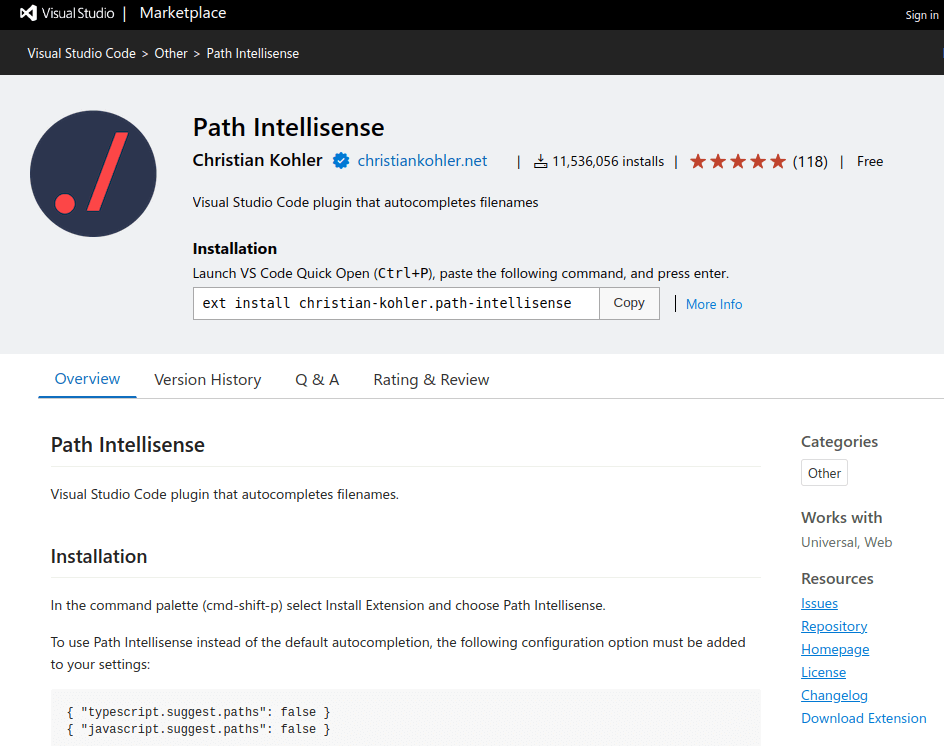
3. Path Intellisence
This is definitely a time saver for the developers. It often gets difficult to remember large names of files and their folder locations. Path Intellisence helps the developers to easily type names of long paths.
It also has a lot of configuration options that let you choose from different options, like whether your directory names should have a slash or not, and so on.
4. Live Server
You can create static and dynamic pages for the local server by using the Live Server extension. The taskbar has a go-live button that can be used to run the code as a development server.
The other feature that is available along with Live Server is Live Reload which reloads the page immediately as the work is saved.

5. Intellicode
Intellicode is an extension that uses artificial intelligence. It helps the developer by providing code completion suggestions and supports many programming languages. It helps to write codes from the recommendations that are based on learning patterns from the numerous open-source GitHub repositories.

6. Settings Sync
For a developer who works on more than one machine, altering the settings on each machine based on his/her personal choice can be a huge task. Settings Sync extension helps you to sync the settings across all the machines you use.

7. Prettier – Code Formatter
For developers who need to follow a set of style guides, Prettier – Code Formatter is the extension for them! It helps you write the code in the format you want to write it in. It is an opinionated code formatter and works with tools like JavaScript, HTML, CSS, Markdown, GraphQL, and a few more.

8. Quokka.js
For the developer in you that wants instant checking of their code without coming out of your editor, then Quokka.js is the best Visual Code Extension for you that saves time and checks your codes live.
A fixed color code is used for the various types of results. For example, a grey-colored square implies that the code has not been executed, whereas a green square indicates that the code has been executed.

9. Beautify
Beautify is designed to make your HTML code look nice and neat and follows the rules for how it should look.
You can use Beautify for different programming languages, making your code easy to read and keeping it all look the same. It helps when many people are working on the code together.
You can change how Beautify works to fit how you like your code to look, like how far things are indented or how much space there is. It’s a simple and useful tool for keeping your code organized.

10. ESLint
ESLint is a popular tool for finding and fixing problems in JavaScript code. This extension helps find errors and ensures your code follows best practices, making it more reliable.
It highlights issues directly in the editor, making it easy to spot and fix mistakes on the go. The VS Code ESLint extension is customizable, allowing you to adapt it to your project’s specific needs.
It’s a great addition for developers who want to write clean, error-free code and improve their overall coding experience.

11. C#
The VS Code C# extension comes with the C# Dev kit and uses a smart Language Server Protocol (LSP) server and is a helpful and handy tool for people who write and edit C# code.
This extension also provides tools for debugging and navigating through your code, making it easier to find and fix issues. The C# extension works together with open-source tools such as Roslyn and Razor to provide you the information about the code and give you a better experience with C#.
The extension provides faster and smarter suggestions as you type, reducing the errors and speeding up the code.

12. JavaScript (ES6) Code Snippets
The JavaScript (ES6) code snippets extension is like a helper tool for making coding faster and easier, giving you ready-made pieces of code, called snippets, for JavaScript (ES6). Instead of writing the same code over and over, you just use these snippets to save time.
They cover common tasks, like creating functions or loops, and follow the ES6 standards. It’s like having a shortcut for writing code, making your work smoother and more efficient.
This extension is great for developers who want to speed up their coding process and write JavaScript code more quickly.

13. GitLens
The VS Code GitLens extension is like a superpower for Git in Visual Studio Code. It boosts Git experience, making it easier to understand and manage your code history.
With GitLens, users can quickly find out who changed what and when, helping them collaborate better with the team. It adds cool features like inline code annotations and a visual timeline, making it a breeze to navigate through your project’s history.
Whether you’re a Git expert or just getting started, GitLens provides powerful tools to track changes and understand your codebase, making coding in VS Code a smoother and more insightful experience.

14. Live Share
Live Share extension is a virtual teamwork tool for developers allowing users and their teammates to code together where everyone can see and edit the code simultaneously in real-time, even if you’re in different places.
With this extension, you can share your coding session, and others can join in to help or learn or even share debugging sessions and web apps running on your computer. This makes collaboration super easy, whether you’re working on a project or solving a problem together.
Live Share also allows for chatting within the editor, making it a handy extension for enhancing teamwork and learning experiences in coding.

15. Docker
The VS Code Docker extension is like a virtual box tool helping developers manage and run Docker containers more easily and directly from VS code. Users can build, manage, and deploy applications in these containers effortlessly.
It simplifies tasks such as creating Docker files, managing images, and running containers. This extension integrates Docker into your coding environment, streamlining the development process.
It’s especially handy for those who want a smoother experience when working with Docker and coding in Visual Studio Code.

Conclusion
VS Code is powerful on its own, but these 15 extensions elevate the experience by enhancing functionality, reducing errors, and saving time. Whether you’re debugging, formatting code, managing Git, or writing in multiple languages, the right set of extensions can transform your coding environment. Try out a few (or all!) from this list and customize your setup to match your development style.
And if you'd like to go a step further in supporting us, you can treat us to a virtual coffee ☕️. Thank you for your support ❤️!

We do not support or promote any form of piracy, copyright infringement, or illegal use of software, video content, or digital resources.
Any mention of third-party sites, tools, or platforms is purely for informational purposes. It is the responsibility of each reader to comply with the laws in their country, as well as the terms of use of the services mentioned.
We strongly encourage the use of legal, open-source, or official solutions in a responsible manner.
Comments