

Self-hosting image-sharing solutions is an excellent option for those who want to maintain control over their data while benefiting from features similar to platforms like Imgur. Below are some of the best open-source alternatives you can consider, along with useful links and resources.
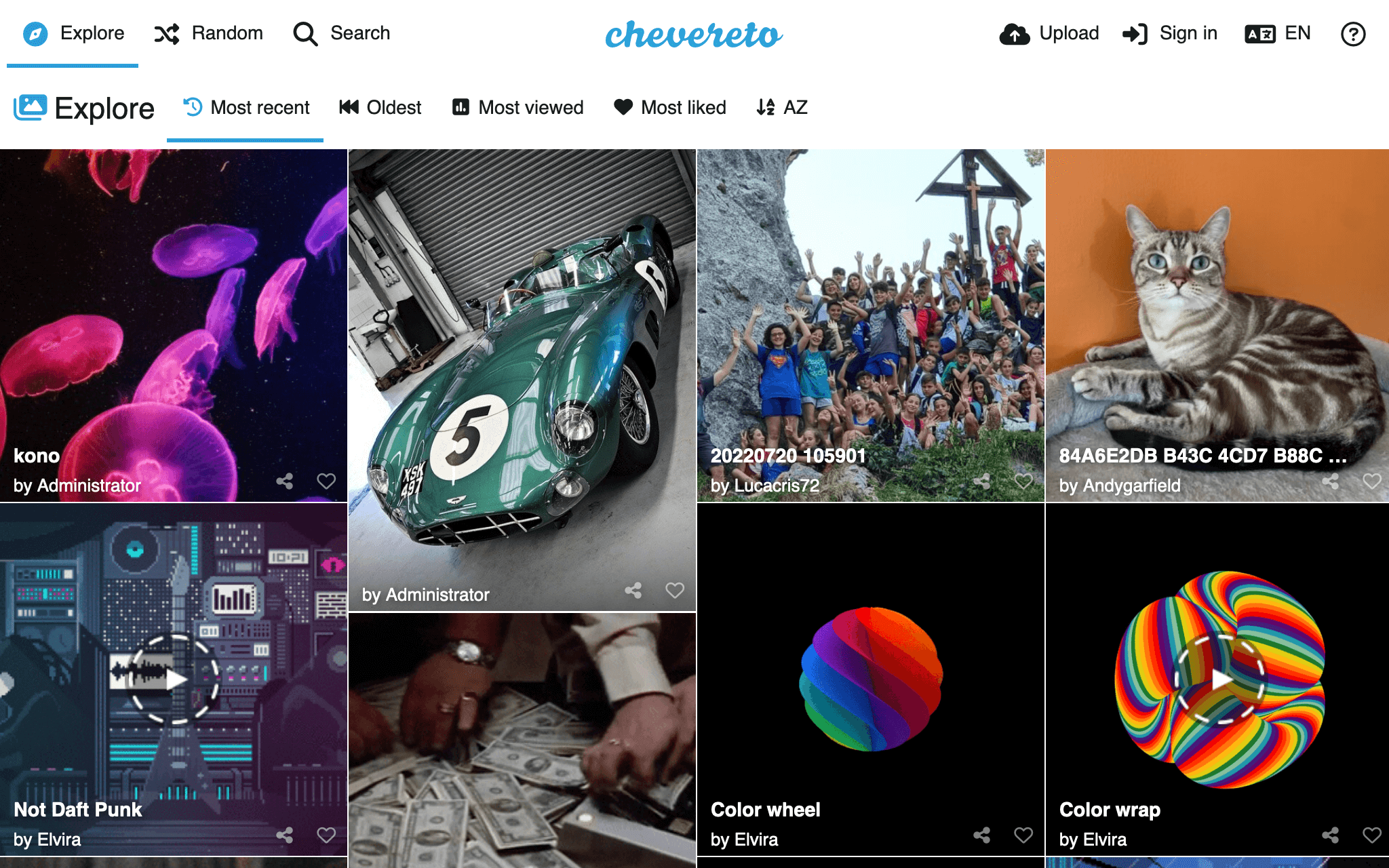
Chevereto
Description: Chevereto is a self-hosted image-sharing platform that offers a modern user interface and numerous features. While there is a free version available, some advanced options (such as guest uploads) require a paid subscription.
Features:
- Intuitive user interface
- Bulk upload support
- Various customization options
- API available for integration
Drawbacks: The free version has limitations, and advanced features require a purchase.
docker-compose.yml
services:
  mysql:
    image: mysql:8.0
    container_name: chevereto_mysql
    restart: always
    environment:
      MYSQL_ROOT_PASSWORD: root_password
      MYSQL_DATABASE: chevereto
      MYSQL_USER: chevereto_user
      MYSQL_PASSWORD: user_password
    volumes:
      - mysql_data:/var/lib/mysql

  chevereto:
    image: chevereto/chevereto:latest
    container_name: chevereto
    restart: always
    ports:
      - "8080:80"
    environment:
      CHEVERETO_DB_HOST: mysql
      CHEVERETO_DB_NAME: chevereto
      CHEVERETO_DB_USER: chevereto_user
      CHEVERETO_DB_PASS: user_password
      CHEVERETO_DB_TABLE_PREFIX: chv_
      CHEVERETO_TIMEZONE: Europe/Paris
      CHEVERETO_LICENSE: "your_license_key_here"  # Replace with your Chevereto license key
    volumes:
      - chevereto_data:/var/www/html/images
      - chevereto_config:/var/www/html/conf

volumes:
  mysql_data:
  chevereto_data:
chevereto_config:Explanations:
- MySQL Service:
- Uses the official MySQL 8.0 image.
- Creates a
cheveretodatabase with a specific user. - Stores MySQL data in the
mysql_datavolume. - Chevereto Service:
- Uses the official Docker image
chevereto/chevereto:latest. - Redirects host port 8080 to container port 80.
- Connects Chevereto to the MySQL database.
- Replace
"your_license_key_here"with your official Chevereto license key. - Stores images in the
chevereto_datavolume and configuration in thechevereto_configvolume.
Resources:
ShotShare
Description: ShotShare is a lightweight, simple-to-use image-sharing project. It is designed to allow users to upload and share images easily without requiring registration.
Features:
- Image uploads without user accounts
- API support for integration
- Easy installation via Docker
- Minimalist interface
Drawbacks: Fewer advanced features compared to Chevereto, but ideal for those looking for simplicity.
docker-compose.yml
Below is a complete example of a docker-compose.yml file to deploy ShotShare with a MySQL database, including the FORCE_HTTPS variable:
version: '3.8'

services:
  mysql:
    image: mysql:5.7
    container_name: shotshare_mysql
    restart: always
    environment:
      MYSQL_ROOT_PASSWORD: root_password
      MYSQL_DATABASE: shotshare
      MYSQL_USER: shotshare_user
      MYSQL_PASSWORD: user_password
    volumes:
      - mysql_data:/var/lib/mysql

  shotshare:
    image: mdshack/shotshare
    container_name: shotshare
    restart: always
    ports:
      - "8080:80"
    environment:
      FORCE_HTTPS: true
      DB_HOST: mysql
      DB_DATABASE: shotshare
      DB_USERNAME: shotshare_user
      DB_PASSWORD: user_password
      TZ: Europe/Paris
    volumes:
      - shotshare_data:/app/uploads

volumes:
  mysql_data:
shotshare_data:Explanations:
- MySQL Service:
- Uses the official MySQL 5.7 image.
- Configures the database with a name, user, and password.
- Stores MySQL data in a volume named
mysql_data. - ShotShare Service:
- Uses the
mdshack/shotshareimage. - Redirects host port 8080 to container port 80.
- Includes the
FORCE_HTTPSenvironment variable to enforce HTTPS. - Specifies database connection details.
- Stores uploads in the
shotshare_datavolume.
Instructions:
- Replace
root_passwordanduser_passwordwith secure passwords of your choice. - Save this file as
docker-compose.yml. - Run the following command in the same directory as your
docker-compose.ymlfile:
docker-compose up -dThis will launch ShotShare with MySQL, ready to be used behind a reverse proxy.
Resources:
Piwigo
Description: Piwigo is primarily an open-source photo gallery, but it can also be used as an alternative to Imgur. It is especially suitable for managing and organizing large image collections.
Features:
- User management system with different permission levels
- Support for albums and categories
- Plugins available to extend functionalities
Drawbacks: Less focused on instant sharing compared to Chevereto and ShotShare.
Resources:
Lychee
Description: Lychee is another self-hosted photo gallery solution. It focuses on simplicity and ease of use, while still offering a good range of features for managing images.
Features:
- Elegant and modern interface
- Support for albums and shared photos
- Customization options via themes
Drawbacks: Less geared towards quick image sharing compared to other solutions.
Resources:
Conclusion
If I were to recommend one solution, ShotShare would be my top choice due to its simplicity and efficiency. Its easy Docker installation makes it accessible even for those without technical expertise.
For a more comprehensive use case with advanced features, Chevereto is also an excellent option, especially if you’re willing to invest in the PRO version to unlock all the features.
Self-hosting allows you to maintain control over your data while enjoying a similar experience to Imgur. Choose the solution that best fits your needs and technical comfort level!
And if you'd like to go a step further in supporting us, you can treat us to a virtual coffee ☕️. Thank you for your support ❤️!

We do not support or promote any form of piracy, copyright infringement, or illegal use of software, video content, or digital resources.
Any mention of third-party sites, tools, or platforms is purely for informational purposes. It is the responsibility of each reader to comply with the laws in their country, as well as the terms of use of the services mentioned.
We strongly encourage the use of legal, open-source, or official solutions in a responsible manner.
Comments