
In a world dominated by smartphones, keeping track of your device’s identity is more crucial than ever. Think of your phone’s IMEI number as its unique fingerprint, a vital piece of information that can be a lifesaver in various situations. This comprehensive guide will walk you through the easiest and fastest ways to find your IMEI number, ensuring you’re always prepared.
The IMEI (International Mobile Equipment Identity) is a 15-digit code, a unique identifier assigned to every mobile phone. Think of it as your phone’s social security number. This code is essential for network operators to identify and authenticate your device, but it also plays a critical role in device security, warranty claims, and more. Knowing how to find your IMEI is a fundamental skill for any smartphone user.
Understanding the IMEI Number’s Structure
Before we dive into finding your IMEI, let’s break down its structure:
- AA: (RBI) Reporting Body Identifier: The first two digits indicate the country or region of manufacture.
- BBBBBB: TAC (Type Allocation Code): These six digits identify the phone’s model and make.
- CCCCCC: Serial Number: This section is a unique serial number for your specific device.
- D: Check Digit: The final digit is used for verification, calculated from the preceding 14 digits.
Why is My IMEI Number Important?
Your IMEI number is more than just a random string of numbers. It unlocks several important functions:
- Device Identification: It’s the definitive way to distinguish your phone from others on the network.
- Lost/Stolen Device Tracking: Crucial for reporting a lost or stolen phone, allowing carriers to block it from the network.
- Warranty and Repair: Used by manufacturers and service providers to verify warranty status and track repair history.
- Device Unlocking: Can be used to request an unlock code from your carrier.
- IMEI Blacklisting: Prevents a stolen phone from being used on most networks worldwide.
Finding Your IMEI Number: Quick and Easy Methods
Here are several straightforward methods to find your phone’s IMEI number:
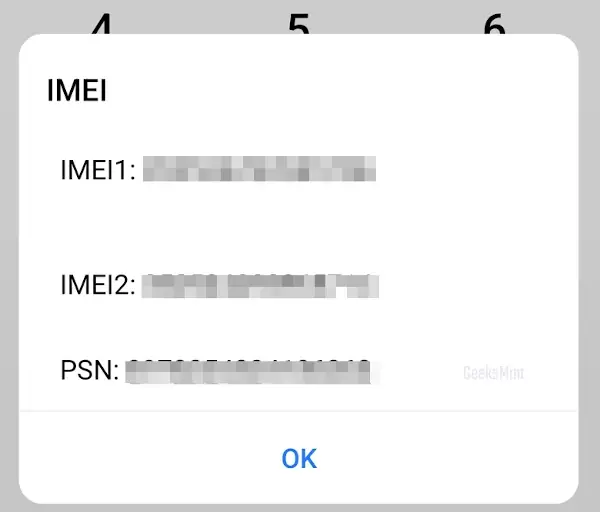
1- The USSD Code Secret (*#06#): This is the fastest and most universal method. Simply open your phone’s dialer and enter *#06#. The IMEI number will instantly pop up on your screen. This works on virtually every phone, regardless of the operating system.
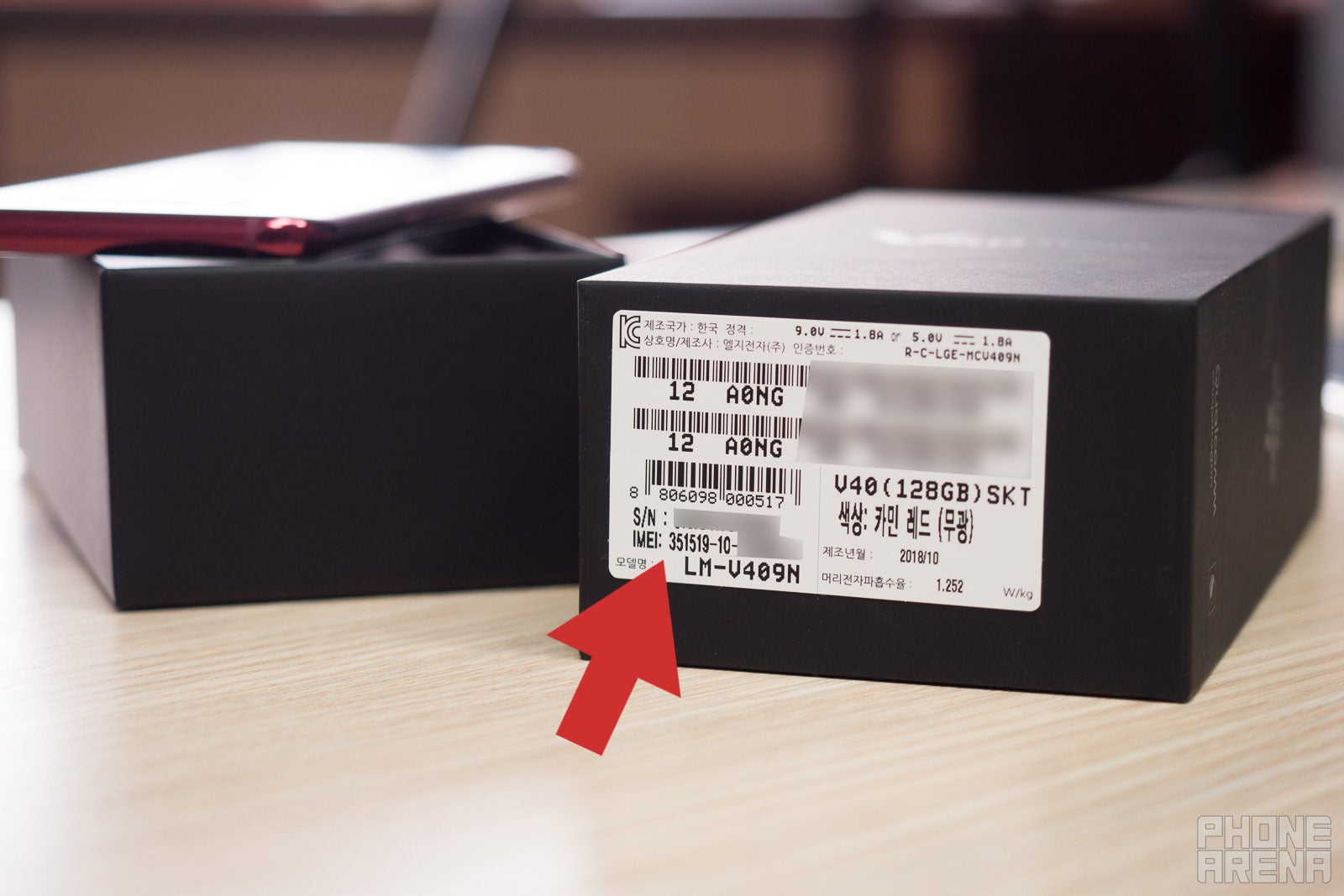
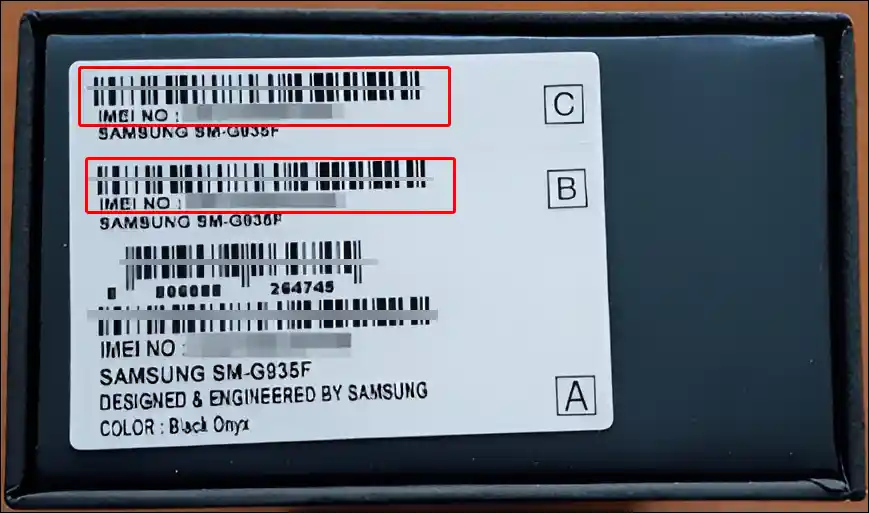
2- Check the Phone’s Packaging Box or Manual: Your phone’s original packaging box or user manual is a goldmine of information, including the IMEI number. Look for a sticker on the box, often alongside other device specifications. The user manual also typically includes this information.
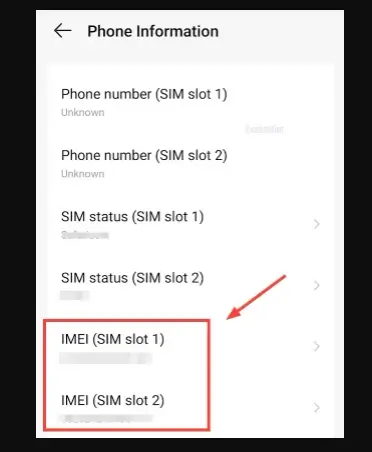
3- Dive into Your Phone’s Settings: Most smartphones store the IMEI number within the settings menu. The exact path may vary depending on your phone’s make and model, but here’s how to find it on the most common operating systems:
- iPhone (iOS): Go to “Settings” > “General” > “About.” Scroll down to find the IMEI.
- Android: Go to “Settings” > “About phone” (or similar, depending on your device) > “Status” or “IMEI information.”
4- Under the Battery (If Removable): For phones with removable batteries, the IMEI is often printed on a sticker underneath the battery itself. Power off your phone, remove the battery, and look for the number.
5- In the SIM Card Tray: Some phones have the IMEI printed on the SIM card tray. You may need a SIM ejector tool to view it.
6- Contact Your Service Provider: If you’ve lost your phone and cannot access the IMEI, contact your mobile carrier. Provide them with as much information as possible about your device (make, model, serial number), and they may be able to help you locate it.
Conclusion
Knowing how to find your IMEI number is a critical skill for all smartphone users. Whether you need it for reporting a lost device, verifying warranty information, or unlocking your phone, having this number readily available can save you time and frustration. By following the methods outlined in this guide, you can easily locate your IMEI number in seconds. Keeping a record of your IMEI in a safe place is highly recommended. This simple step could make a big difference if your phone is ever lost or stolen.
And if you'd like to go a step further in supporting us, you can treat us to a virtual coffee ☕️. Thank you for your support ❤️!

We do not support or promote any form of piracy, copyright infringement, or illegal use of software, video content, or digital resources.
Any mention of third-party sites, tools, or platforms is purely for informational purposes. It is the responsibility of each reader to comply with the laws in their country, as well as the terms of use of the services mentioned.
We strongly encourage the use of legal, open-source, or official solutions in a responsible manner.
Comments