

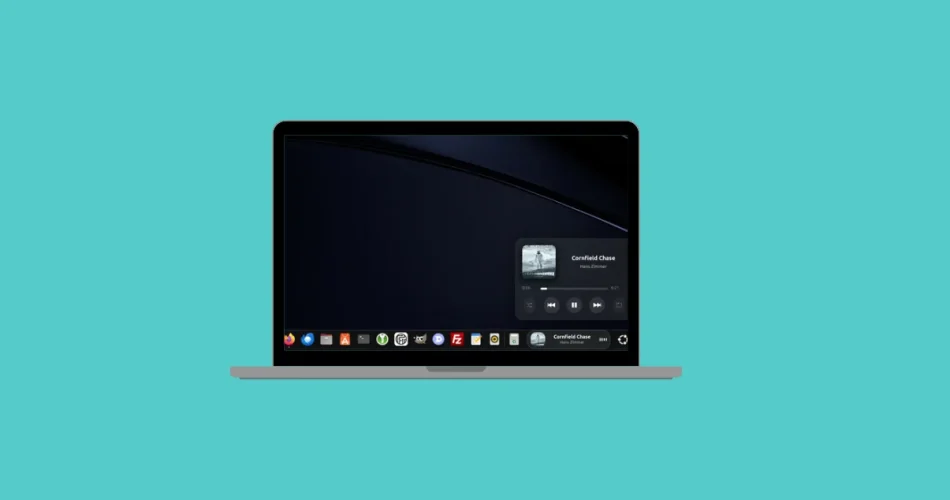
Listening to music on a Linux distribution running GNOME and wish you could see what’s playing without opening your music app? That’s exactly what Dynamic Music Pill delivers.
This sleek, open-source GNOME Shell extension adds a compact, animated music controller directly to your dock or top panel. Album artwork, scrolling track info, and a real-time visualizer stay visible on your desktop — no extra windows required.
If you’re looking to upgrade your GNOME desktop with a modern, lightweight music widget, here’s everything you need to know.
A Stylish Music “Pill” for Your GNOME Desktop
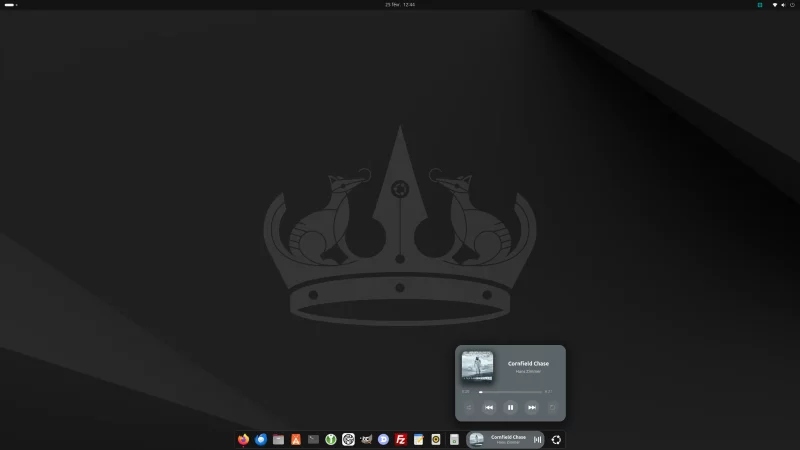
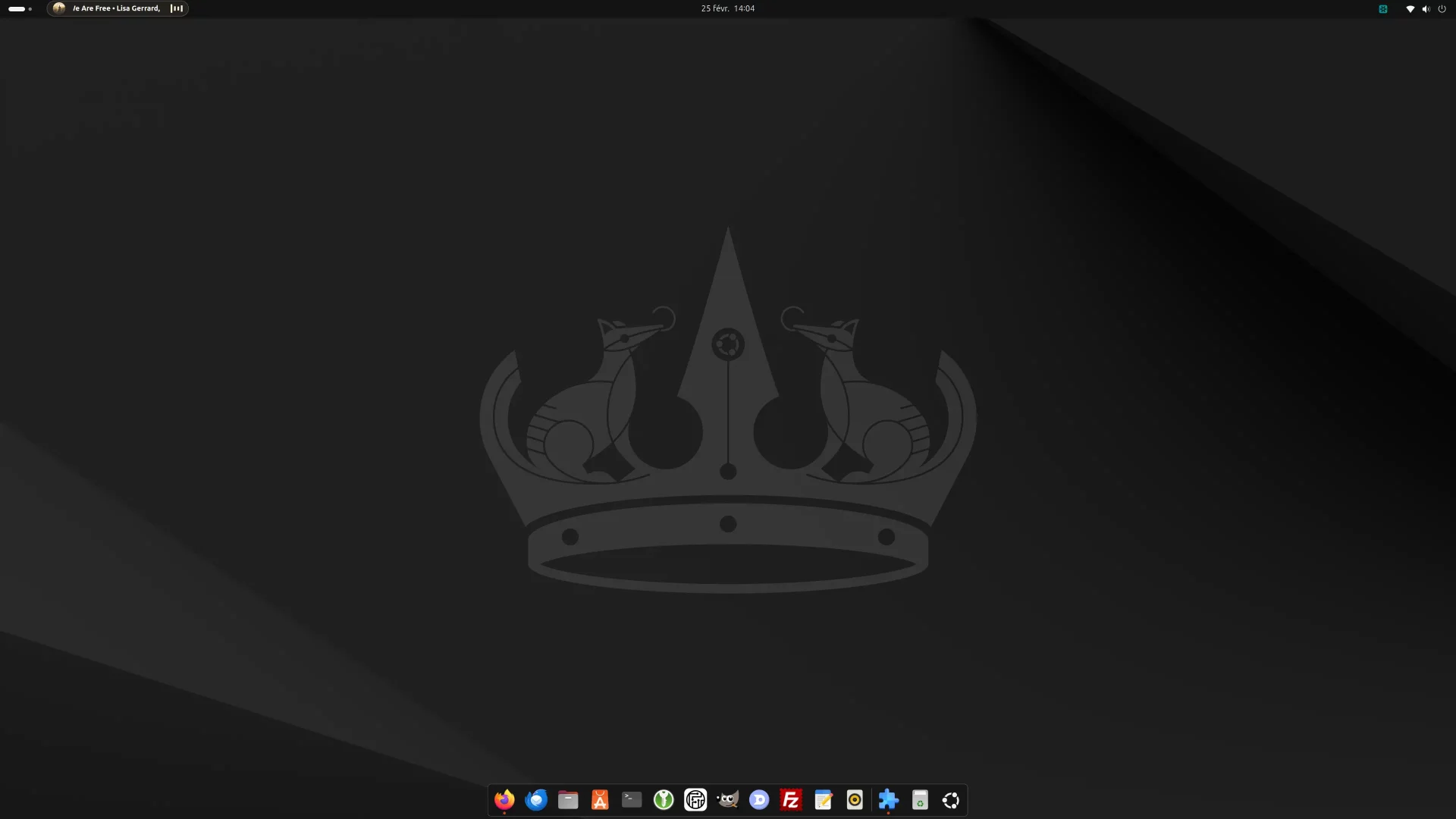
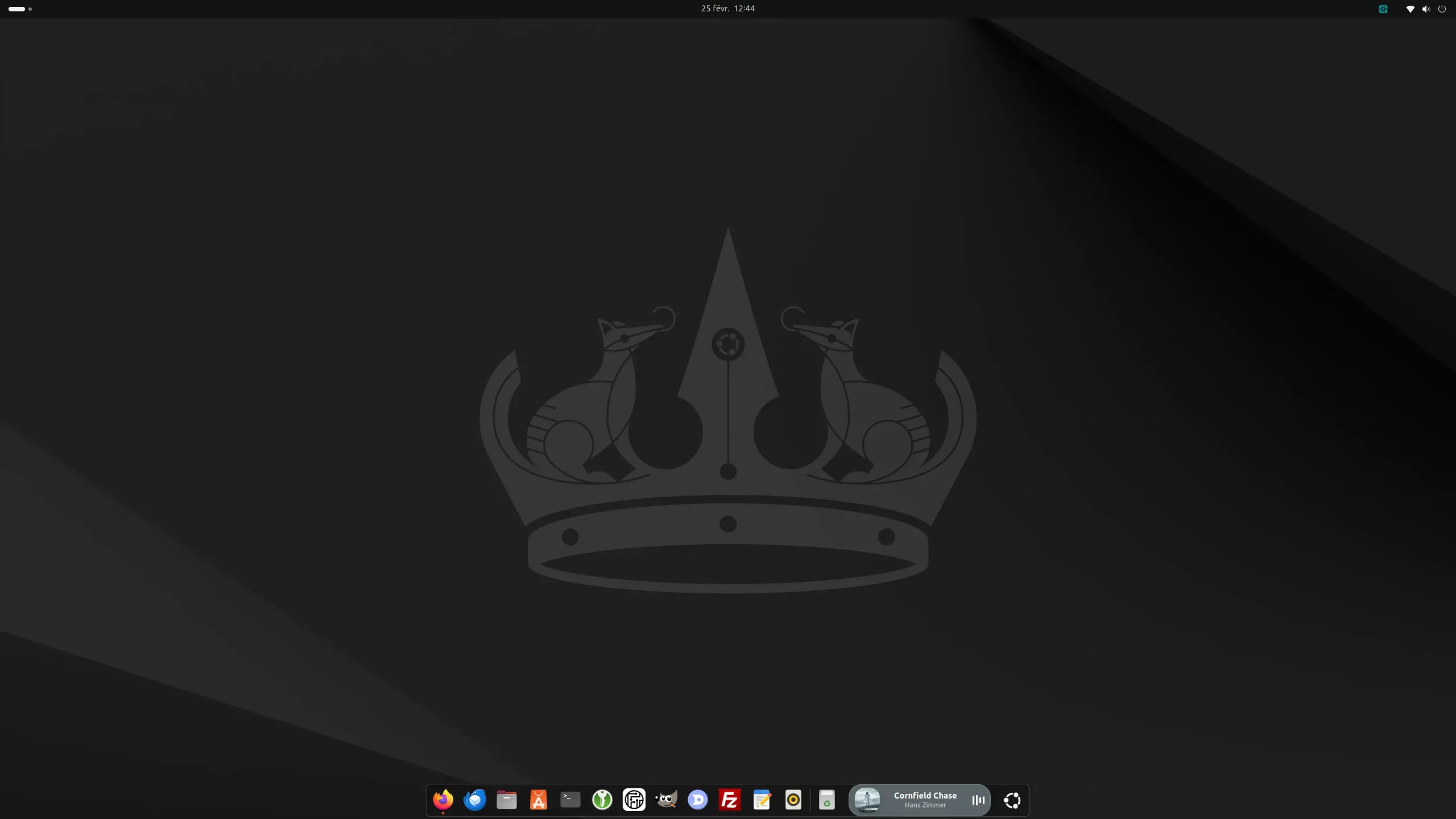
Dynamic Music Pill integrates seamlessly into GNOME Shell and appears as a small pill-shaped widget inside your dock or panel.
When music is playing, it displays:
- Album artwork
- Scrolling track title and artist
- A smooth, real-time audio visualizer
Everything runs at 60 FPS with GPU acceleration, ensuring fluid animations without noticeable performance impact.
When playback stops, the pill disappears automatically — keeping your desktop clean and distraction-free.
Works with Most Linux Music Players
Dynamic Music Pill relies on the MPRIS protocol, which means it supports most Linux media players and streaming services.
Compatible apps include:
- VLC media player
- Rhythmbox
- Spotify
Browser-based streaming platforms like:
- Deezer
- Apple Music
- Tidal
- Qobuz
As long as media controls are exposed through MPRIS, the extension works flawlessly.
Interactive Controls with Custom Click Actions
Clicking the pill opens a compact pop-up window featuring:
- Enlarged album artwork
- Playback progress bar
- Play / Pause / Next / Previous controls
You can customize actions for:
- Left click
- Right click
- Middle click
This flexibility allows you to tailor the widget to your workflow and desktop habits.
Install Dynamic Music Pill in Minutes
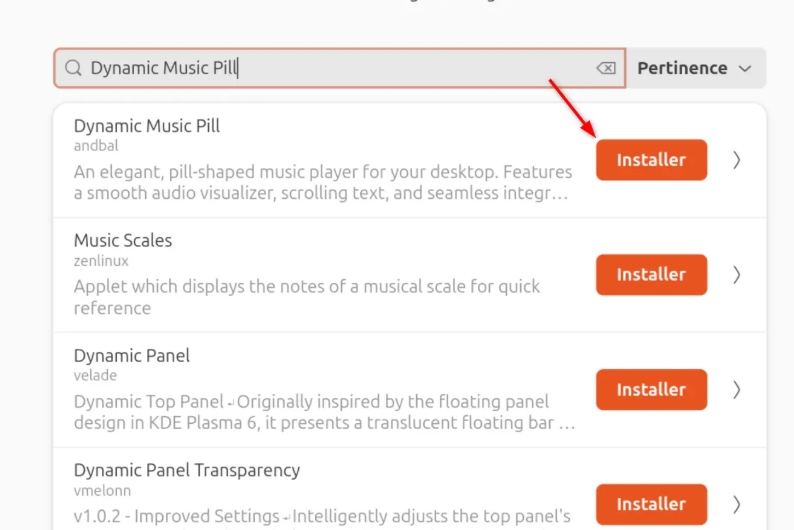
The easiest way to install the extension is through the GNOME Extension Manager.
If you don’t already have it, install it via terminal:
sudo apt install gnome-shell-extension-manager
Then:
- Open Extension Manager
- Go to the Browse tab
- Search for Dynamic Music Pill
- Click Install
The extension activates immediately — no reboot required.
Important Setup Tip: Positioning the Pill
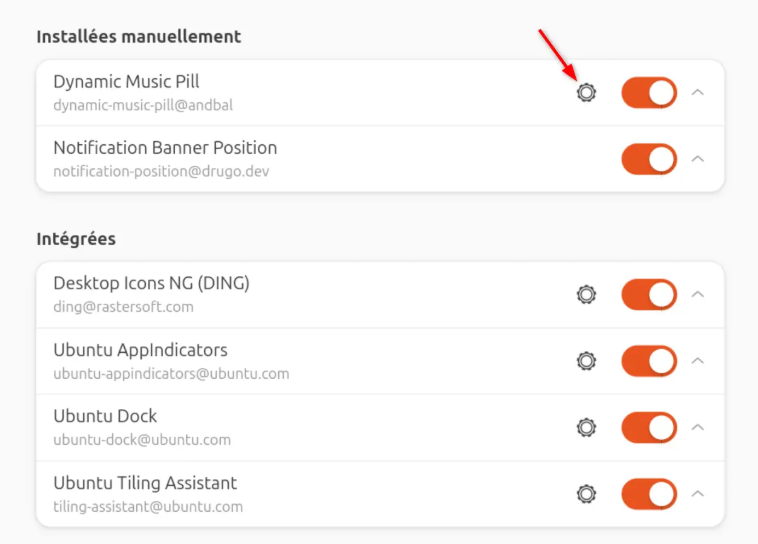
On Ubuntu systems, the extension integrates with the default horizontal dock. If you’re using a vertical dock layout, positioning may look off.
To adjust placement:
- Open Extension Manager
- Click the gear icon (Settings)
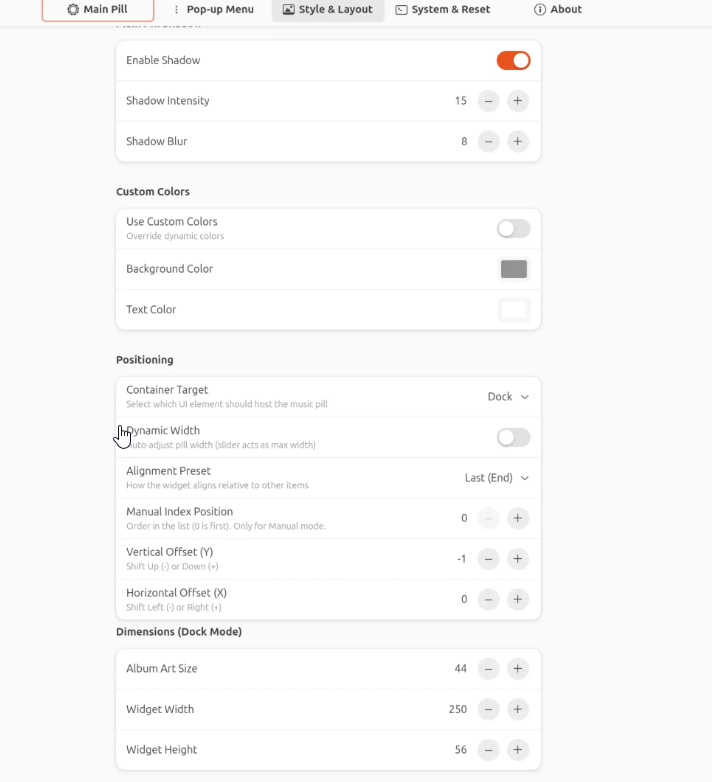
- Go to Style & Layout
- Under Positioning, choose your preferred “Container Target”
You can position it:
- In the dock
- Left panel
- Center panel
- Right panel
Fine-tune it based on your desktop layout.
Deep Customization for Power Users
Dynamic Music Pill isn’t just a basic widget — it offers extensive customization across four settings tabs.
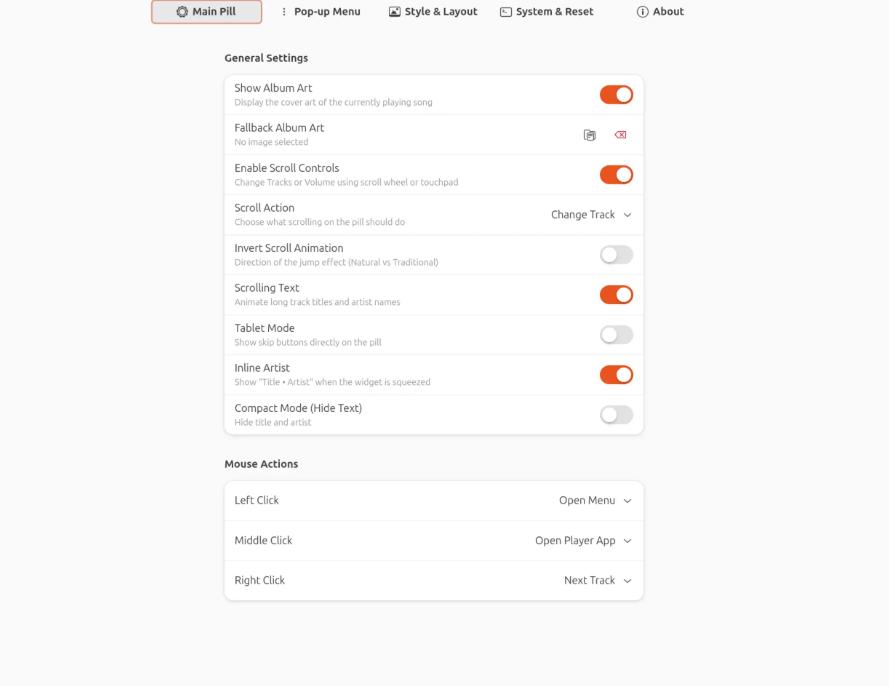
1️⃣ Main Pill Settings
Control what appears inside the pill:
- Show/hide album artwork
- Enable scrolling track text
- Display artist inline
- Activate compact mode (artwork + visualizer only)
- Set fallback artwork for streams without covers
Perfect for minimalists or detail lovers alike.
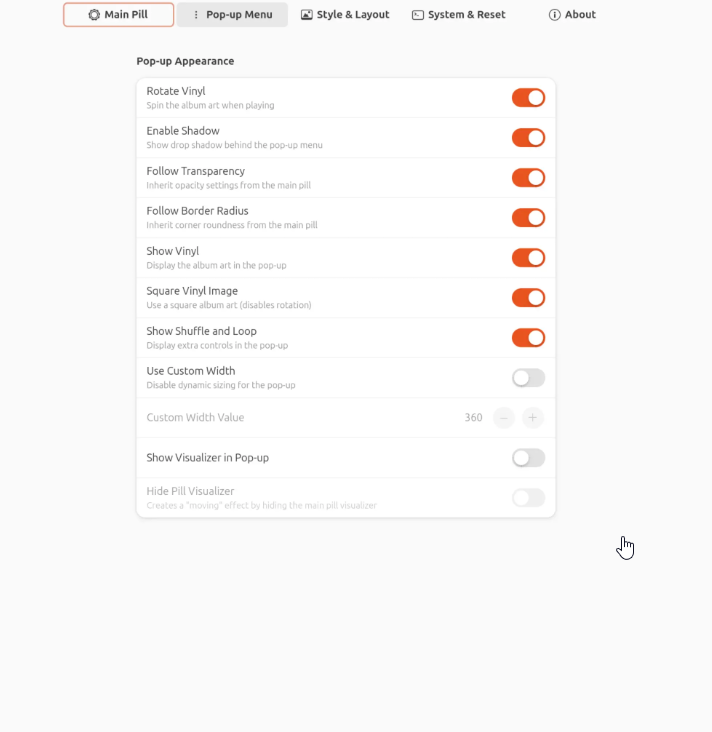
2️⃣ Pop-up Menu Customization
Adjust the expanded pop-up window:
- Rotating vinyl-style artwork animation
- Drop shadows
- Transparency levels
- Shuffle and repeat buttons
You can fine-tune both aesthetics and functionality.
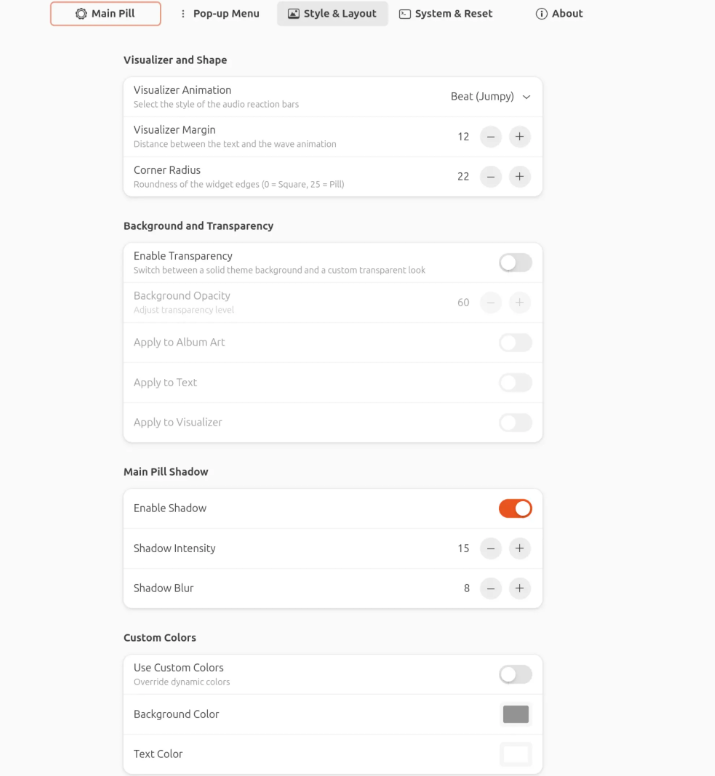
3️⃣ Style & Layout Controls
This tab lets you customize:
- Visualizer style
- Corner radius
- Background transparency
- Custom colors
- Exact dimensions in pixels
Whether you prefer a subtle minimal look or a bold, vibrant widget, everything is adjustable.
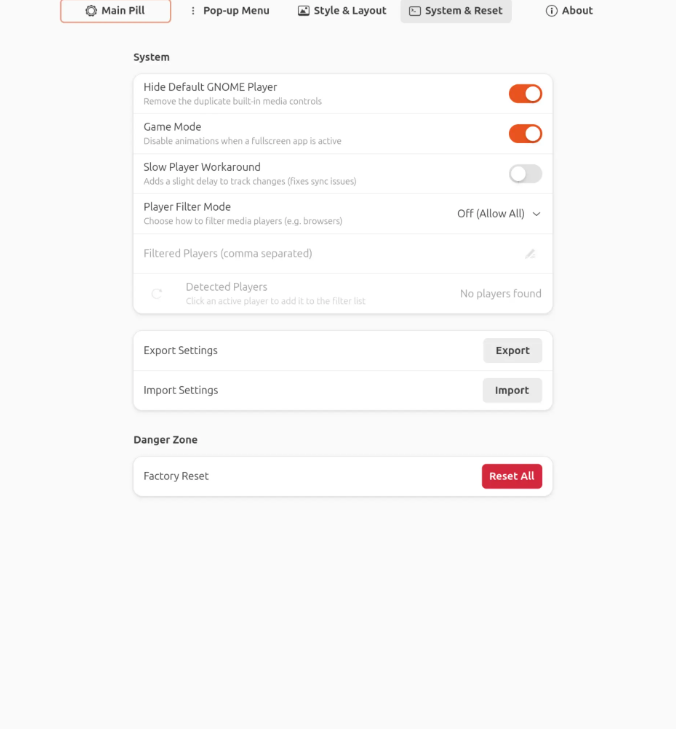
4️⃣ System & Reset Options
Two particularly useful features:
- Game Mode – Automatically disables animations when an app goes fullscreen to preserve performance
- Export/Import settings as JSON – Perfect for backups or transferring configurations between systems
This makes Dynamic Music Pill suitable even for performance-conscious users and gamers.
Why Dynamic Music Pill Is Worth Installing
If you use GNOME daily and listen to music while working, this extension provides:
- Instant visibility of currently playing tracks
- Elegant, modern design
- Zero desktop clutter
- Smooth GPU-accelerated animations
- Broad compatibility with Linux apps and streaming services
It enhances both aesthetics and usability without compromising system performance.
Final Thoughts
Dynamic Music Pill is one of those GNOME extensions that feels like it should be built-in. It blends beautifully with the GNOME desktop, offers deep customization, and stays lightweight.
For Linux users who care about both design and functionality, this extension transforms your music experience into something visually dynamic and effortlessly accessible.
If you’re running GNOME and enjoy streaming music while working or gaming, Dynamic Music Pill is absolutely worth trying.
And if you'd like to go a step further in supporting us, you can treat us to a virtual coffee ☕️. Thank you for your support ❤️!

We do not support or promote any form of piracy, copyright infringement, or illegal use of software, video content, or digital resources.
Any mention of third-party sites, tools, or platforms is purely for informational purposes. It is the responsibility of each reader to comply with the laws in their country, as well as the terms of use of the services mentioned.
We strongly encourage the use of legal, open-source, or official solutions in a responsible manner.
Comments