
The Acer laptops I most often receive for testing are from their more premium Swift series. They are a bit sleeker, more luxurious, and come with a higher price tag. However, the base consumer laptop from Acer has always been the Aspire, and in that series, you can often find really affordable laptops.
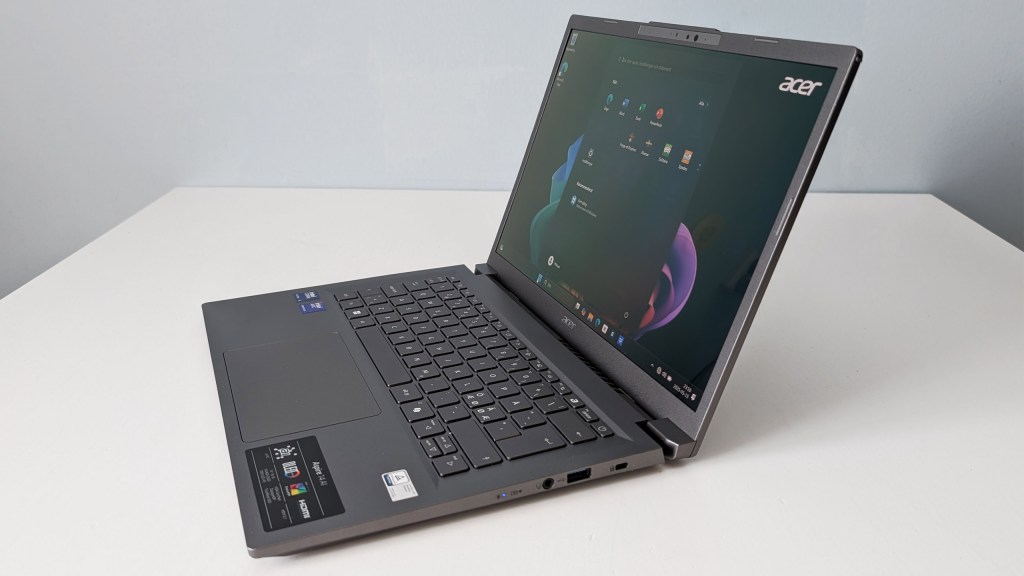
Like this Aspire 14 AI, which appeared in a couple of large Swedish stores in March and which has maintained a steady price of $930 throughout the spring. There’s a bit of a budget vibe in the build, and it’s not as light and sleek as the corresponding Acer Swift model that I tested earlier this spring, even though it also has a 14-inch OLED screen.
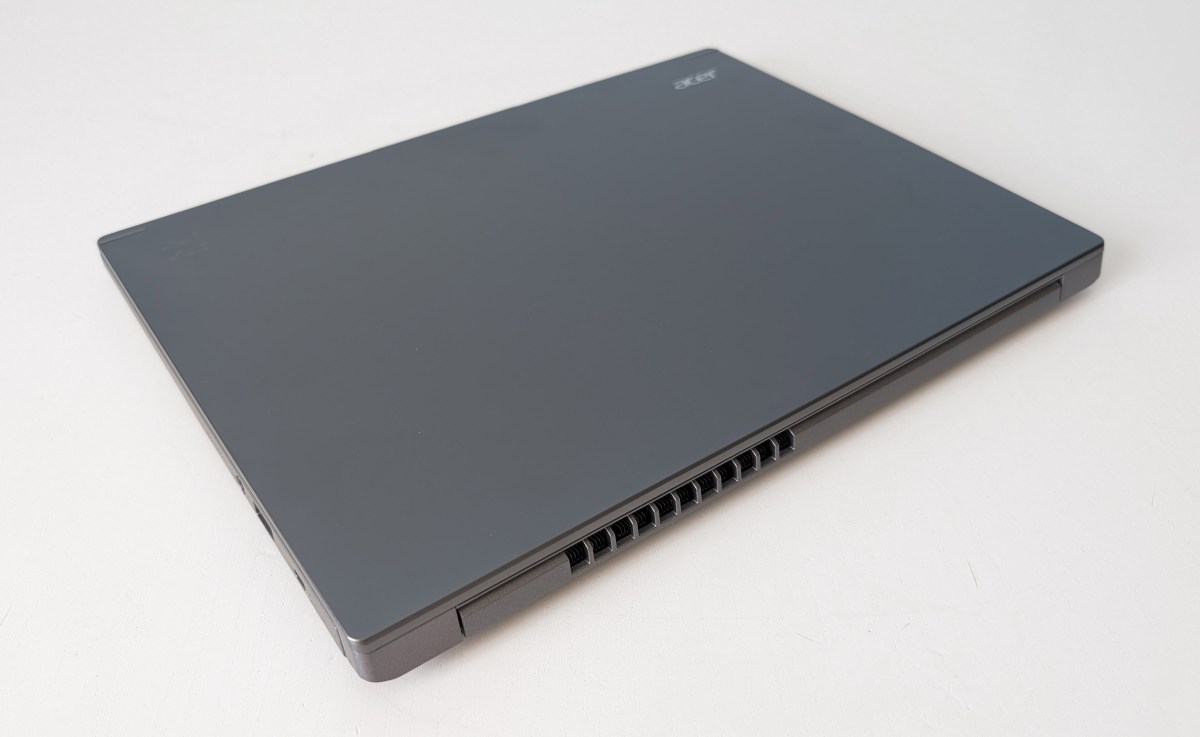
It has surfaces made of plastic instead of aluminum or magnesium, and a more angular and uncomfortable shape. It’s solid and practical with plenty of room for internal cooling and external ports, but not exactly elegant.
Budget Feel Here and There
And not always super comfortable. The keyboard is as imprecise and rattling as in many cheaper computers, and the touchpad is a commonplace matte plastic square with some friction for the fingertip. Nothing is directly substandard, but it’s noticeable that there have been cutbacks on the best mechanics and materials.
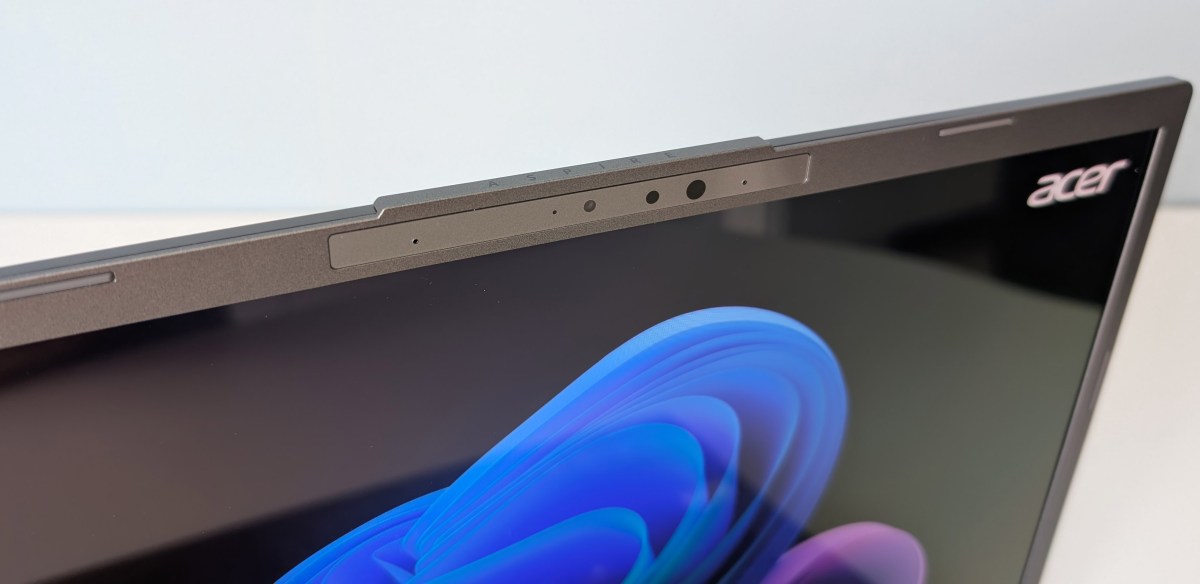
A fingerprint reader is missing, but you can log in biometrically with your face. The webcam, a 1080p model with mediocre quality, at least has IR support so that Windows Hello login works.
The Aspire 14 AI is one of many new laptops with Intel’s latest generation Core Ultra processor, which, with a strong NPU, gives the right properties to run local AI applications. The Core Ultra 5 226V is one of the simpler ones for its generation, with four performance cores and four more power-efficient ones. You get Intel Arc graphics, again a bit scaled down compared to the best.
It’s still fast enough for trouble-free office work, browsing, and simpler media editing. You don’t necessarily need a Core Ultra 7, even though that’s what Intel promotes the most for this class of computer. As long as you have enough RAM, and the 16 GB you get here is enough.
Three Performance Modes
The computer mostly runs both cool and quiet in its balanced standard mode. It can whine annoyingly from the fans when they start up, even if the sound volume from the fans stays relatively low. If you want more cooling for long-term work, it can be set in a performance mode that provides constant fan hum and makes the system more eager to spin up the fans.
For the most part, the standard mode is the best choice. That kind of fan trimming is more relevant in a real performance PC. You can also choose silent mode, which almost completely eliminates fan cooling but also reduces power to the processor. That’s good if you’re just going to surf and run a little Microsoft Word. That is, what I myself do 95 percent of my working day.
A 512 GB SSD is more or less standard in cheap laptops nowadays, and that’s what you get here. It’s exactly as fast as a modern SSD in a laptop should be, and you can get up to 6 GB per second in sequential read speed. If you want more space, there is no SD card slot and it is also not possible to upgrade afterwards.
But there are variants of the computer with a 1 TB SSD, and also the Core Ultra 7 processor for 11,990 SEK (approximately $1120 USD). It’s up to you if extra storage is worth the money – I wouldn’t pay more for the upgraded processor. The Core Ultra 5 is good enough for all basic needs, and some slightly higher demands. If you want more kick from the cores, I recommend you check out a Snapdragon X-based computer instead. There are many excellent ones, some are even at the same price level.
The Screen Elevates the Experience
But with them, you don’t get the Acer computer’s excellent OLED screen. It has a resolution of 1920 x 1200 pixels – good enough but nothing special, in other words. Of course, it has all the good OLED properties: top-class color that matches DCI-P3, blackness, light control, and contrast that are 100 percent, and excellent image in all viewing angles.
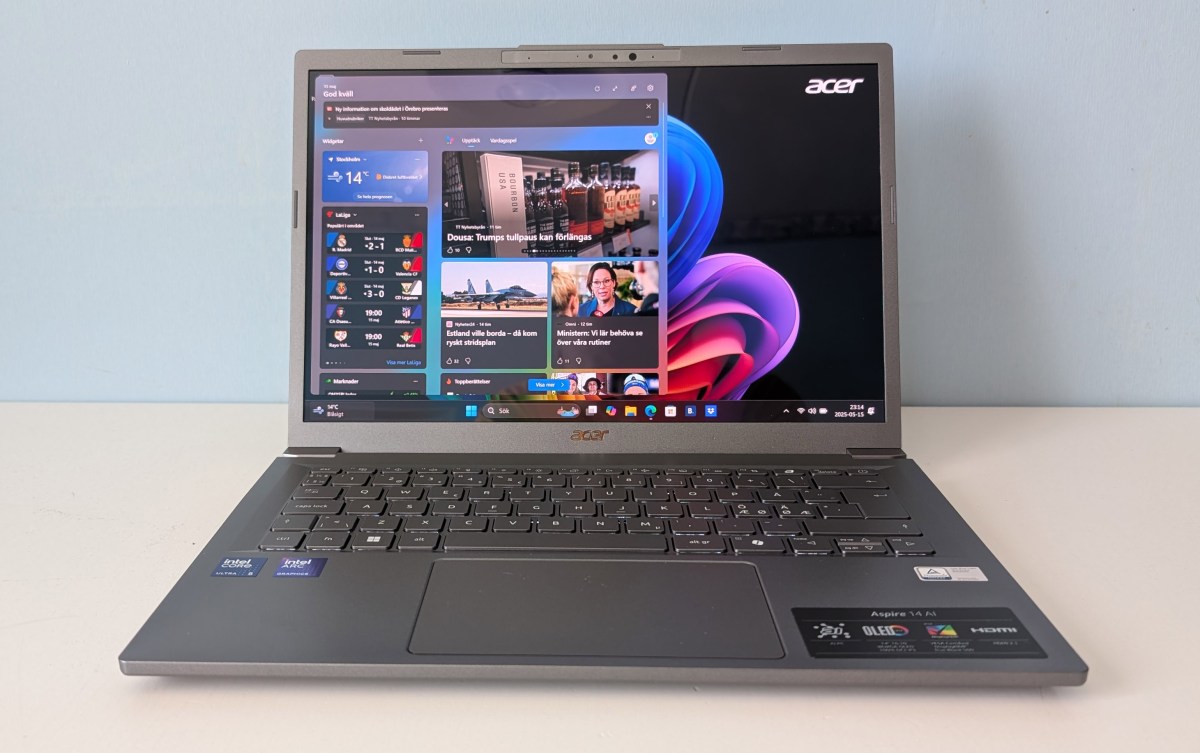
You even get reasonably high brightness and HDR function if you show the right images or play the right film. It is certified for Vesa Display HDR True Black 500. What you don’t get with this screen is extra sharp resolution or a higher frame rate than the usual 60Hz. There is plastic in front of the screen panel and not glass – the surface is completely glossy and with a certain tendency to reflections. However, not excessively.
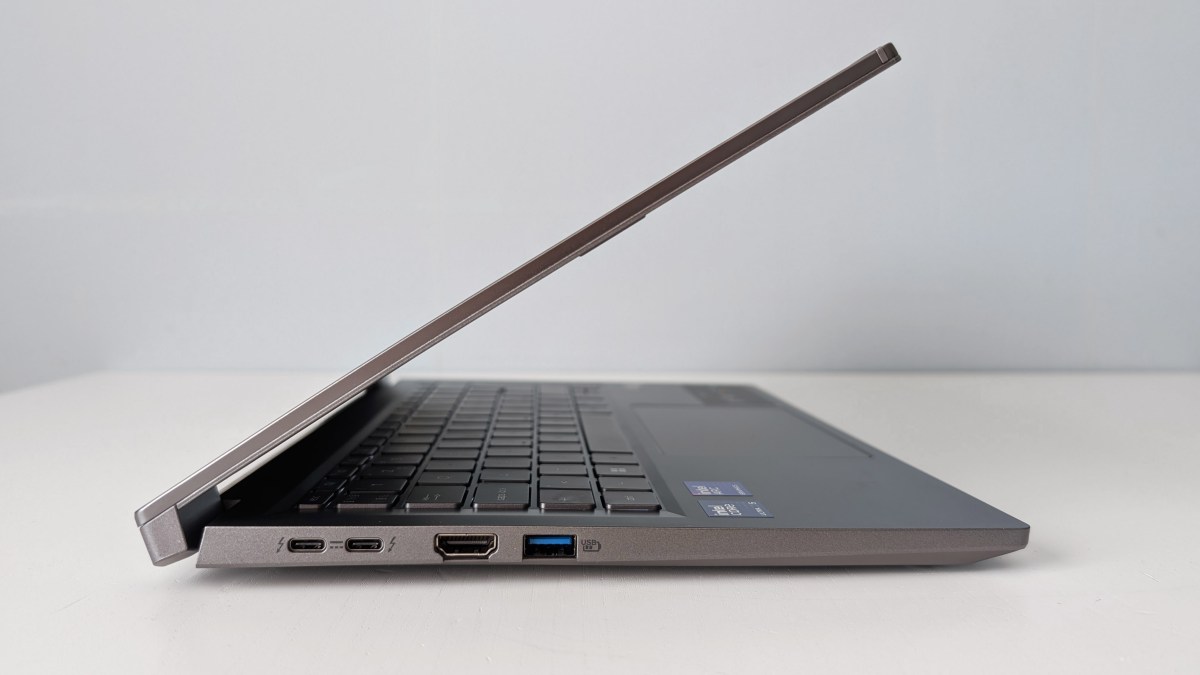
Dual Thunderbolt 4, and dual USB-A with USB 3 speed, an HDMI 2.1 and wifi 6e for wireless connection – everything is approved, but there are things I wish for. Like wifi 7 and a card reader. But it’s hard to complain about it considering the price. You always have space for both charging and desktop docking, either via USB ports or Thunderbolt. And wifi 6e is good enough.
Shouldn’t it be enough anymore?
The 65 Wh battery provides between two and six hours of operating time. It’s far from what the best ultra-light 14-inch laptops manage. It seems that the system can never become as passive as needed for longer operating time – much is pulling small current in background processes. Even when it’s standing still and doing nothing, the CPU load is between 5–10 percent. So there’s a risk that you constantly need the charger with you.
A possible culprit in the drama may be the screen. Other tests of the Aspire 14 AI I can read do not complain about short battery life, but they have an IPS screen. The only one sold in Sweden is this OLED model. It is not possible to reduce the brightness of it more than about halfway.
What bothers me most about the computer is Acer’s eagerness to put a lot of unnecessary things in the system. From small programs to fix AI-generated background images and its own widget for webcam effects, to a number of small games and some pure bloatware like Booking and LinkedIn.
You also get an offer for Dropbox as a popup after the first startup, with 20 GB free for one year. It’s one of the few things that actually feels like added value. What makes it an AI computer is mainly that Microsoft’s Copilot Plus functions work as well as they can, at least those that Intel has rolled out for Intel computers.
I don’t give Acer’s own AI functions much credit. The noise reduction for the microphone is decent, but I have tested and heard better that doesn’t call itself AI. You can AI-generate better images in MS Paint than in Acer’s tools, and it’s easier to use. An icon in the start menu leads to the download and installation of its own AI assistant from Acer, but it’s not as impressive compared to Microsoft’s Copilot.
Specifications
- Product Name: Acer Aspire 14 AI (NX.JFVED.001)
- Tested: May 2025
- Manufacturer: Acer
- Processor: Intel Core Ultra 5 226V, 4 P-cores up to 4.5 GHz, 4 E-cores up to 3.5 GHz
- NPU: Intel AI Boost, 40 tops
- Graphics: Intel Arc 130V
- Memory: 16 GB DDR5
- Storage: 512 GB SSD
- Display: 14-inch glossy OLED, 1920 x 1200 pixels, 60 Hz, approx. 500 cd/m2
- Webcam: 1080p with IR
- Connections: 2x Thunderbolt 4, 2x USB-A 3 gen 1, HDMI, headset
- Wireless: Wifi 6e, bluetooth 5.3
- Operating System: Windows 11 Home
- Other: Backlit keyboard, 1 year 20 GB Dropbox
- Sound Level: 0–38 dBa
- Battery: 65 Wh, 1 hour 45 min (high load, full brightness, 240 Hz) to about 6 hours 10 min (low load, low brightness, 60 Hz)
- Size: 31.9 x 22.5 x 1.7 cm
- Weight: 1.4 kg
- Price at the time of testing: $930 USD at Dustinhome
And if you'd like to go a step further in supporting us, you can treat us to a virtual coffee ☕️. Thank you for your support ❤️!

We do not support or promote any form of piracy, copyright infringement, or illegal use of software, video content, or digital resources.
Any mention of third-party sites, tools, or platforms is purely for informational purposes. It is the responsibility of each reader to comply with the laws in their country, as well as the terms of use of the services mentioned.
We strongly encourage the use of legal, open-source, or official solutions in a responsible manner.
Comments