
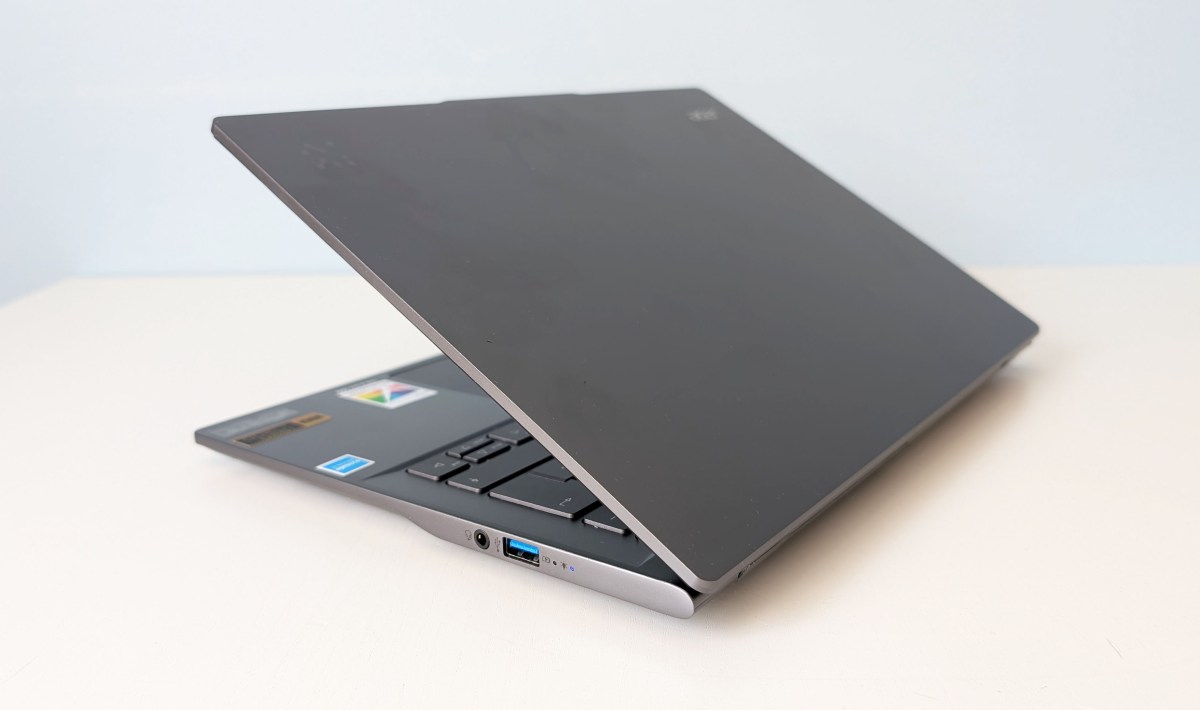
In September last year, I tested an Acer Swift 14 AI, but that model featured an IPS screen and a Snapdragon processor. Now, Acer has released a new version with an OLED screen and Intel Core Ultra 7. The Intel processor brings higher graphics performance and better single-core performance but lower multi-threaded performance compared to the Arm-based alternative due to having more cores.
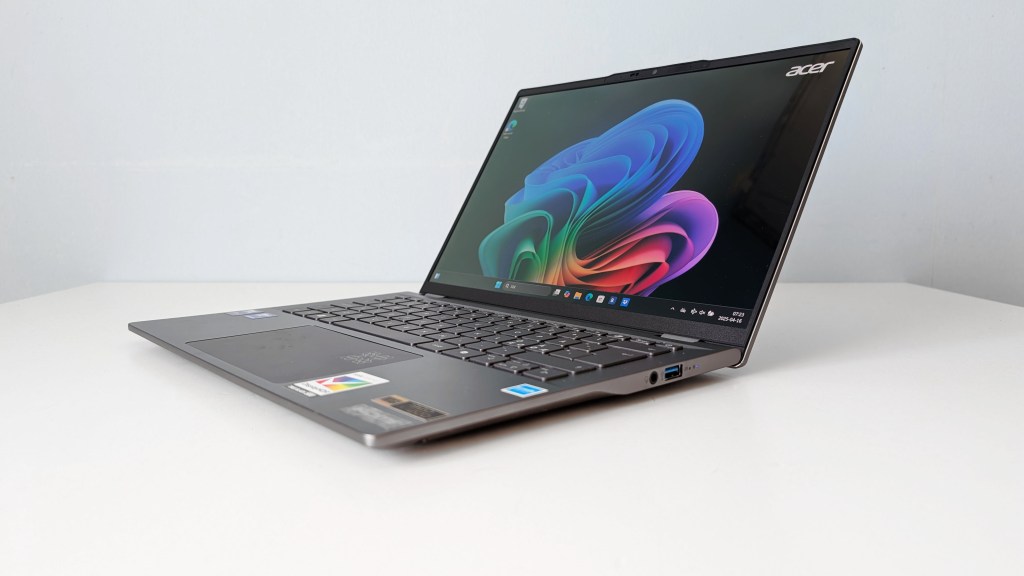
Otherwise, most things remain the same. It’s a simply designed laptop with a dark gray aluminum exterior, a matte black plastic trim around the screen, and a build that doesn’t exactly scream luxury but is sturdy and offers some extra shock resistance. It reportedly passed some form of MIL-STD testing, although it’s not clear which one. It’s also astonishingly affordable, priced just under 13,000 kronor, actually cheaper than last fall’s Snapdragon model.
Despite this, it doesn’t seem like Acer has skimped on performance or features—at least not much. The Core Ultra 7 processor is as fast as those in more expensive competitors but comes with 16 GB of built-in RAM instead of 32 GB. It’s certainly a downgrade but not one that should reduce the price by half.
Many Small Features and a Fine Screen
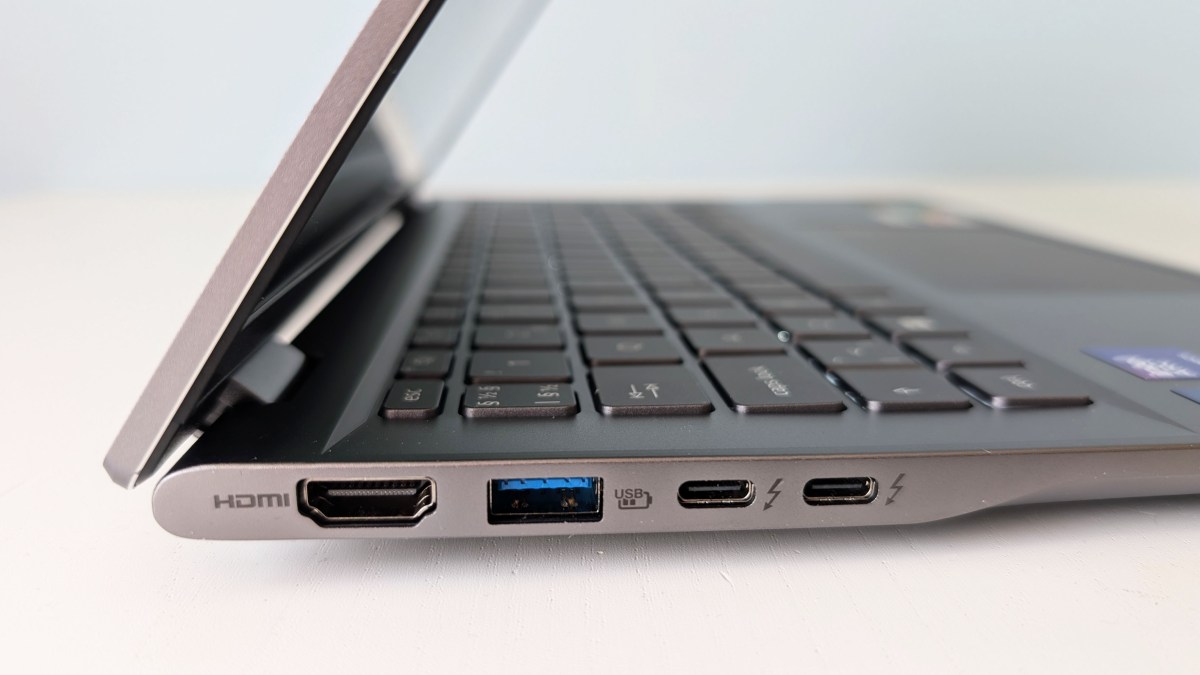
You also get a reasonably fast 512 GB SSD, fast and stable WiFi 7, and plenty of connections, including dual Thunderbolt 4, dual USB-A ports, and full-size HDMI. Additionally, there’s a fingerprint reader, an IR camera for facial login, and a presence sensor. It’s hard to pinpoint anything that’s missing.
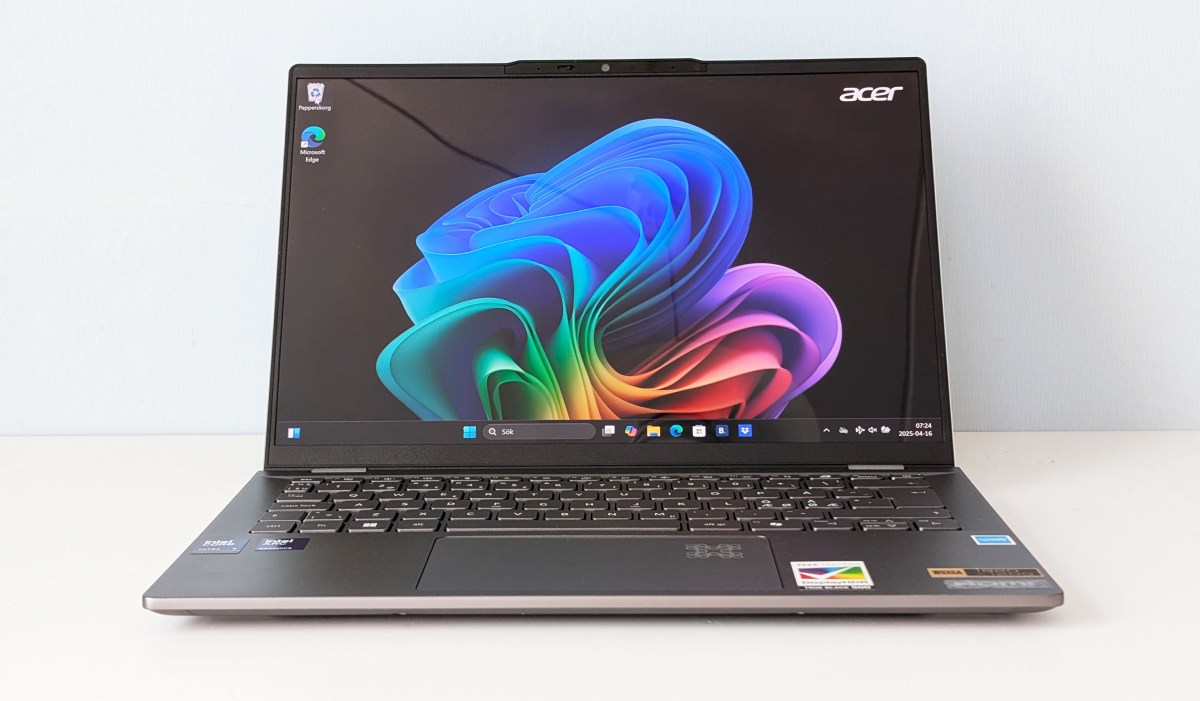
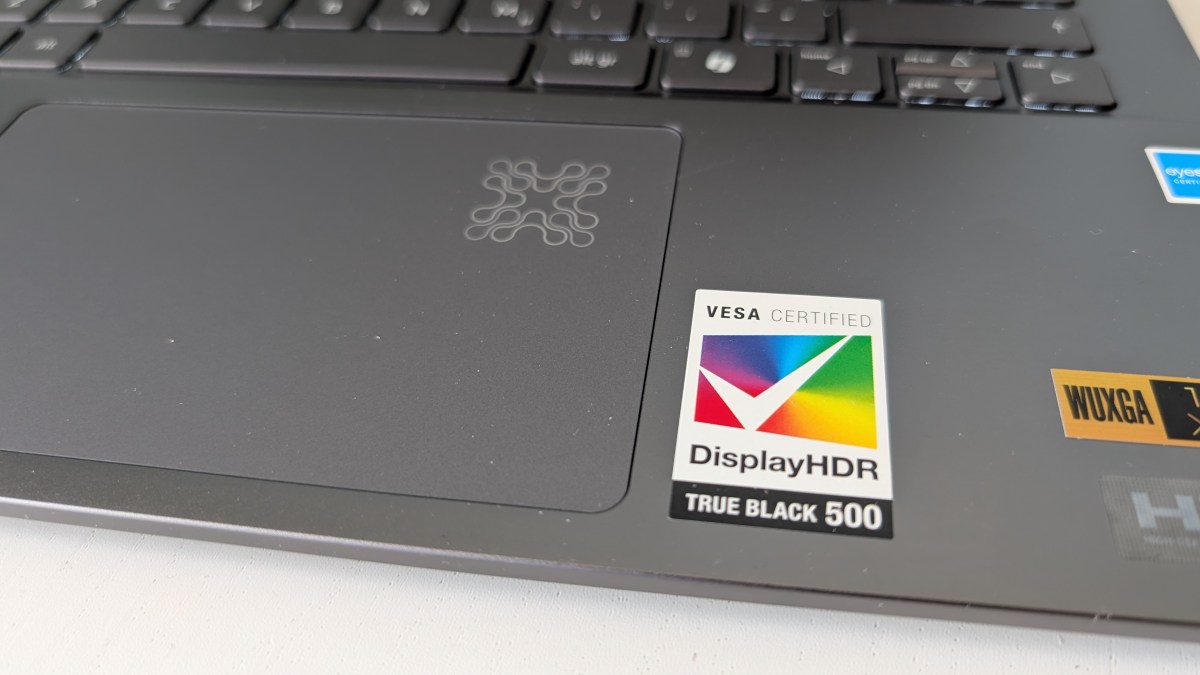
The laptop has a beautiful OLED screen with DCI-P3 color accuracy, 1200p resolution, DisplayHDR True Black 500, and Eyesafe 2.0 certification. It features an excellent blue light filter for long work sessions into the small hours. If there’s anything it lacks, it’s a high refresh rate, as you’ll have to settle for 60 Hz. Yes, a higher resolution wouldn’t hurt, but once more, it’s not worth paying significantly more for.
The audio has more of a budget feel, with somewhat tinny and harsh sound from the speakers. It’s not terrible, but it does sound cheap. You can invest what you save on the laptop into a good headset instead, as there’s definitely room to plug it in.
Lasts All Day
Battery life was one standout feature of the Snapdragon variant of the laptop—does the Intel Core model perform just as well? The answer is a resounding yes. Despite having a smaller battery this time (65 Wh versus 70 Wh), I still get well over a day of continuous, careful use, actually a bit better than the Snapdragon model. However, it drains more when I push the processor, making battery life “normal” and capable of depleting in under three hours.
Other noteworthy aspects include a 1440p webcam that delivers lag-free, noise-free, and sharp images. However, the color handling doesn’t show you at your best; it overexposes light and exaggerates saturation. The built-in microphone picks up voice clearly but doesn’t deliver studio quality. It sounds relatively thin and doesn’t improve much with Acer’s AI-supported noise reduction activated. However, it effectively removes distracting background noise.
You also get extra webcam effects in addition to Windows Studio effects, thanks to being a Copilot Plus device. It features both a fingerprint reader and facial recognition for biometric login, along with a presence sensor that can turn off the screen and lock the laptop when you leave it. It’s great for security and saving battery. However, I find this feature unreliable; sometimes, it won’t turn off at all, and at other times, it locks the computer the moment I glance slightly away.
Such irritations are forgivable considering the overall value of the laptop. You can disable the presence sensor in Windows settings under Power if you choose, or adjust its sensitivity so that it might work better than it does for me.
Well-Damped Fans
The keyboard lacks a true premium feel but is solid and offers good key responsiveness. If it were just a centimeter wider, I wouldn’t complain—it has the space for it. There’s a special button for Acer Sense, a settings and support program.
Here, you can toggle between performance-limiting Quiet mode, balanced Normal mode, and Performance mode with more active cooling, check battery health, make charging adjustments, update BIOS and drivers, and learn more about the laptop’s various features. You won’t get higher peak performance in Performance mode, so Normal is generally best, and cooling remains pleasantly subdued even when I run stress tests on the laptop.
Acer laptops come with numerous pre-installed programs of varying usefulness. There’s an app that offers AI-generated backgrounds, a somewhat confusing image composition tool for creating thumbnails for YouTube videos, and plenty of third-party bloatware. I would gladly do without most of this.
Specifications
- Product Name: Acer Swift 14 AI SF14-51-736D (NX.J2JED.003)
- Tested: April 2025
- Manufacturer: Acer
- Processor: Intel Core Ultra 7 256V, 4 P-cores up to 4.8 GHz, 4 E-cores up to 3.7 GHz
- Graphics: Intel Arc Graphics 140V
- NPU: Intel AI Boost, 47 tops
- Memory: 16 GB LPDDR5
- Storage: 512 GB SSD
- Display: 14-inch glossy OLED, 1920×1200 pixels, 60 Hz, 400 cd/m2
- Webcam: 1440p, IR
- Connections: 2 Thunderbolt 4, 2 USB-A 3 Gen 1, HDMI, headset
- Wireless: WiFi 7, Bluetooth 5.4
- Operating System: Windows 11 Home
- Other: Backlit keyboard, fingerprint reader, facial login, presence sensor, shock-resistant (MIL-STD-810H)
- Noise Level: 0–36 dBa
- Battery: 65 Wh, 2 hours 40 minutes (high load, full brightness) to about 27 hours (low load, low brightness)
- Size: 31.24 x 22.12 x 1.57 cm
- Weight: 1.27 kg
- Price: $1,356
And if you'd like to go a step further in supporting us, you can treat us to a virtual coffee ☕️. Thank you for your support ❤️!

We do not support or promote any form of piracy, copyright infringement, or illegal use of software, video content, or digital resources.
Any mention of third-party sites, tools, or platforms is purely for informational purposes. It is the responsibility of each reader to comply with the laws in their country, as well as the terms of use of the services mentioned.
We strongly encourage the use of legal, open-source, or official solutions in a responsible manner.
Comments