
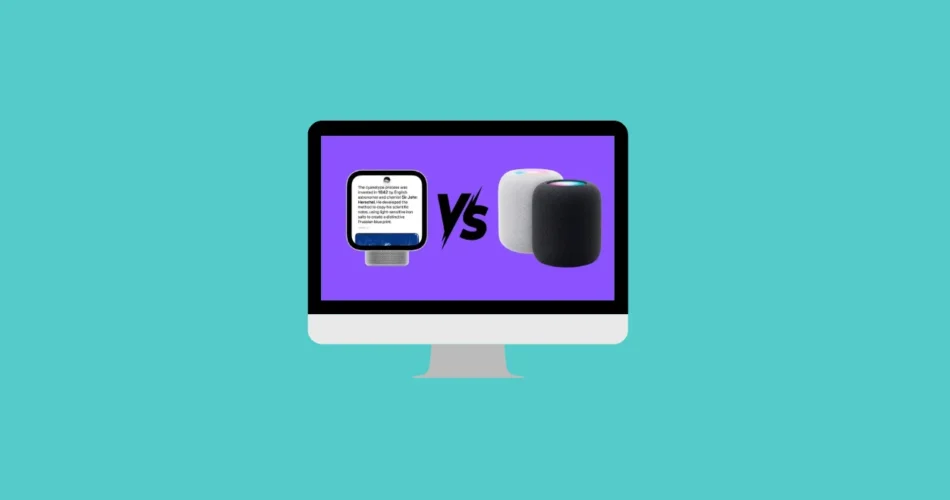
Apple’s smart home lineup is getting a major upgrade, but choosing between its newest devices is not as straightforward as comparing their prices. The new Apple HomeView brings a touchscreen, a camera, and Apple’s next-generation Siri AI to the home, while the HomePod (2nd generation) focuses on delivering high-quality audio and controlling smart home accessories.
Interestingly, HomeView starts at $299, making it $50 cheaper than the full-size HomePod, which currently costs $349. Despite their overlapping features, the two devices serve different purposes. HomeView is designed to become a central hub for everyday household tasks, while HomePod remains the better option for people who prioritize music and immersive sound.
Apple announced HomeView on October 13, 2026, alongside a new HomePod mini and Apple TV 4K. The company’s first smart display is available for preorder ahead of its November 13 launch. Meanwhile, the second-generation HomePod, originally released in February 2023, continues to occupy the premium end of Apple’s smart speaker lineup.
So, is HomeView the smarter purchase, or does the HomePod still deserve a place in your home? Here’s how the two devices compare in terms of price, hardware, Siri AI, smart home features, privacy, and everyday usability.
Apple HomeView vs. HomePod: Key Specifications Compared
Before looking at individual features, here’s a breakdown of the main differences between Apple’s smart display and its full-size smart speaker.
| Feature | Apple HomeView | Apple HomePod (2nd generation) |
|---|---|---|
| US starting price | $299 | $349 |
| Release date | November 13, 2026 | February 3, 2023 |
| Display | 7-inch Liquid Retina with True Tone, 500 nits | No display |
| Processor | Apple A18 | Apple S7 |
| Audio hardware | Two full-range drivers, down-firing woofer, two passive radiators on tabletop model | 4-inch high-excursion woofer and five horn-loaded tweeters |
| Camera | Center Stage camera for FaceTime | None |
| Siri AI | Supported in beta | No confirmed support |
| Stereo pairing | Not announced | Supported |
| Temperature and humidity sensors | Not listed | Included |
| Thread support | Not confirmed in the announcement | Supported |
| Tabletop colors | Silver, starlight, rose pink, space gray | Midnight, white |
| Wall-mounted colors | Space gray, silver | Not applicable |
The differences are immediately apparent. HomeView offers a visual interface, video calling, and access to Apple’s newer AI-powered assistant. The HomePod, meanwhile, has more substantial dedicated speaker hardware and built-in environmental sensors.
The right choice ultimately depends on whether you want a smart home control center or a speaker that puts sound quality first.
Apple HomeView Is Cheaper Than the Full-Size HomePod
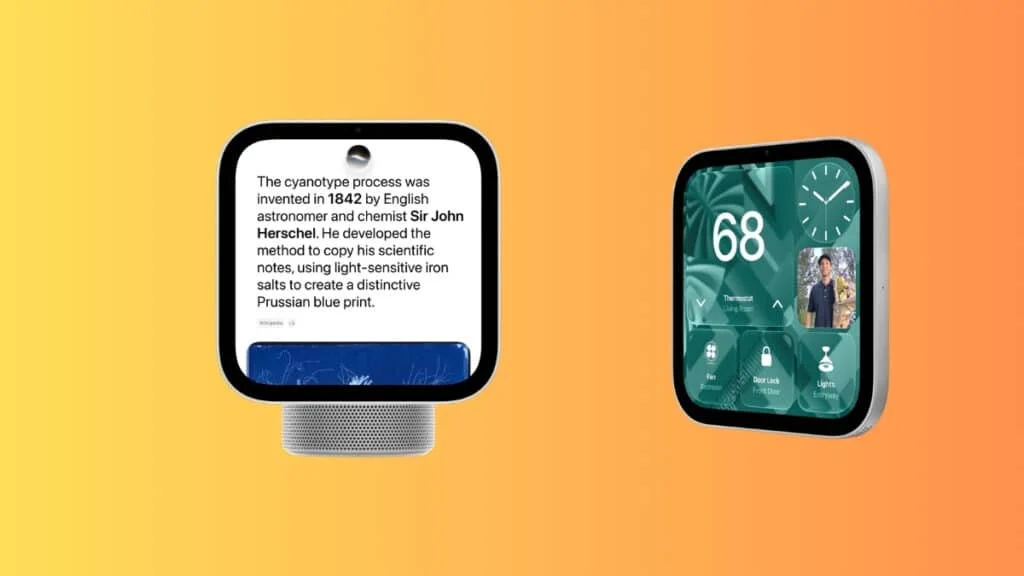
One of the most surprising aspects of Apple’s new lineup is the pricing. HomeView starts at $299, even though it includes a display, a camera, and the A18 processor. The HomePod costs $349 despite lacking a screen and camera.
Apple raised the HomePod’s price from $299 to $349 on June 25, 2026, amid a reported memory chip shortage. Just a few months later, the company introduced a more versatile device at a lower starting price.
For most buyers interested in an Apple smart home hub, the tabletop HomeView therefore looks like the more attractive value proposition.
However, the wall-mounted version requires additional hardware that increases the overall cost.
Wall-Mounted HomeView Costs More
Apple offers HomeView in tabletop and wall-mounted configurations. The latter requires a compatible Schneider Electric Home mount, which is sold separately.
The available options include:
- Power Mount USB-C Wall Connector: $59.95.
- Power Mount AC Wired: $79.95.
- Power Mount PoE Wired: $129.95, expected in early 2027.
Depending on the mounting solution, the total price of a wall-mounted HomeView ranges from approximately $359 to $429 before installation.
That makes the tabletop model the most affordable way to get Apple’s new smart display. If you want to install HomeView permanently in a kitchen, hallway, or another central location, remember to factor the mounting hardware into your budget.
What Can Apple HomeView Do?
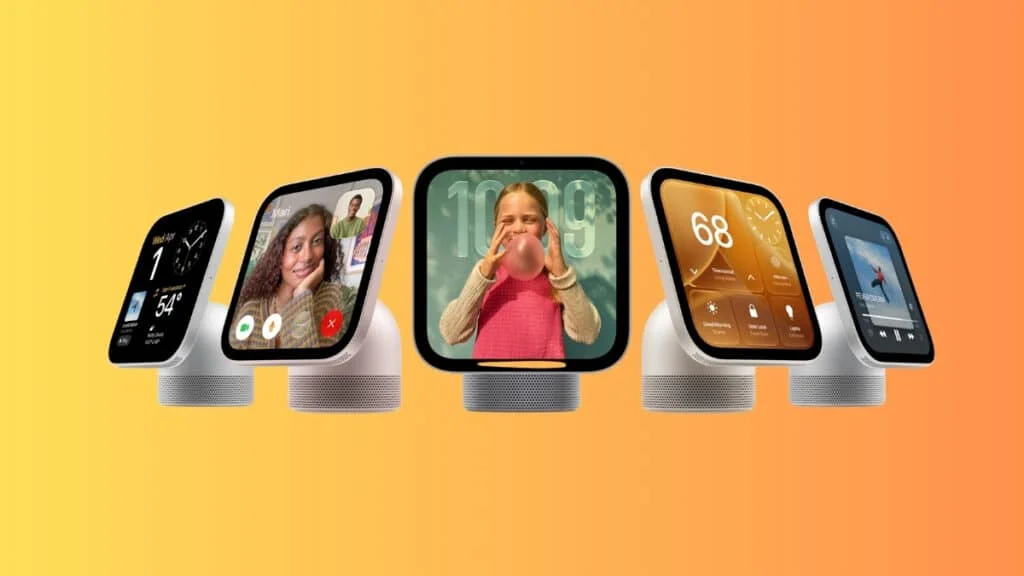
HomeView is more than a touchscreen speaker. Apple designed it as a central interface for controlling connected devices, checking information, communicating with family members, and interacting with Siri.
Its 7-inch Liquid Retina display provides a visual alternative to voice commands, which can be particularly useful when you’re busy cooking, cleaning, or managing several tasks at once.
Imagine preparing dinner while following a recipe, setting multiple timers, and checking who is at the front door. Instead of reaching for your iPhone each time, you can use HomeView to handle these activities from one location.
A Smart Display Designed for Everyday Tasks
HomeView combines several features intended to make household routines easier.
Interactive recipes and timers: The display can turn web recipes into step-by-step instructions and help you manage timers without repeatedly touching your phone.
Home camera monitoring: Its Home Camera interface can display up to nine camera feeds simultaneously, making it easier to monitor different areas of your property.
Personalized user profiles: HomeView supports up to six people. Using facial recognition, it can display a personalized Home Screen with each person’s apps and widgets.
FaceTime video calls: The integrated Center Stage camera helps keep you in the frame as you move around the room during a call.
Intercom and Find My: You can broadcast messages to individual rooms or the entire house. The device can also help locate compatible Apple devices and items tracked with AirTags.
Smoke and carbon monoxide alarm detection: HomeView can recognize supported alarm sounds and send notifications to an iPhone, iPad, or Apple Watch.
The display also adjusts the amount of information presented according to your distance from the device. From across a room, it emphasizes information that’s easy to read at a glance. When you move closer, it can show more detail.
These small usability improvements help distinguish HomeView from a traditional smart speaker with a screen added as an afterthought.
HomeView Doesn’t Have Its Own App Store
There is an important limitation to understand before buying HomeView: it doesn’t include a standalone App Store.
Instead, the device relies on compatible apps associated with a nearby iPhone or iPad. Apple describes an approach similar to CarPlay, where supported third-party apps can appear on another screen without requiring a completely independent app ecosystem.
Audio services that already support CarPlay, including Spotify and Audible, are compatible with this approach.
Personal information receives additional restrictions. Messages, Calendar information, and supported third-party app content are available only when HomeView recognizes the user and the associated iPhone or iPad is nearby and has been unlocked recently.
Guests can still access shared content, such as photo albums and music, without receiving the same access to personal information.
This arrangement could work well for households already invested in Apple’s ecosystem. However, it makes HomeView less appealing to families that primarily use Android phones.
Initial setup also requires a compatible iPhone or iPad running the latest software.
Apple HomePod Remains the Better Choice for Music
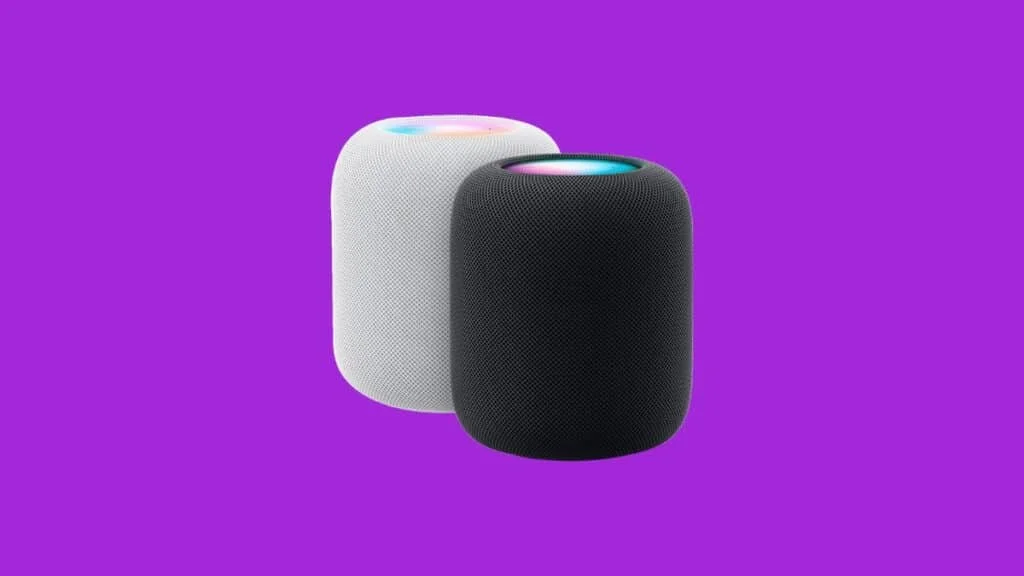
Although HomeView offers more features, it doesn’t automatically replace the full-size HomePod as Apple’s premium audio product.
The second-generation HomePod is built around dedicated speaker hardware designed to deliver powerful sound, substantial bass, and room-filling audio.
According to Apple’s published specifications, it includes a 4-inch high-excursion woofer and five horn-loaded tweeters. An internal microphone helps the speaker calibrate its sound by measuring how bass behaves in the surrounding room.
HomeView uses a different configuration. The tabletop version combines two full-range drivers, a down-firing woofer, and two passive radiators. The wall-mounted version uses two drivers.
Although HomeView can play music, its hardware configuration suggests a different priority: providing convenient audio alongside its smart display functions rather than replacing a dedicated premium speaker.
Stereo Pairing and Home Theater
The HomePod has another advantage for users who want to build a more capable Apple audio system.
Two second-generation HomePods can be configured as a stereo pair, with one speaker handling the left channel and the other handling the right. This creates a more immersive listening experience than a single speaker can provide.
HomePods can also be used with compatible Apple TV hardware for a home theater setup. Apple says two second-generation HomePods can provide a home theater audio configuration with the new Apple TV 4K.
HomeView supports multiroom audio alongside HomePod and compatible AirPlay speakers, but Apple has not announced equivalent stereo-pairing functionality for the smart display.
If you already own a HomePod or plan to invest in Apple’s home theater ecosystem, the full-size speaker remains the more suitable option.
Built-In Temperature and Humidity Sensors
The HomePod also includes temperature and humidity sensors that can support Apple Home automations.
For example, you could configure a compatible smart fan to turn on when the temperature rises above a particular threshold. You could also use environmental readings as part of a broader home automation routine.
Apple’s HomeView announcement doesn’t list equivalent sensors.
That doesn’t necessarily mean HomeView will never support these capabilities, but buyers should avoid assuming that its newer hardware automatically includes every feature found in the HomePod.
For music enthusiasts and smart home users who rely on environmental automations, the HomePod still offers several practical advantages.
Siri AI Could Be the Biggest Reason to Choose HomeView
The most significant difference between HomeView and the second-generation HomePod isn’t the screen or the speaker hardware. It’s Siri.
HomeView launches with Apple’s redesigned Siri AI, which promises broader knowledge, more natural conversations, and the ability to understand information displayed on the screen.
However, Siri AI is still labeled as a beta feature in HomeView software version 27.2. Its availability also depends on language and regional support.
At launch, English support includes the United States, United Kingdom, Australia, Canada, India, New Zealand, Singapore, and South Africa.
For people who frequently ask Siri questions, manage household schedules, or interact with smart home devices, the updated assistant could make HomeView considerably more useful than a conventional smart speaker.
Some Siri AI Features Require a Compatible Apple Device
Not every HomeView owner will receive the same Siri AI experience.
When paired with an Apple Intelligence-compatible iPhone or iPad, HomeView can access relevant personal context from supported services, including Messages, Calendar, and Apple Music.
Without a compatible device, users are limited to features such as general knowledge and music discovery.
Certain expressive Siri voice options have even stricter hardware requirements. Apple lists the iPhone 17 Pro, iPhone 18 Pro, iPhone Air, and an M4 iPad with at least 12GB of memory among the supported devices for these capabilities.
Consequently, the HomeView experience depends partly on the Apple hardware you already own. Buyers should check their device compatibility before assuming that every advertised AI feature will be available.
Will the Second-Generation HomePod Get Siri AI?
This remains an important unanswered question.
Apple has not confirmed that the second-generation HomePod will receive Siri AI. Reports based on code found in HomePod Software 27 suggest that the newer assistant could require additional hardware.
That leaves buyers with an awkward decision: spend $349 on a premium speaker today without a confirmed upgrade path to the new Siri experience, or choose the less expensive HomeView and gain access to Apple’s latest assistant.
Apple has confirmed that the new HomePod mini, priced at $149, will receive Siri AI through a future software update.
Until Apple provides more information about the full-size HomePod, anyone who considers the updated Siri essential should be cautious about purchasing the older model solely for its smart assistant features.
Apple HomeView vs. HomePod for Smart Home Control
Both devices can serve as Apple Home hubs, allowing users to control compatible accessories and manage connected devices.
Apple is also preparing a new Home Collection that includes cameras, thermostats, and a smart lock developed with LG and Schneider Electric. These products are expected to begin arriving in December 2026 and require a compatible home hub, such as HomeView, HomePod, or Apple TV.
However, there is one technical detail worth checking before making a purchase: Thread support.
Thread is a low-power networking technology used by many smart home accessories. A compatible Thread border router helps these devices communicate with the wider home network.
Apple explicitly lists Thread support in the second-generation HomePod’s specifications. The initial HomeView announcement doesn’t mention Thread.
That omission is not proof that HomeView lacks Thread hardware, but it means buyers shouldn’t assume support until Apple publishes complete specifications.
If your existing smart home relies on Thread accessories, keep a compatible HomePod, HomePod mini, or Apple TV in your setup until HomeView’s networking capabilities are fully documented.
Apple HomeView Privacy: What Happens to Your Camera and Voice Data?
Adding a camera and microphone to a shared household device naturally raises privacy concerns.
Unlike the HomePod, HomeView includes a camera designed for FaceTime and other supported functions. Apple says its A18 processor handles camera and microphone data inside Secure Exclaves, which isolate sensitive processing from the device’s main software and applications.
Siri requests are processed either on the device or through Apple’s Private Cloud Compute infrastructure, depending on the task.
Apple also explains that certain personal information may remain accessible under specific circumstances, even when the associated iPhone isn’t connected to Wi-Fi. For example, access can depend on whether the user has been recognized and whether the phone was recently unlocked nearby.
For a kitchen or shared living space, HomeView’s camera and personalized interface may be useful additions. In a bedroom or private home office, however, some people may prefer a camera-free device.
The HomePod is the simpler choice for anyone who wants voice control and high-quality audio without introducing another camera into their home.
Apple HomeView vs. HomePod: Which One Should You Buy?
The best option depends on how you plan to use Apple’s smart home ecosystem. Neither device is the right choice for everyone.
Buy Apple HomeView if You Want a Smart Home Control Center
HomeView is the stronger choice if you regularly control lights, locks, and cameras, follow recipes while cooking, make video calls, or want access to Apple’s newest Siri AI features.
Its touchscreen makes information easier to access without relying entirely on voice commands. The camera, personalized profiles, and smart home interface also make it a better fit for a central location such as a kitchen or family room.
At $299, the tabletop model offers the best value. Just remember that the wall-mounted version requires additional hardware.
Buy the HomePod (2nd Generation) if Sound Quality Matters Most
Choose the full-size HomePod if music is your main priority.
Its dedicated woofer and tweeter configuration, room-aware audio processing, stereo-pairing support, and compatibility with Apple’s home theater ecosystem make it more attractive for serious listening.
The temperature and humidity sensors are additional benefits for smart home enthusiasts.
However, the lack of a confirmed Siri AI upgrade is a significant consideration at its current $349 price.
Choose the HomePod mini if You Want a More Affordable Option
The second-generation HomePod mini costs $149 and is a more budget-friendly way to add an Apple smart speaker to your home.
Apple has confirmed that it will receive Siri AI through a future software update. It also supports stereo pairing, making it worth considering for users who want a compact speaker rather than a touchscreen control panel.
For smaller rooms, bedrooms, or multiple-room audio setups, the HomePod mini could offer a more affordable entry point into Apple’s ecosystem.
Wait if You Want a Full-Size HomePod With Siri AI
If you want the combination of premium HomePod audio and Apple’s redesigned Siri, waiting may be the sensible option.
Apple has not announced a new full-size HomePod with Siri AI, so there is no confirmed release date or guarantee that an updated model will arrive soon.
Waiting is also worth considering if you live in the European Union. Apple is not currently offering HomeView in the region because Siri AI is not yet available there.
Why Some Homes May Eventually Need Both
HomeView and HomePod aren’t necessarily competing for exactly the same place in a household.
A practical setup could include HomeView in the kitchen for recipes, timers, video calls, and smart home controls, with one or two HomePods in the living room for music and home theater audio.
Both can work within Apple’s broader ecosystem, allowing users to distribute audio and control compatible accessories from different rooms.
For households that already own several Apple devices, combining a smart display with dedicated speakers may provide a better experience than expecting one product to do everything.
Apple HomeView Price and Availability in India
Apple HomeView is launching in India at Rs 39,900 for both the tabletop and wall-mounted models. Preorders are open, with sales scheduled to begin on November 13, 2026.
Compatible wall mounts start at Rs 6,900, adding to the total cost of a wall-mounted installation.
Indian buyers also benefit from Siri AI’s English-language support at launch, which includes India alongside several other English-speaking markets.
Before ordering, check the final cost of any required mounting accessories and confirm that your existing iPhone or iPad supports the features you intend to use.
Conclusion
Apple HomeView and the second-generation HomePod appeal to different priorities, even though their prices are relatively close.
HomeView is the more versatile smart home device. Its 7-inch touchscreen, Center Stage camera, personalized interface, and Siri AI make it a compelling choice for households that want a central place to manage everyday tasks and connected accessories. At $299, it also costs less than the full-size HomePod.
The HomePod remains the better choice for dedicated music playback, stereo listening, and compatible Apple TV home theater setups. Its environmental sensors are useful extras, too. However, the absence of a confirmed Siri AI upgrade makes its $349 price harder to justify for buyers who prioritize the latest smart assistant features.
For most people building an Apple smart home from scratch, the tabletop HomeView is the more attractive all-around purchase. Music enthusiasts who already have a capable smart home setup may still prefer the HomePod.
Ultimately, choose HomeView for the screen and smarter Siri, and choose HomePod for the sound. If you want both experiences, Apple’s ecosystem gives you the option to combine them rather than compromise.
Add Tech2Geek as a preferred source on Google to see more of our latest tech articles.
Support Tech2Geek ❤️
Did this guide help you? If Tech2Geek saves you time or helps you solve a problem,
consider buying me a coffee. ☕
Your support helps keep Tech2Geek independent and free.
Comments