
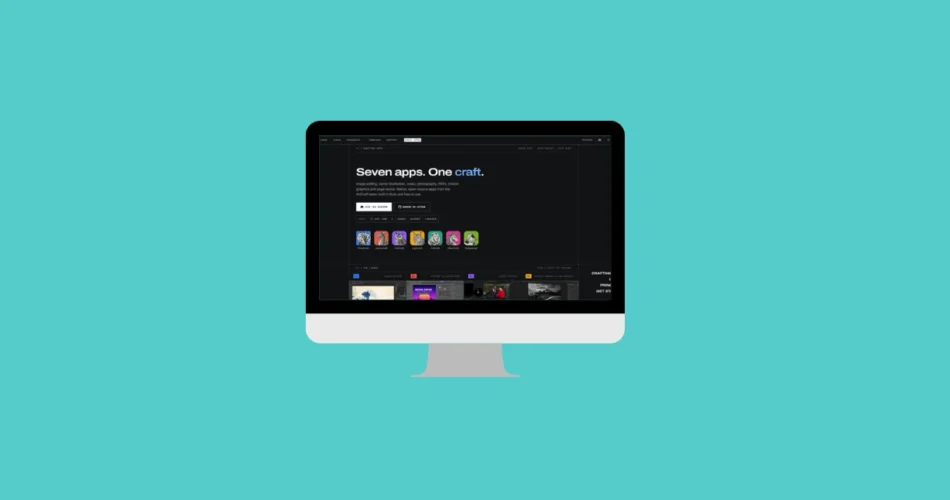
Finding powerful creative software without expensive subscriptions can be difficult, particularly for users who need alternatives to Adobe Photoshop, Illustrator, Premiere Pro, Lightroom, or InDesign. ArtCraft is developing a collection of seven creative applications designed to offer familiar professional workflows through free, source-available software built primarily in Rust.
Called ArtCraft Crafting Apps, the collection covers image editing, vector illustration, video editing, photo management, PDF tools, motion graphics, and page layout. The projects are available through the developer’s GitHub organization, with downloadable builds for multiple operating systems.
The collection includes PhotoCraft, VectorCraft, FilmCraft, LightCraft, PdfCraft, EffectCraft, and DesignCraft. Although several projects are still in alpha or active development, the suite offers an interesting alternative for designers, photographers, video editors, and other creative professionals looking for software they can inspect, run locally, and contribute to.
Official website: https://getartcraft.com/apps
What Is ArtCraft?

ArtCraft is a software development project focused on building creative tools for artists, designers, photographers, and filmmakers. Its Crafting Apps collection aims to recreate familiar creative workflows without relying on Electron or embedding a web interface inside the desktop applications.
According to the project’s official website, the applications are written from scratch in Rust. Their desktop versions are designed to run as native applications on Windows, macOS, and Linux, while several projects can also run in a web browser through WebAssembly.
The developer emphasizes several principles:
- Free to use: The Crafting Apps are available without a mandatory subscription.
- Open-source development: The code is published on GitHub, allowing users to inspect the implementation and contribute.
- Native desktop applications: The desktop software is built in Rust rather than being packaged as an Electron application.
- Local file workflows: The applications are designed to work with users’ files locally.
- Automation support: The project emphasizes command-line tools, JSON control channels, and Model Context Protocol (MCP) integration for supported workflows.
- Cross-platform development: The collection targets Windows, macOS, and Linux, with browser versions available for several apps.
You can explore the source code through the official GitHub organization: https://github.com/storytold

The Seven ArtCraft Creative Applications
1. PhotoCraft: An Open-Source Photoshop Alternative

PhotoCraft is ArtCraft’s image-editing application, designed around workflows familiar to users of Adobe Photoshop.
The project aims to provide a clean-room implementation of an image editor in Rust. Its goal is to give users a familiar environment for editing images without depending on Adobe’s subscription-based software.
Potential uses include image editing, graphic design, working with layers, and preparing visual assets.
Key details:
- Category: Image editing
- Platforms: Windows, macOS, Linux, and web
- Development status: Early alpha
- Official website: https://getartcraft.com/apps
- Source code: https://github.com/storytold/photocraft
PhotoCraft is one of the projects to watch if you’re looking for an alternative to Photoshop. However, its early-alpha status means that users should evaluate its current tools, compatibility, and stability before relying on it for professional work.
2. VectorCraft: A Vector Illustration Tool
VectorCraft is ArtCraft’s vector graphics application, designed for illustration and other work based on scalable vector graphics.
Vector editors are useful for creating logos, icons, diagrams, illustrations, and graphics that need to remain sharp at different sizes. VectorCraft aims to provide a familiar workflow for users who would otherwise consider applications such as Adobe Illustrator.
Key details:
- Category: Vector illustration
- Platforms: Windows, macOS, Linux, and web
- Development status: In development
- Official website: https://getartcraft.com/apps
- Source code: https://github.com/storytold/vectorcraft
Because the application is still in development, users should check the current release before expecting it to replace a mature vector design package.
3. FilmCraft: An Open-Source Video Editor

FilmCraft focuses on video editing, with an emphasis on rebuilding professional editing workflows in Rust.
Video editors typically need tools for arranging clips, managing timelines, adjusting color, and working with audio. FilmCraft is intended to address this category of creative work as part of the ArtCraft collection.
Key details:
- Category: Video editing
- Platforms: Windows, macOS, and Linux
- Development status: In development
- Official website: https://getartcraft.com/apps
- Source code: https://github.com/storytold/filmcraft
FilmCraft could interest creators who want to explore an alternative to Adobe Premiere Pro. However, it is still under development, so check its current feature set and supported media formats before using it for demanding editing projects.
4. LightCraft: Photo Management and RAW Development
LightCraft is designed for photographers who need to organize image collections and process photographs, including RAW files.
Unlike a general-purpose image editor, a photo library and RAW development application focuses on managing collections and adjusting photographs as part of a photography workflow.
LightCraft aims to provide an alternative to Adobe Lightroom, with an emphasis on running locally on the user’s machine.
Key details:
- Category: Photo management and RAW development
- Platforms: Windows, macOS, Linux, and web
- Development status: In development
- Official website: https://getartcraft.com/apps
- Source code: https://github.com/storytold/lightcraft
Photographers interested in LightCraft should verify support for their camera’s RAW format, metadata handling, export options, and catalog workflow before migrating an existing photo library.
5. PdfCraft: An Open-Source PDF Workbench

PdfCraft is the collection’s PDF-focused application. Its stated purpose is to make common document operations available in one interface.
The project aims to support tasks such as reading, organizing, combining, splitting, and securing PDF documents.
Key details:
- Category: PDF management
- Platforms: Windows, macOS, Linux, and web
- Development status: Early alpha
- Official website: https://getartcraft.com/apps
- Source code: https://github.com/storytold/pdfcraft
PdfCraft could be useful for users who regularly manage documents and want an alternative to commercial PDF software. Because it is in early alpha, test it with nonessential documents first and verify that the specific operations you need work correctly.
6. EffectCraft: Motion Graphics and Visual Effects

EffectCraft is designed for motion graphics and visual effects, extending the collection beyond traditional image and document editing.
Motion graphics software is used to create animated visual elements, titles, compositing effects, and other material for video productions. EffectCraft aims to provide this type of workflow through an application developed in Rust.
Key details:
- Category: Motion graphics and visual effects
- Platforms: Windows, macOS, Linux, and web
- Development status: In development
- Official website: https://getartcraft.com/apps
- Source code: https://github.com/storytold/effectcraft
EffectCraft may interest motion designers and video creators who want to follow the development of a new creative tool. It should not yet be assumed to offer the full capabilities of established visual-effects packages.
7. DesignCraft: Page Layout and Publishing

DesignCraft focuses on page layout and publishing, a category of software used to produce magazines, brochures, books, and other multi-page documents.
The project is designed around workflows associated with Adobe InDesign, including page composition, text frames, columns, typography, and document layout.
Key details:
- Category: Page layout and publishing
- Platforms: Windows, macOS, Linux, and web
- Development status: In development
- Official website: https://getartcraft.com/apps
- Source code: https://github.com/storytold/designcraft
DesignCraft could be worth watching for publishers, designers, and users who want to experiment with an open-source desktop publishing application. Before adopting it for production, check its current import and export capabilities and whether it supports the document formats you use.
ArtCraft Apps at a Glance
| Application | Main purpose | Development status |
|---|---|---|
| PhotoCraft | Image editing | Early alpha |
| VectorCraft | Vector illustration | In development |
| FilmCraft | Video editing | In development |
| LightCraft | Photo library and RAW development | In development |
| PdfCraft | PDF management | Early alpha |
| EffectCraft | Motion graphics and VFX | In development |
| DesignCraft | Page layout and publishing | In development |
The statuses above reflect the project’s published app listing and may change as development progresses. Check the individual repositories for the latest releases and installation instructions.
What Makes ArtCraft Different?
Built in Rust
One of the collection’s defining characteristics is its use of Rust. The project aims to deliver native desktop applications rather than wrapping conventional web applications in Electron.
That approach is intended to provide a more direct desktop experience. Actual performance, memory use, and responsiveness will still depend on each application’s implementation and the tasks being performed.
Designed for Multiple Platforms
The desktop applications target Windows, macOS, and Linux. Several also have web versions built with WebAssembly, allowing users to try supported functionality through a browser.
Platform availability differs between projects, so consult each application’s download page before installing it.
Automation and AI-Agent Integration
ArtCraft also emphasizes making its applications controllable through software interfaces. The project’s stated approach includes command-line access, JSON-based control channels, and MCP servers for supported workflows.
These interfaces could allow developers to automate repetitive operations or integrate creative applications into AI-assisted workflows. The practical capabilities depend on the specific application and the commands it exposes.
Publicly Available Source Code
The source repositories allow users to examine the code, follow development, report bugs, and potentially contribute improvements.
However, check the license for each project before using, redistributing, or modifying its code commercially. A publicly accessible repository does not automatically mean that every use or redistribution is permitted without restrictions.
Are ArtCraft Apps Ready to Replace Adobe Creative Cloud?
Not completely. The projects target many of the same creative workflows as Adobe’s applications, but they are at different stages of development.
PhotoCraft and PdfCraft are listed as early-alpha projects, while the other five applications are in development. That means features, compatibility, stability, and file-format support may differ substantially from established commercial products.
If you’re curious about the collection, a sensible approach is to download one application and test it with sample files. For example, photographers can evaluate LightCraft’s RAW support, designers can experiment with VectorCraft, and writers or publishers can try DesignCraft.
Keep your existing software and backups available until you have confirmed that the relevant ArtCraft application supports your complete workflow.
How to Download ArtCraft Apps
You can find the collection and links to the individual projects on the official website.
- Visit https://getartcraft.com/apps.
- Choose the application you want to try.
- Open its official project page and review the available downloads.
- Select the build for your operating system, if one is available.
- Follow the installation instructions provided by the developer.
You can also browse the source repositories directly through https://github.com/storytold.
Because the applications are actively developed, check the release notes and project documentation for the latest compatibility information. If a project does not yet provide a suitable installer for your platform, its repository may explain how to build it from source.
Conclusion
ArtCraft is developing an ambitious collection of seven creative applications covering image editing, vector illustration, video editing, photography, PDFs, motion graphics, and page layout.
Its use of Rust, cross-platform goals, publicly available code, and emphasis on automation make the collection worth watching. PhotoCraft and PdfCraft are already listed as early-alpha applications, while the remaining projects continue to develop.
For now, ArtCraft is best viewed as a promising collection of emerging alternatives rather than a complete replacement for every tool in Adobe Creative Cloud. If you want to explore new creative software without committing to a subscription, visit the official website, choose an application that matches your needs, and test its current capabilities.
Official links:
- ArtCraft Crafting Apps: https://getartcraft.com/apps
- ArtCraft GitHub organization: https://github.com/storytold
- PhotoCraft: https://github.com/storytold/photocraft
- VectorCraft: https://github.com/storytold/vectorcraft
- FilmCraft: https://github.com/storytold/filmcraft
- LightCraft: https://github.com/storytold/lightcraft
- PdfCraft: https://github.com/storytold/pdfcraft
- EffectCraft: https://github.com/storytold/effectcraft
- DesignCraft: https://github.com/storytold/designcraft
Add Tech2Geek as a preferred source on Google to see more of our latest tech articles.
Support Tech2Geek ❤️
Did this guide help you? If Tech2Geek saves you time or helps you solve a problem,
consider buying me a coffee. ☕
Your support helps keep Tech2Geek independent and free.
Comments