
Running AI models locally is becoming increasingly popular—but before installing tools like Ollama or LM Studio, there’s one critical question:
👉 Can your machine actually handle it?
That’s exactly what CanIRun.ai helps you figure out.
This free, browser-based tool analyzes your hardware in seconds and tells you which AI models your system can run—no downloads, no setup, and no technical knowledge required.
How CanIRun.ai Works
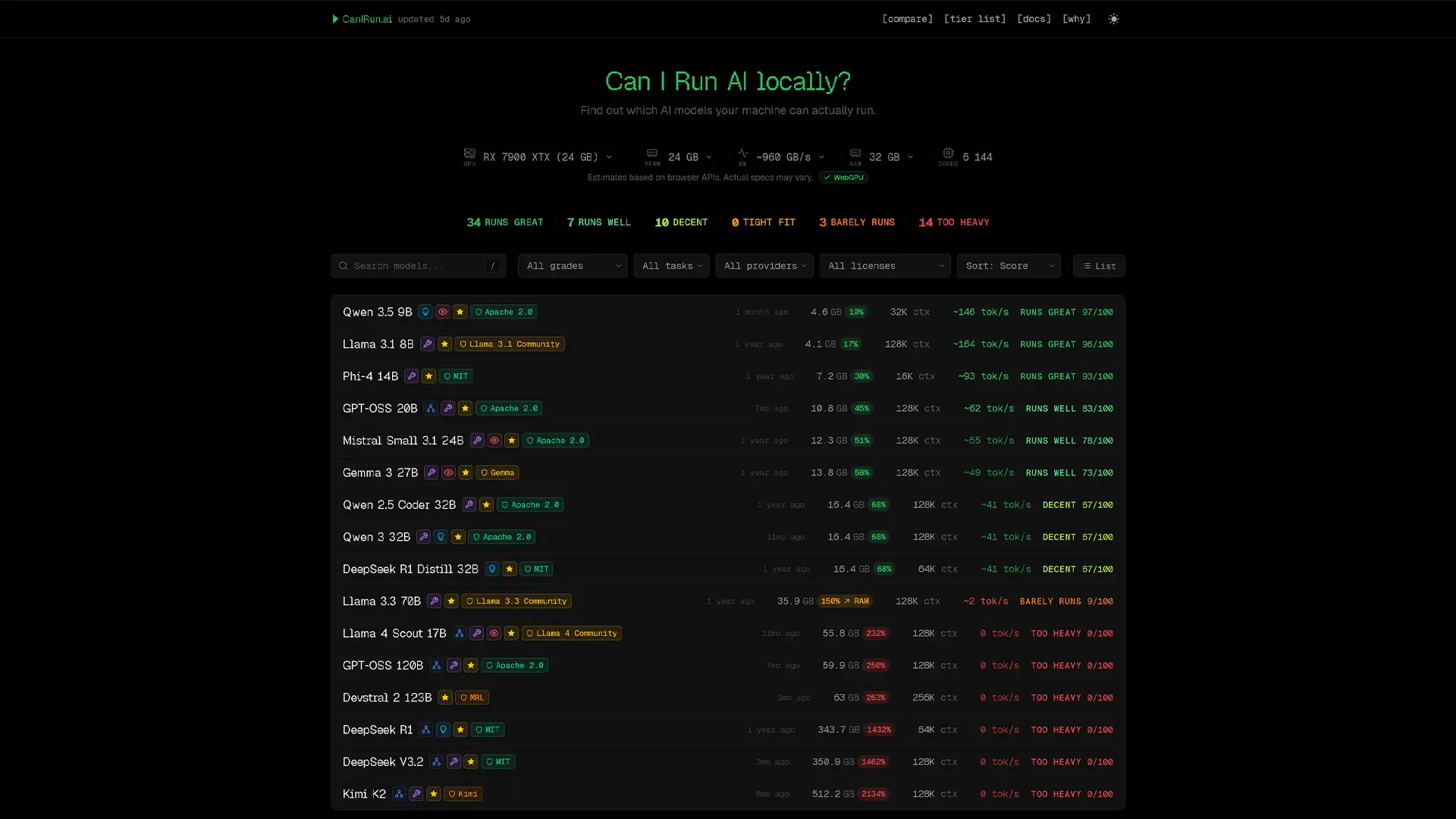
When you open CanIRun.ai, the site automatically detects your system specs using browser APIs.
It analyzes key components like:
- GPU
- VRAM
- System RAM
- CPU cores
You don’t need to enter anything manually—everything happens instantly.
Real-Time Compatibility Scores
Once your hardware is detected, each AI model in the catalog is assigned:
- A score out of 100
- A performance label:
- Runs great
- Playable
- Heavy
- Too heavy
You’ll also see:
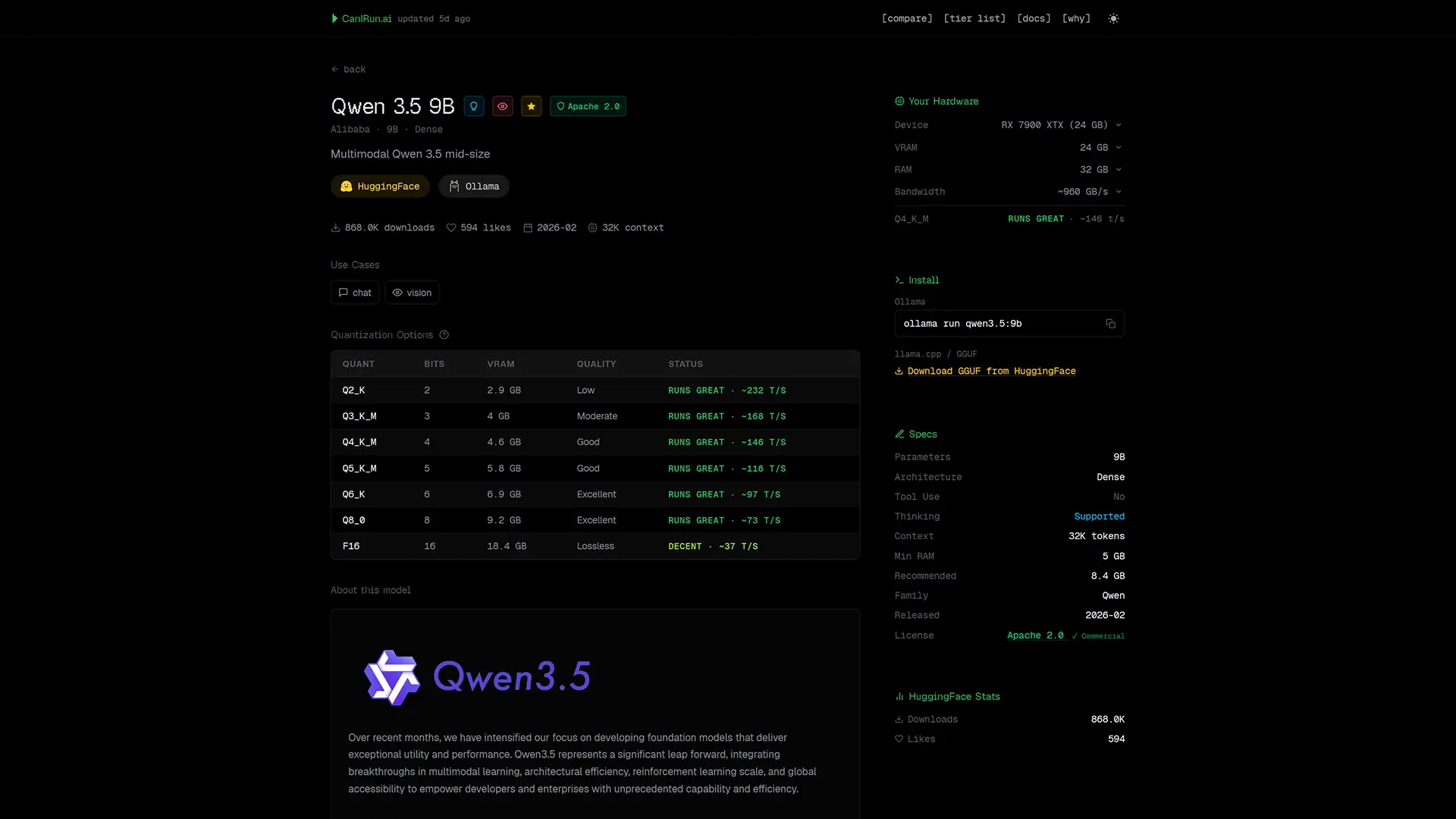
- Estimated tokens per second
- Expected memory usage
👉 Best of all, everything runs locally in your browser—no data is sent to external servers, ensuring full privacy.
Accuracy and Limitations
The tool relies on WebGPU to estimate performance, which means results can vary depending on your setup.
For example:
- Systems with integrated GPUs may show less accurate results
- VRAM estimates can be tricky when memory is shared with system RAM
CanIRun.ai clearly flags these limitations, so you know when to take results with caution.
A Large Catalog of AI Models
CanIRun.ai includes around 60 open-source AI models, covering a wide range of use cases:
- Chatbots
- Coding assistants
- Reasoning models
- Vision AI
Popular Model Families Included
- Llama
- Qwen
- Mistral
- Gemma
- Kimi
- DeepSeek
- Phi
Powerful Filters and Sorting Options
To help you find the right model quickly, the platform includes advanced filters:
- Performance score
- Task type (chat, code, vision, etc.)
- Provider
- License
- Context size
You can also sort models by:
- Speed
- Parameter size
- Release date
Detailed Model Pages
Each model comes with a comprehensive breakdown, including:
- File size (depending on quantization level)
- Context window
- Architecture
- Minimum RAM requirements
- Estimated performance on your system
Built-In Install Commands
One of the most useful features:
👉 Direct install commands for tools like Ollama or llama.cpp
This means you can go from discovery → installation in seconds without searching elsewhere.
Extra Tools That Make It Even Better
CanIRun.ai goes beyond basic compatibility checks with several additional features.
Tier List (S to F Ranking)
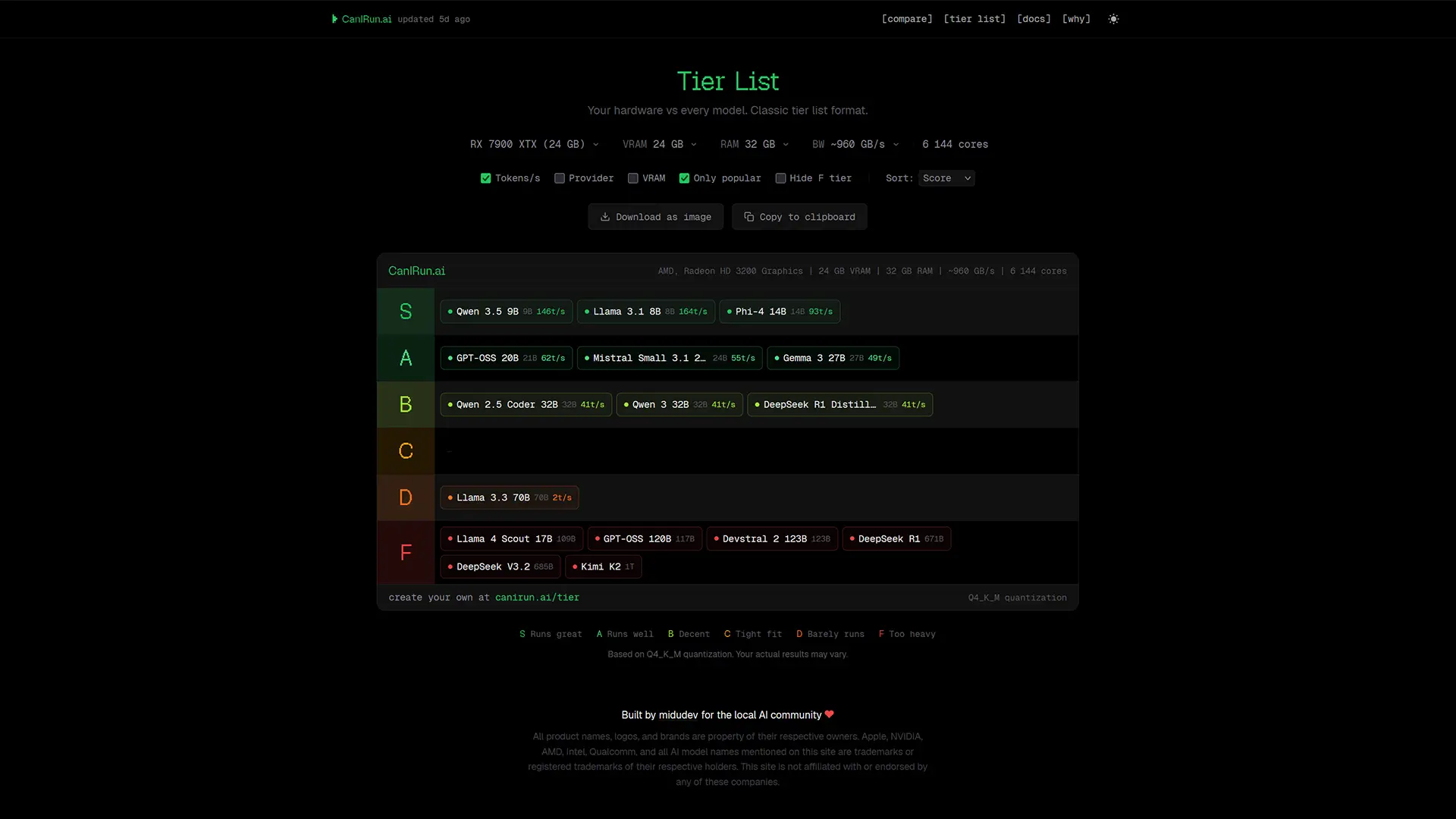
The Tier List page ranks all models based on your hardware:
- S-tier = best performance
- F-tier = not recommended
You can even export your results as an image.
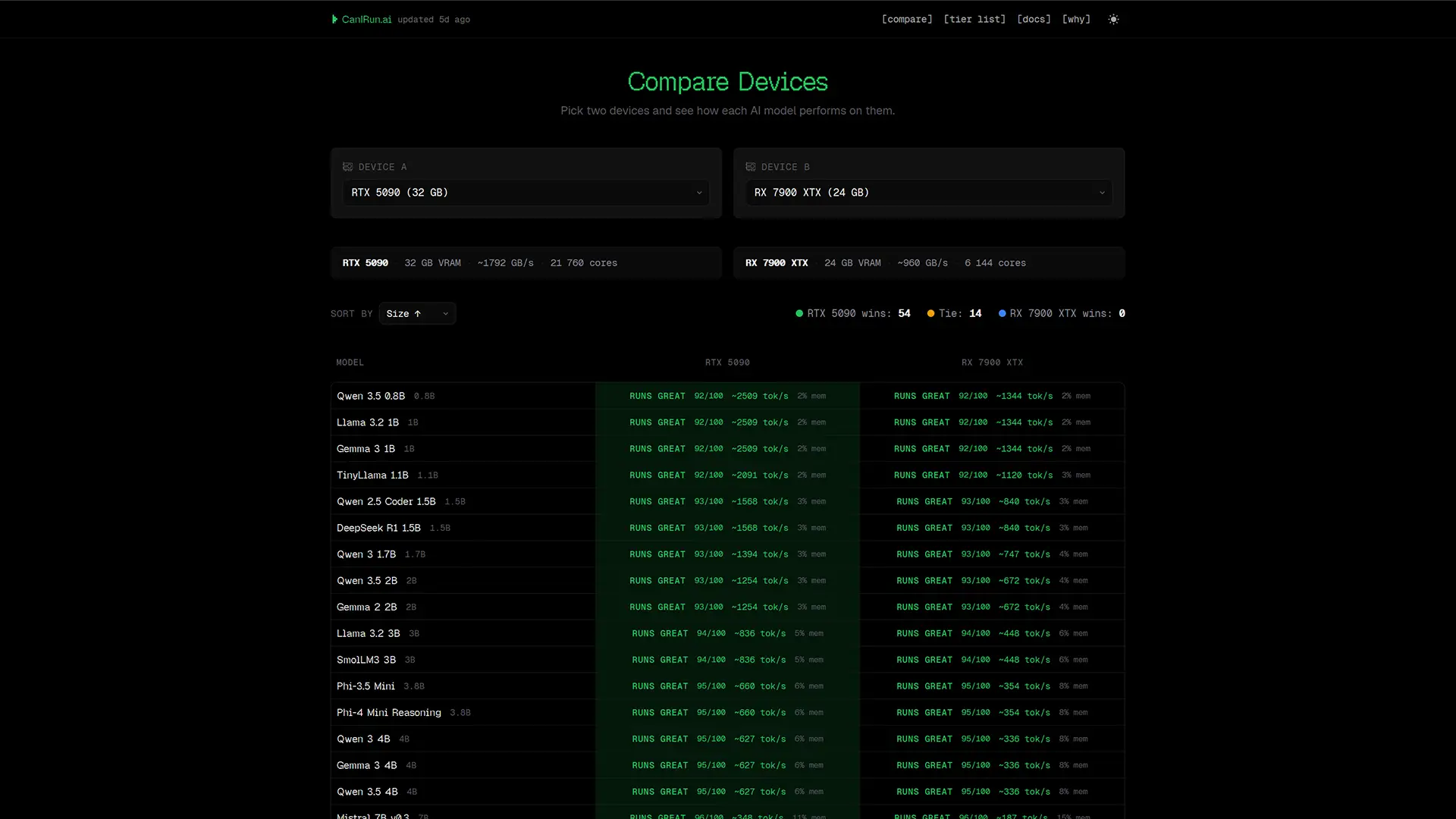
Device Comparison Tool
Want to compare GPUs or systems?
The Compare feature lets you:
- Analyze two devices side by side
- See performance differences across all models
Perfect for choosing between GPUs like RTX vs AMD Radeon.
Built-In Documentation
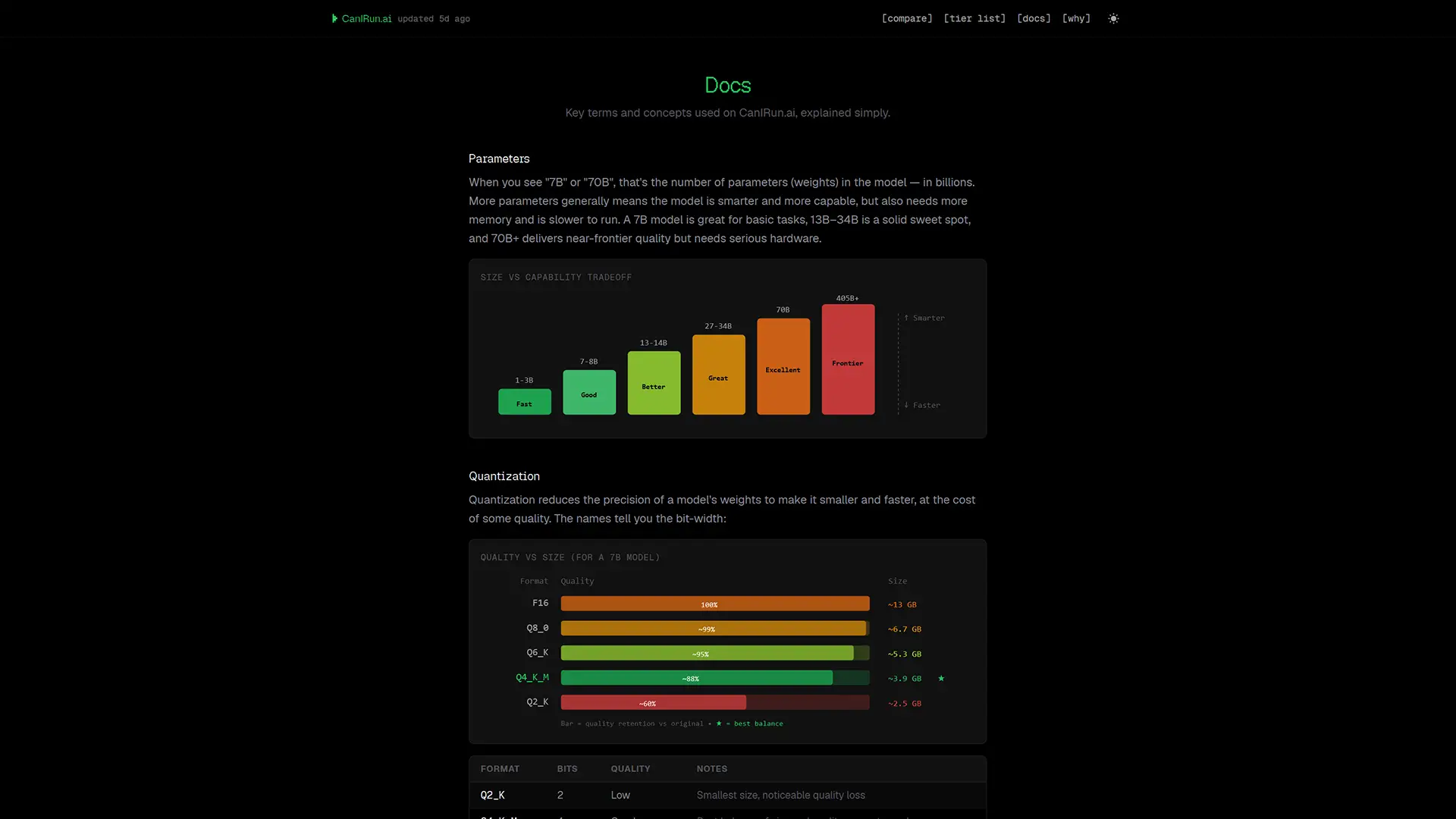
The Docs section acts as a beginner-friendly glossary covering key AI concepts:
- Quantization (Q2_K to F16)
- VRAM usage
- Mixture of Experts (MoE)
- Tokens per second
- Memory bandwidth
Even if you’re new to local AI, this section makes everything easier to understand.
Why CanIRun.ai Is Worth Using
Choosing the right AI model can be confusing, especially with so many options and hardware requirements.
CanIRun.ai simplifies the process by:
- Automatically analyzing your system
- Recommending compatible models
- Providing real-world performance estimates
- Keeping everything private and local
Final Thoughts
If you’re planning to run AI models locally, CanIRun.ai is one of the easiest and smartest tools to start with.
Instead of guessing or wasting time installing models that won’t run properly, you get instant, actionable insights tailored to your machine.
Whether you’re a beginner exploring local AI or an advanced user optimizing performance, this tool can save you hours—and a lot of frustration.
And if you'd like to go a step further in supporting us, you can treat us to a virtual coffee ☕️. Thank you for your support ❤️!

We do not support or promote any form of piracy, copyright infringement, or illegal use of software, video content, or digital resources.
Any mention of third-party sites, tools, or platforms is purely for informational purposes. It is the responsibility of each reader to comply with the laws in their country, as well as the terms of use of the services mentioned.
We strongly encourage the use of legal, open-source, or official solutions in a responsible manner.
Comments