


If you’re the type of person who spends a significant amount of time capturing photos or videos with your iPhone and prefers not to rely on cloud services like iCloud for security, you may face the complexity of backing up through a computer.
Today, I recommend making this process a bit simpler with the Copy That Mobile app.
This free app enables you to connect your iPhone or iPad to an external drive and selectively copy photos and videos onto it. To do this, you’ll need an external disk and a cable (or an adapter) to connect your iPhone or iPad to the external disk via the Lightning port.
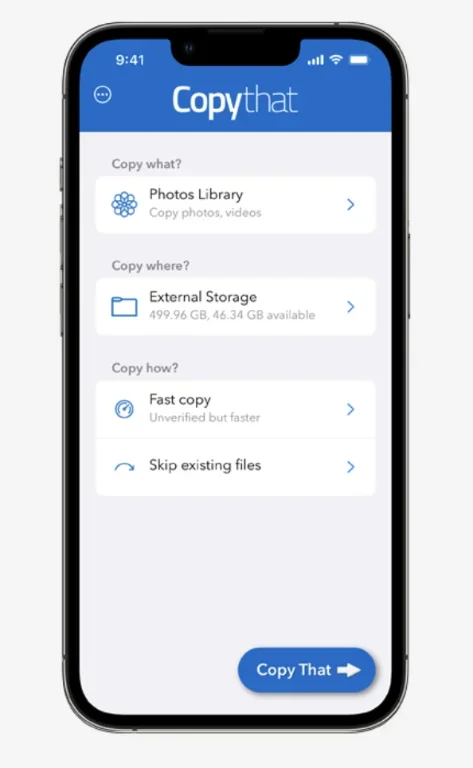
This not only helps free up space on your mobile device but also provides a local backup in case of issues. Consequently, there’s no need to pay for additional storage on iCloud or Dropbox.
Copy That Mobile also features “smart” copy functions, allowing you to exclude items like redundant screenshots and numerous selfies taken throughout the day. The app is free, and the paid version offers a file-checking functionality before deleting content from the device. If you stick with the free app, it’s your responsibility to manually check and delete the copied photos on the external drive.
Download here on the App Store .
And if you'd like to go a step further in supporting us, you can treat us to a virtual coffee ☕️. Thank you for your support ❤️!

We do not support or promote any form of piracy, copyright infringement, or illegal use of software, video content, or digital resources.
Any mention of third-party sites, tools, or platforms is purely for informational purposes. It is the responsibility of each reader to comply with the laws in their country, as well as the terms of use of the services mentioned.
We strongly encourage the use of legal, open-source, or official solutions in a responsible manner.
Comments