
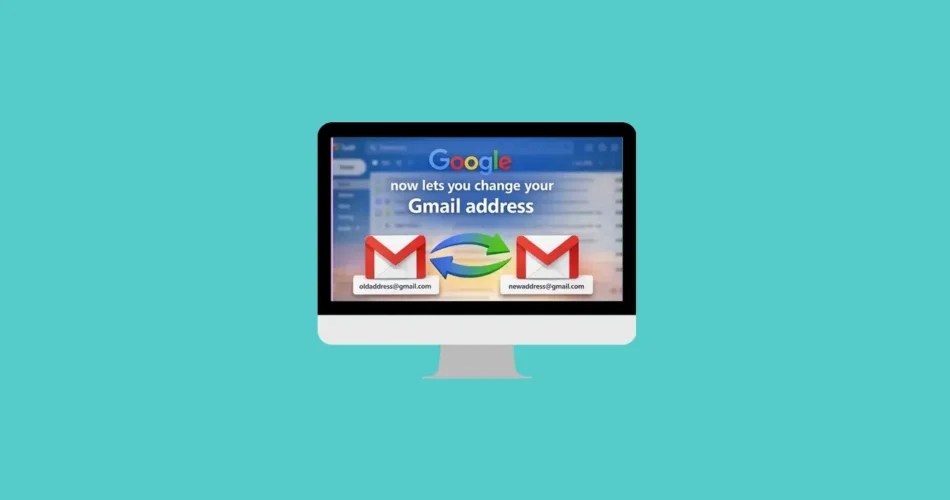
For years, changing your Gmail address meant starting over from scratch. If you picked a cringe-worthy username as a teenager—or something that no longer fits your professional identity—you were stuck with it.
Now, that’s finally changing.
Google has introduced a long-awaited feature that allows users to update their Gmail address without losing emails, contacts, or account history. It’s a major shift after more than two decades of limitations—and a huge win for users looking to refresh their digital identity.
Why This Gmail Update Matters
Until now, Gmail users had only one option: create a brand-new account.
That meant:
- Manually transferring emails and contacts
- Reconnecting third-party apps
- Managing multiple inboxes
For millions of users, especially those who created accounts years ago, this was frustrating and impractical. Many were stuck with outdated or unprofessional email addresses long into their careers.
Google has been quietly testing this feature in select regions before rolling it out more widely across the U.S.—and it’s already making waves.
What Happens to Your Old Gmail Address?
This is where the update gets really powerful.
When you change your Gmail username, your old address doesn’t disappear. Instead, it becomes an alias linked to your account.
Here’s what that means:
- ✅ Emails sent to your old address still arrive in your inbox
- ✅ You can still send emails using your old address
- ✅ Your old email can still be used to sign in
In short, nothing breaks. You keep full continuity across your account.
One Small Limitation
Some older data—like existing Google Calendar events—may still display your previous email address temporarily. It’s a minor issue, but worth noting.
Gmail Username Change Rules You Need to Know
Google has added a few restrictions to prevent abuse while keeping the feature flexible:
- You can change your username up to 3 times total
- Only one change per year (every 12 months)
- Switching back triggers a 30-day cooldown
- New usernames cannot be deleted
- You can revert to a previous username (within limits)
These rules ensure stability while still giving users meaningful control over their identity.
How to Change Your Gmail Address
If the feature is available on your account, the process is quick and straightforward:
Step-by-step:
- Sign in to Gmail
- Click your profile picture (top-right corner)
- Select Manage your Google Account
- Go to Personal info → Email
- Under Google Account email, click Edit (pencil icon)
- Verify your password and complete 2FA if required
- Enter your new username (availability is checked instantly)
- Save your changes
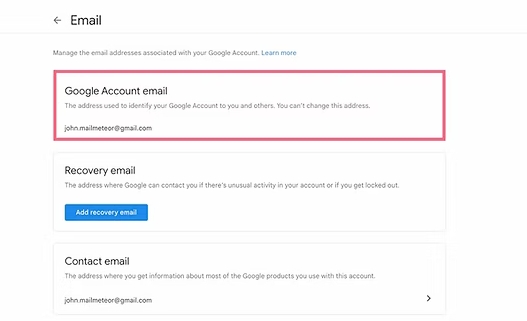
Once done, your new email becomes active immediately across all Google services.
Don’t See the Option Yet?
No need to worry.
Google is rolling out this feature gradually, starting with users in the United States. If you don’t see the edit option yet, it simply means your account hasn’t been enabled.
👉 Expect it to appear within days or weeks as the rollout continues.
Will You Lose Any Data?
No.
All your data remains intact, including:
- Emails
- Contacts
- Google Drive files
- Photos
Your old address continues working as an alias, ensuring zero disruption.
Can You Switch Back Later?
Yes—you can revert to a previous username if you change your mind.
Just keep in mind:
- You must stay within the allowed number of changes
- A 30-day cooldown applies after switching back
So while flexibility is there, it’s best to choose your new address carefully.
Final Thoughts
This update marks one of the biggest usability improvements in Gmail’s history. After years of forcing users into workarounds, Google is finally offering a clean, seamless way to evolve your email identity.
Whether you’re rebranding professionally or just leaving behind an outdated username, this feature removes one of Gmail’s longest-standing frustrations.
It’s a small change on the surface—but a massive upgrade in everyday usability.
And if you'd like to go a step further in supporting us, you can treat us to a virtual coffee ☕️. Thank you for your support ❤️!

We do not support or promote any form of piracy, copyright infringement, or illegal use of software, video content, or digital resources.
Any mention of third-party sites, tools, or platforms is purely for informational purposes. It is the responsibility of each reader to comply with the laws in their country, as well as the terms of use of the services mentioned.
We strongly encourage the use of legal, open-source, or official solutions in a responsible manner.
Comments