
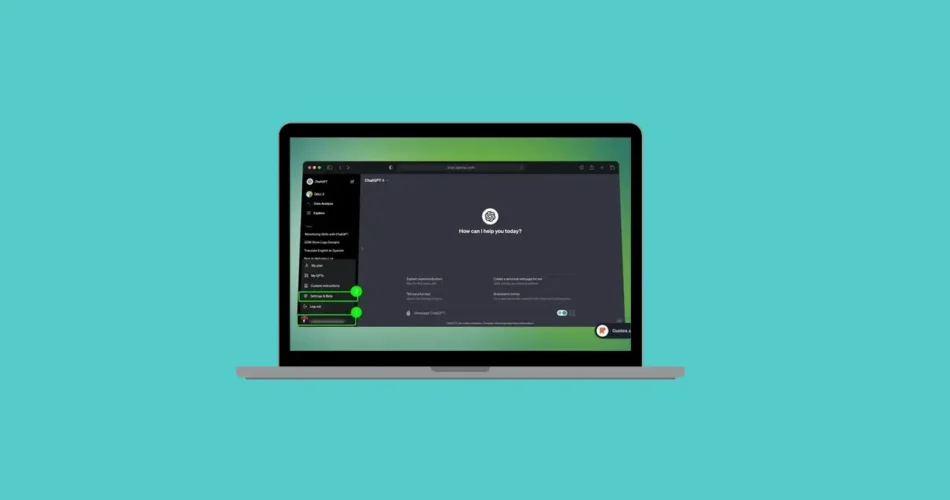
Almost everyone today has heard of ChatGPT. Many users rely on it daily to correct grammar, answer questions, brainstorm ideas, or even write content. For some, it has become the go-to tool for quick information and productivity.
However, there are situations where you may decide to delete your ChatGPT account. Whether it’s due to privacy concerns, reduced usage, or switching to another AI service, removing your account is a straightforward process.
In this guide, you’ll learn why people delete their ChatGPT accounts, what happens after deletion, and the exact steps to permanently remove your account.
Why You Might Want to Delete Your ChatGPT Account
There are several reasons why someone might choose to delete their account on OpenAI’s platform. Some of the most common include:
- Privacy concerns related to data storage and AI training
- Spending too much time using AI tools
- No longer needing the service
- Switching to another AI assistant such as Perplexity AI or Google Gemini
Regardless of the reason, OpenAI allows users to permanently delete their account, similar to most modern online services.
What Happens When You Delete Your ChatGPT Account
Before deleting your account, it’s important to understand the consequences. Once the process is completed, several changes take effect immediately.
Your account deletion is permanent
Once deleted, your ChatGPT account cannot be recovered.
You lose access to OpenAI services
Deleting your account also removes access to other OpenAI tools, including:
- ChatGPT
- DALL·E
- OpenAI API
You cannot reuse your email immediately
After deleting the account, you cannot create a new account with the same email address or phone number for 30 days.
Because the process is irreversible, it’s recommended to review your data before proceeding.
How to Delete Your ChatGPT Account
Deleting your ChatGPT account can be done using a web browser or the mobile app. There are two main methods available.
Method 1: Delete Your Account Through OpenAI’s Privacy Portal
One of the official ways to remove your account is by submitting a request through the OpenAI Privacy Portal.
Follow these steps:
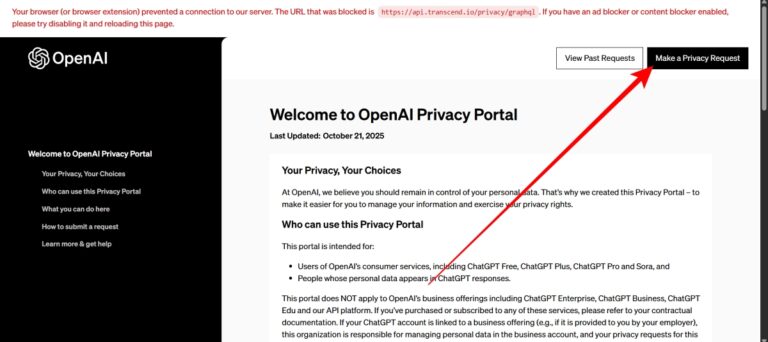
1- Open a web browser and go to the OpenAI Privacy Portal.
2- Click “Make a Privacy Request.”
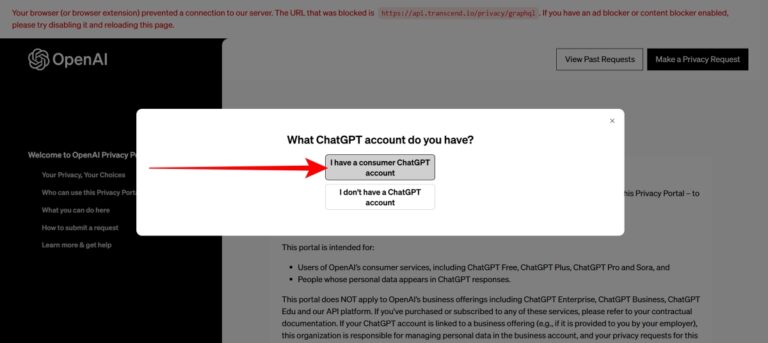
3- Select “I have a consumer ChatGPT account.”
4- Choose “Delete my ChatGPT account.”
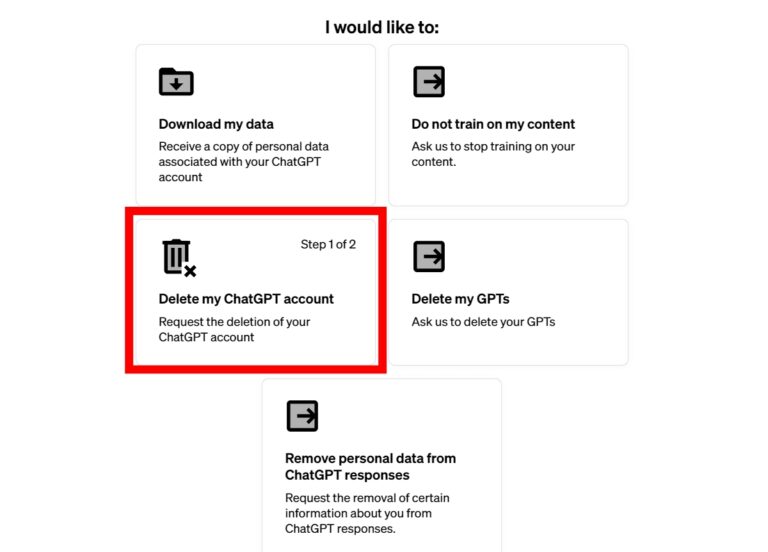
5- Follow the instructions on the screen to submit your request.
Once the request is processed, your account will be permanently deleted.
Method 2: Delete Your ChatGPT Account From Account Settings
You can also delete your account directly from the ChatGPT interface.
Steps
1- Open the ChatGPT website in your browser.
2- Sign in to your account if you are not already logged in.
3- Click your profile picture in the sidebar.
4- Select Settings from the menu.
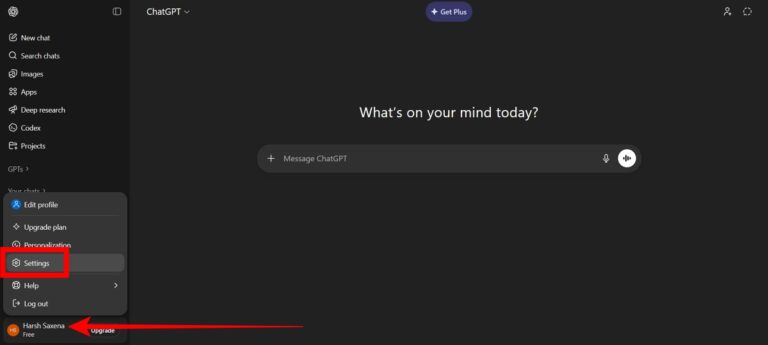
5- Go to the Account section.
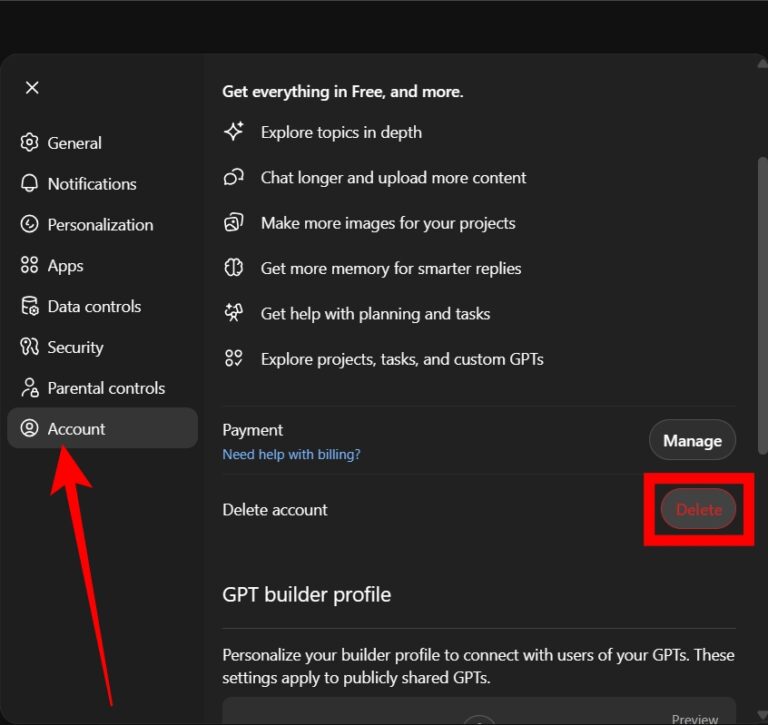
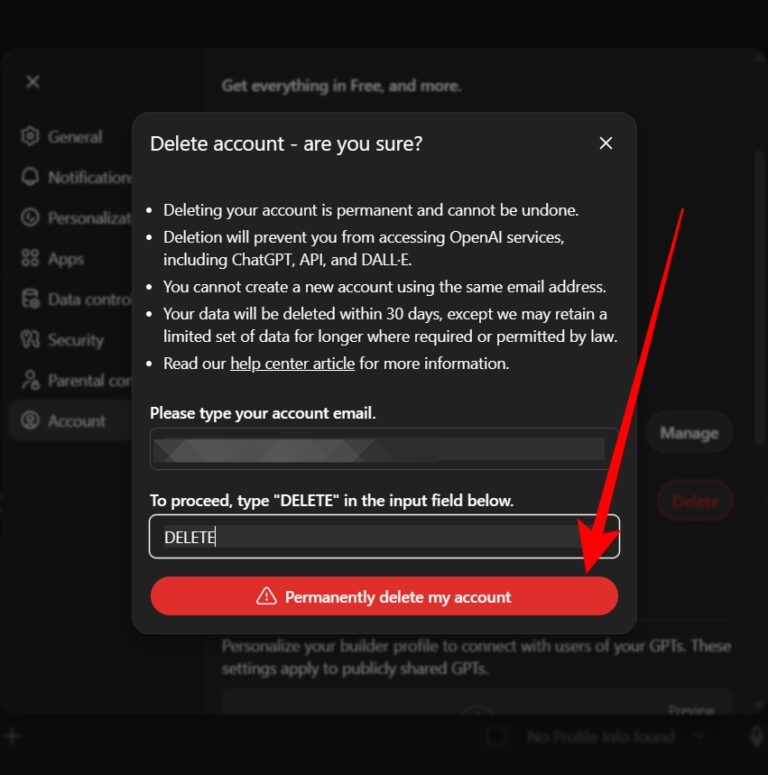
6- Click Delete next to Delete account.
If you haven’t logged in recently, the system may ask you to refresh your login session for security purposes.
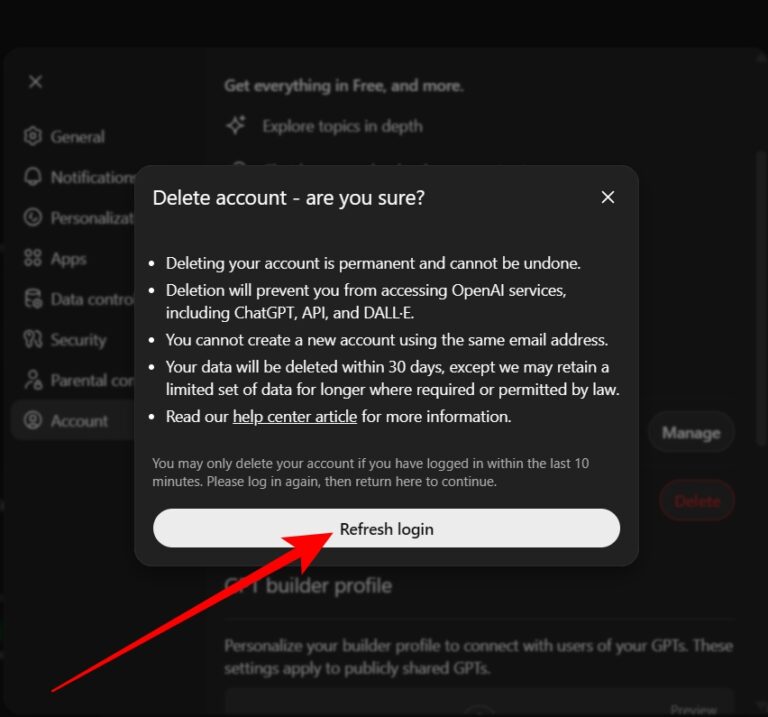
Once confirmed, you will need to:
- enter your email address
- type DELETE in the confirmation field
Then click “Permanently delete my account.”
How to Delete Your ChatGPT Account Using the Mobile App
You can also delete your account directly from the ChatGPT mobile app on Android or iPhone.
Steps
1- Open the ChatGPT app on your device.
2- Tap the menu icon in the top-left corner.
3- Tap your name to open the settings page.
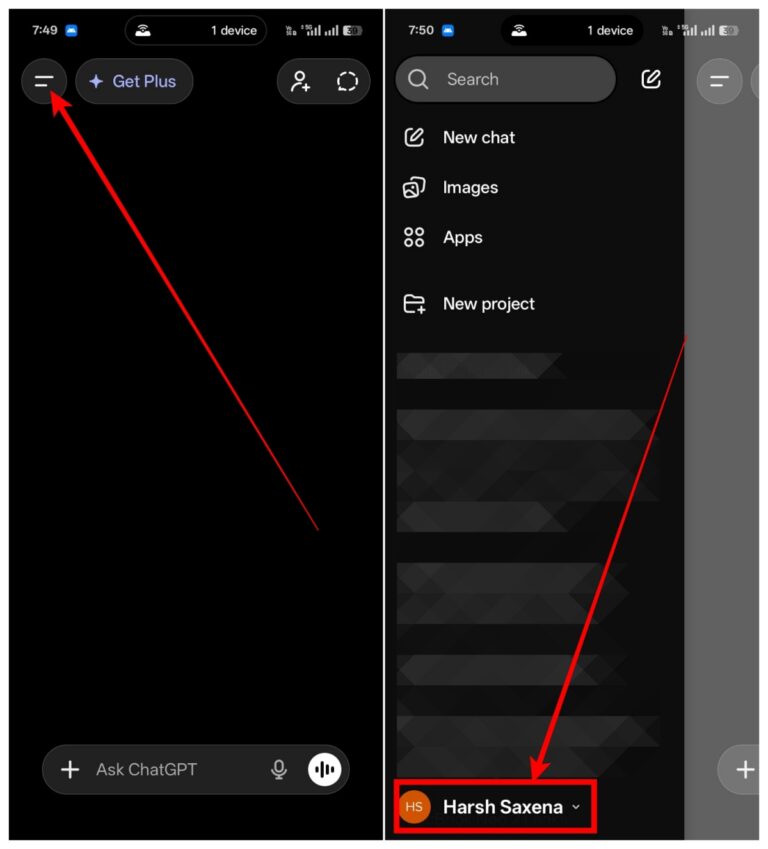
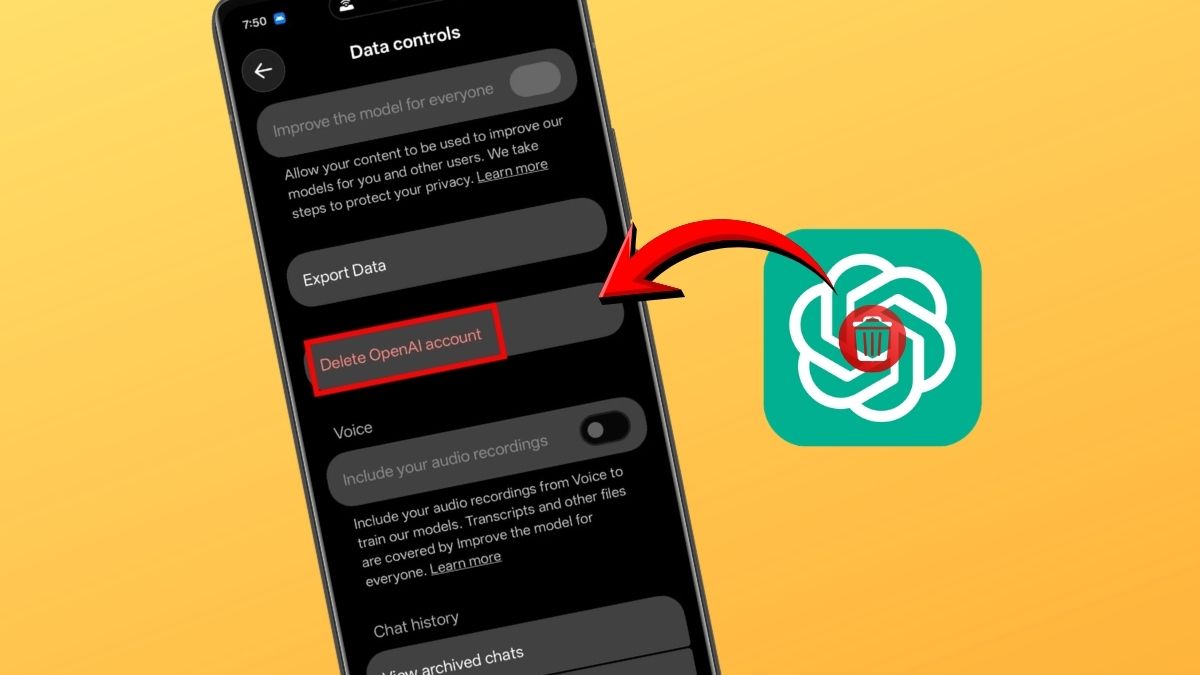
4- Scroll down to Data Controls.
5- Tap Delete OpenAI Account.
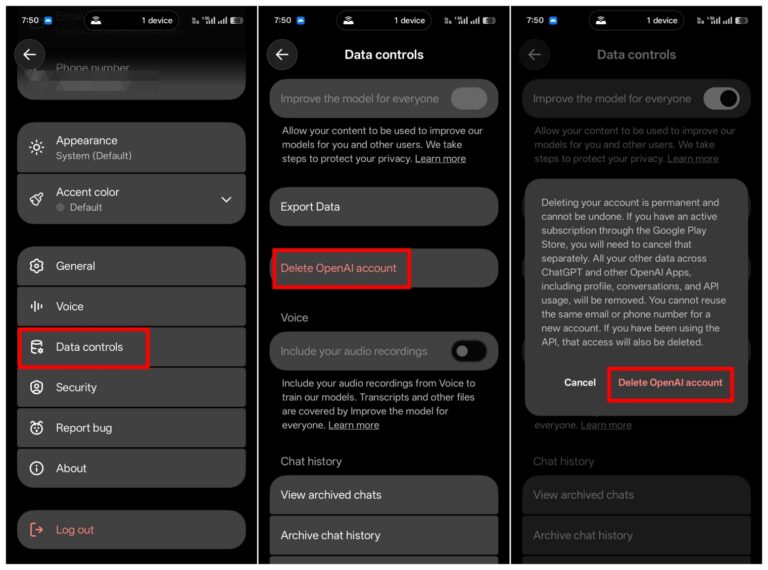
6- Confirm the deletion when prompted.
After confirmation, your account will be scheduled for permanent deletion.
Things to Do Before Deleting Your ChatGPT Account
Before you remove your account, consider taking a few precautionary steps:
- Save important conversations that you may want to keep
- Cancel any active subscriptions, especially if you subscribed through:
- the Apple App Store
- the Google Play Store
Canceling subscriptions beforehand helps prevent any unexpected charges.
Final Thoughts
Deleting your ChatGPT account is a simple process that can be done in just a few minutes, whether you use a computer or a mobile device.
However, because the deletion is permanent, it’s important to review your data and ensure you no longer need the account before proceeding.
Frequently Asked Questions
Can I recover a deleted ChatGPT account?
No. Once your account is deleted, it cannot be recovered.
Can I create a new ChatGPT account using the same email?
Yes, but you must wait 30 days before using the same email address or phone number again.
Why do I see the “Account deleted or deactivated” error?
This error usually appears when the account has already been deleted or deactivated, preventing you from logging in.
And if you'd like to go a step further in supporting us, you can treat us to a virtual coffee ☕️. Thank you for your support ❤️!

We do not support or promote any form of piracy, copyright infringement, or illegal use of software, video content, or digital resources.
Any mention of third-party sites, tools, or platforms is purely for informational purposes. It is the responsibility of each reader to comply with the laws in their country, as well as the terms of use of the services mentioned.
We strongly encourage the use of legal, open-source, or official solutions in a responsible manner.
Comments