
Twitter has established itself as one of the leading social media platforms, renowned for its concise text and multimedia content spanning various categories including music, politics, technology, and entertainment. However, a significant drawback for users is the absence of a built-in feature for downloading videos directly from tweets. To address this, we present an efficient method to download videos and GIFs from Twitter using a reliable tool called Twitter Video Downloader.
⚠️ ⚠️ Disclaimer: This article does not promote the illegal downloading of copyrighted content in any way. It is the user’s responsibility to ensure that the use of the mentioned tools complies with local laws and the terms of service of the respective platforms.
Step-by-Step Guide to Downloading Videos from Twitter
Downloading videos from Twitter is a straightforward process. Follow these steps to save your favorite content:
- Open Twitter: Launch the Twitter app on your smartphone or access Twitter through your web browser.
- Copy the Tweet’s URL: Locate the tweet containing the video or GIF you wish to download. Click on the share icon and select “Copy Link to Tweet” to copy the tweet’s URL.
- Use Twitter Video Downloader: Navigate to the Twitter Video Downloader website. Paste the copied URL into the designated field and click the “Download” button.
- Choose Your Video Quality: The downloader will provide you with downloading options based on the available video quality. Select the preferred quality for your download.
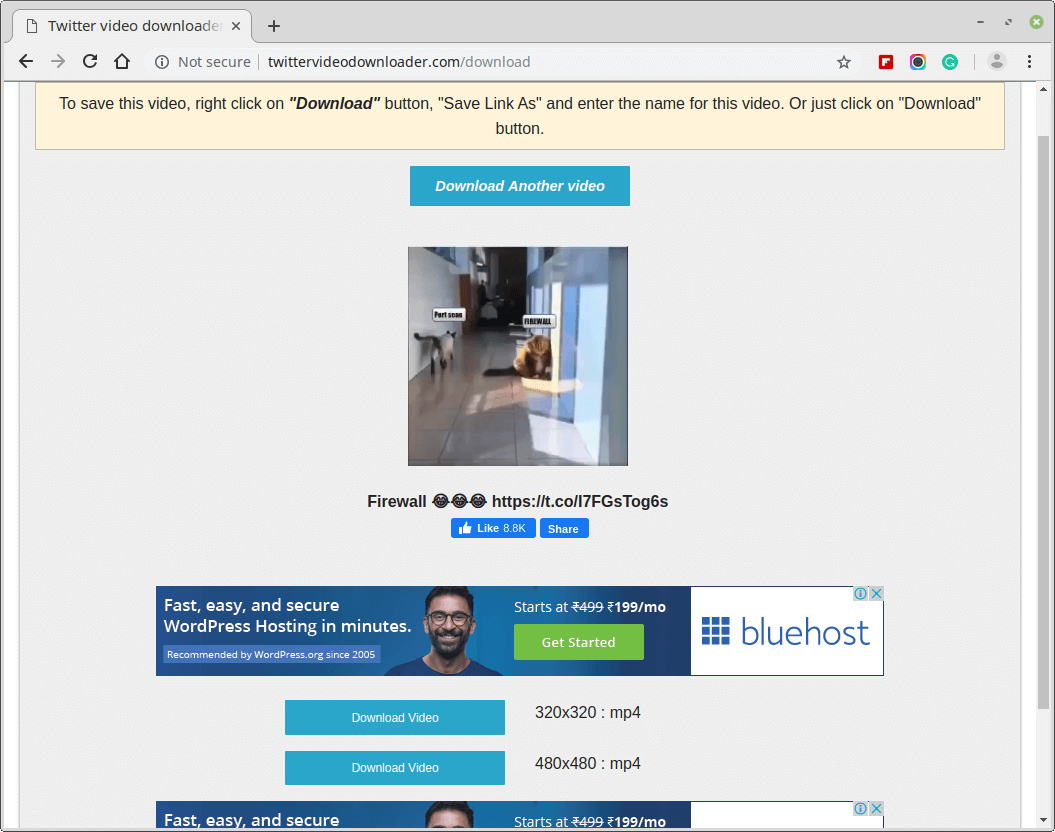
- Save Your Video: The video will automatically download to your device’s default download folder. To check this on a computer, press Shift + Command + J on a Mac or CTRL + J on Windows/Linux. On mobile devices, use your file manager to navigate to the downloads directory.
Conclusion
Downloading videos from Twitter may not be a built-in feature, but with tools like Twitter Video Downloader, you can quickly and easily save multimedia content to your device. By following the steps outlined above and utilizing the provided tips, you can enhance your social media experience and keep your favorite Twitter videos at your fingertips. Happy downloading!
⚠️ Disclaimer: This article does not promote the illegal downloading of copyrighted content in any way. It is the user’s responsibility to ensure that the use of the mentioned tools complies with local laws and the terms of service of the respective platforms.
And if you'd like to go a step further in supporting us, you can treat us to a virtual coffee ☕️. Thank you for your support ❤️!

We do not support or promote any form of piracy, copyright infringement, or illegal use of software, video content, or digital resources.
Any mention of third-party sites, tools, or platforms is purely for informational purposes. It is the responsibility of each reader to comply with the laws in their country, as well as the terms of use of the services mentioned.
We strongly encourage the use of legal, open-source, or official solutions in a responsible manner.
Comments