


As you know, once your Windows PC is filled with a whole bunch of software, keeping track of updates can become a real headache, especially if you’re a bit lazy.
Oh, if only you could update all your apps with a single click while you’re out taking a shower. That would be royal!
Linux users know this superpower very well, and now you can finally experience it too, thanks to UpdateHub, your new all-in-one update wizard! This user-friendly app greatly simplifies the process of updating software. There’s no need to launch the software one by one or go to the official websites to check for the latest updates, as UpdateHub takes care of everything, from the updates of your operating system to the apps in the Microsoft Store.
Nothing escapes it!
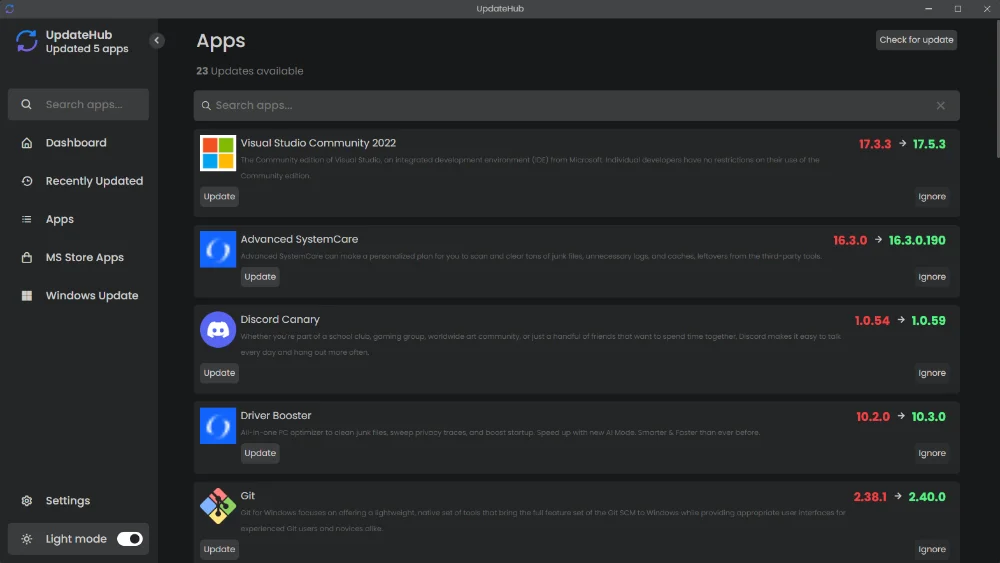
For example, UpdateHub keeps your machine safe by maintaining security protections and patches up to date, and it has a rollback function for potentially problematic updates. So, no stress! Best of all, it provides you with detailed information about each update to help you understand their impacts. For changelog enthusiasts like me, it’s fire!
So, you’re probably wondering how it works.
The process is simple and is done in a few steps. First, UpdateHub scans all your hard drives and detects all installed software. Then, it checks to see if any updates are available and presents you with a complete list. You can then choose which updates you want to apply, and UpdateHub will take care of downloading and installing them.
UpdateHub is safe, free, and only needs 250 MB of free disk space to install. Even though there’s discussion of a version for macOS and Linux, for now, it’s only available for Windows.
So, what are you waiting for to try UpdateHub?
And if you'd like to go a step further in supporting us, you can treat us to a virtual coffee ☕️. Thank you for your support ❤️!

We do not support or promote any form of piracy, copyright infringement, or illegal use of software, video content, or digital resources.
Any mention of third-party sites, tools, or platforms is purely for informational purposes. It is the responsibility of each reader to comply with the laws in their country, as well as the terms of use of the services mentioned.
We strongly encourage the use of legal, open-source, or official solutions in a responsible manner.
Comments