
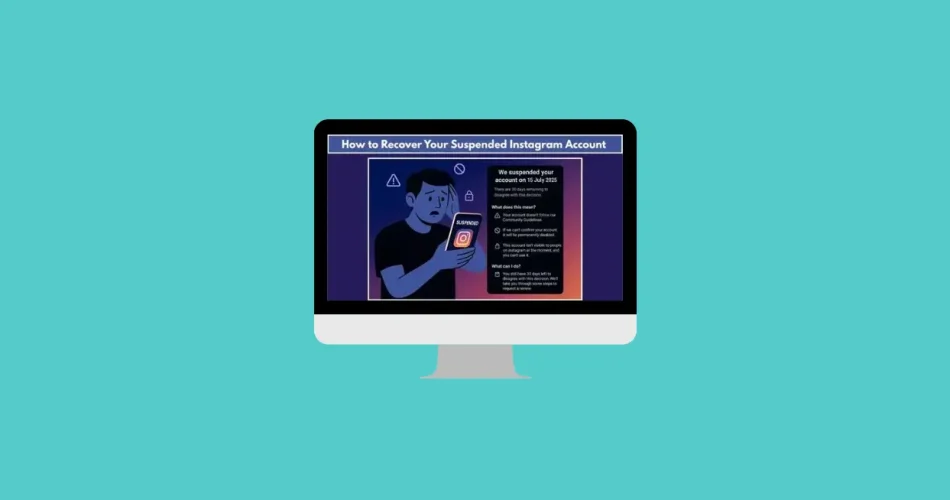
Getting locked out of Instagram can be stressful. Your password suddenly stops working, you receive an email about an unfamiliar account change, or you see a suspension notice with a countdown. Although these situations may look similar, recovering a hacked Instagram account and appealing a suspension require different procedures.
Meta has significantly changed its account recovery system over the past year. A centralized support hub launched on December 4, 2025, followed by the rollout of a Meta AI support assistant on March 19, 2026.
However, recovery tools also come with security risks. In June 2026, Meta confirmed that attackers had exploited an AI-assisted recovery tool to take over 20,225 Instagram accounts.
This guide explains how to identify your situation, recover access, appeal a suspension, and secure your account afterward.
Hacked, Suspended, or Restricted? Identify Your Instagram Problem
Before attempting recovery, determine what happened to your account. Instagram uses different procedures depending on the problem.
- Hacked account: Your password no longer works, your email or phone number has been changed without permission, or your followers receive suspicious messages from you.
- Suspended or disabled account: Instagram displays a notice stating that your account violated its Community Standards or other platform rules.
- Hacked and suspended account: A hacker posted prohibited content or conducted fraudulent activity, resulting in your account being disabled. You must recover access and then address the suspension.
- Restricted account: You can still log in, but certain features are unavailable. Check Settings > Account Status to identify the restriction and available options.
If your account has been hacked, act as quickly as possible. Attackers may change your password, email address, and phone number within minutes, making recovery increasingly difficult.
How to Recover a Hacked Instagram Account Using Your Email or Phone
1. Check Your Email for an Instagram Security Notification
When someone changes the email address associated with your Instagram account, Instagram may send a security notification to your original email address.
Search your inbox and spam folder for messages from [email protected].
If you find a notification about an email change you did not authorize, look for the Revert this change option and follow the instructions immediately.
This may allow you to reverse the change before the attacker makes additional modifications.
2. Use Instagram’s Official Account Recovery Page
If the reversal link is unavailable or no longer works, use Instagram’s official recovery process.
- Visit instagram.com/hacked using your browser.
- Select the option indicating that your account was hacked.
- Enter your Instagram username, email address, or phone number.
- Follow the instructions to request a login link or security code.
- Once you regain access, immediately change your password and review your security settings.
You can also start the process by tapping Forgot password? on Instagram’s login screen.
Avoid submitting numerous recovery requests in quick succession. Repeated attempts may trigger security checks or complicate the process.
3. Use a Familiar Device and Network
Whenever possible, attempt recovery using a smartphone, computer, or browser you previously used to access Instagram.
Using your usual device and familiar network may help Instagram recognize your login as legitimate. Meta has indicated that its recovery system considers signals such as trusted devices and familiar locations.
If your Instagram account is linked to Facebook, you may also be able to use Log in with Facebook. However, secure your Facebook account first if you suspect it has also been compromised.
What to Do if a Hacker Changed Your Email and Phone Number

Recovering an account becomes more difficult when an attacker replaces both of your contact methods.
In these cases, Instagram may offer additional identity verification, including a video selfie.
Recover Your Account Using a Video Selfie
Instagram may ask you to record a short video showing your face from different angles. Meta then compares the video with photographs already associated with your account.
The optional video selfie verification was incorporated into the recovery process in December 2025. Depending on the circumstances, the review may take several days.
Important limitation: Video selfie verification may not work for accounts that contain no photographs of the account owner.
For example, meme pages, business accounts, anonymous profiles, and pet accounts may not have suitable images for facial verification.
If your account does not contain photographs of you, consider these alternatives:
- Recover access through your original email address or phone number.
- Use the official Instagram support hub.
- Check whether you have access to Meta Verified support through a subscription purchased before losing access.
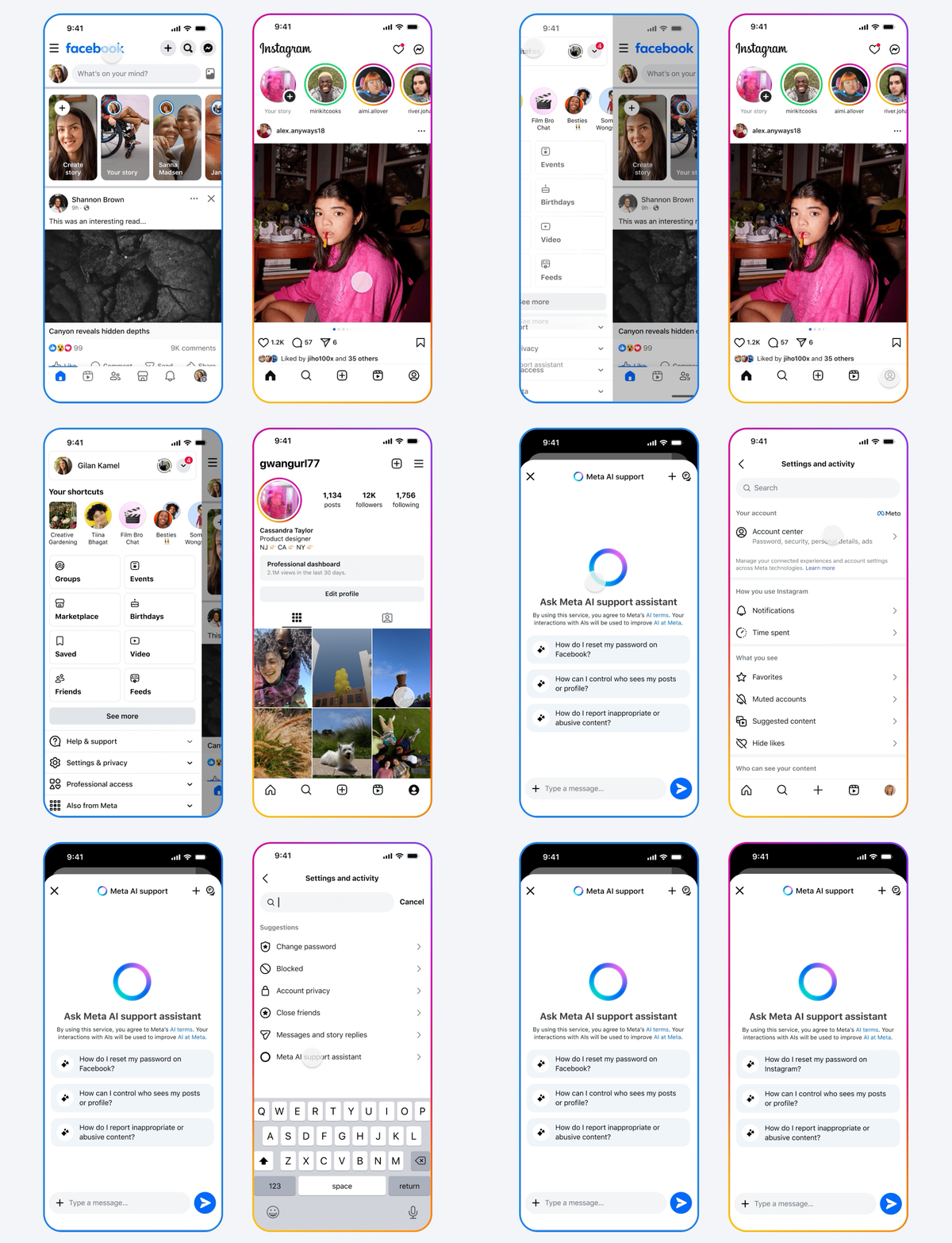
Instagram and Facebook’s centralized support hub for account recovery and troubleshooting. Image: Meta.
Security warning: Never send your video selfie, identity documents, password, or verification codes to someone who contacts you privately and claims they can recover your account. Only submit verification information through Instagram’s official recovery process.
How to Appeal a Suspended or Disabled Instagram Account
If Instagram suspended or disabled your account, recovering your password alone will not resolve the problem. You must request a review of the enforcement decision.
Follow the In-App Appeal Process
In most cases, Instagram directs users to the review process through its app.
- Open Instagram and attempt to log in using your username and password.
- Read the suspension or disabling notice carefully.
- Tap the option to disagree with the decision or request a review, if available.
- Explain your situation clearly and factually.
- If your account was hacked, mention that unauthorized access may have caused the activity.
- Complete any requested identity verification.
- Save screenshots of the suspension notice and any confirmation messages.
Some suspension notices display a 180-day countdown. Treat this as a deadline for taking action, not a waiting period. Submit your appeal as soon as possible.
What If Instagram Removed Only a Post or Reel?
If Instagram removed an individual post, Reel, or other piece of content rather than suspending your entire account, check:
Settings > Account Status
Look for the relevant decision and select Request a review, if Instagram provides that option.
A successful review may reverse the content decision and remove the associated violation.
Instagram does not guarantee a specific appeal processing time. Meta stated in March 2026 that human reviewers continue to handle account disablement appeals.
For more details, read our guide on how to recover a disabled Instagram account.
Meta AI Support Assistant and Meta Verified: What You Need to Know
Meta has introduced additional support options to simplify account recovery. However, availability and capabilities vary.
Meta AI Support Assistant
Meta’s AI support assistant can help users with certain account-related tasks, including password resets, appeal tracking, and scam reporting.
As of March 2026, the assistant’s availability differed between Facebook and Instagram. Meta initially introduced some locked-account assistance in selected cases in the United States and Canada.
To find out whether it is available to you, open Instagram or Facebook and check the support hub in your app.
Meta AI support assistant on Facebook and Instagram. Image: Meta.
The June 2026 Instagram Account Recovery Security Incident
Automated recovery tools can introduce vulnerabilities if their security checks are inadequate.
In June 2026, attackers reportedly exploited Meta’s High Touch Support tool, an AI-assisted recovery system intended to help locked-out users.
According to reports, the tool failed to adequately verify whether an email address requesting a password reset actually belonged to the account. This allowed attackers to direct password reset links to addresses they controlled.
The incident reportedly affected 20,225 Instagram accounts.
Meta discovered the vulnerability on May 31, 2026, and subsequently disabled the tool, canceled the reset links it had issued, and required affected accounts to complete additional security checks.
Accounts without two-factor authentication were particularly vulnerable. This incident highlights why enabling 2FA remains essential, even when a platform offers automated account recovery.
Meta Verified Support
Meta Verified is a paid subscription that includes access to enhanced account support in eligible markets.
In the United States, the reported subscription price is:
- $14.99 per month through the Instagram app
- $11.99 per month through the web
Pricing and availability vary by region and subscription method.
However, Meta Verified has important limitations:
- Enhanced support may not be available to every subscriber.
- You generally cannot subscribe after losing access to your account.
- A subscription does not guarantee account recovery.
- It does not automatically reverse a suspension or content violation.
It may be useful for users who already subscribe and need additional support, but it is not a universal recovery solution.
Beware of Instagram Account Recovery Scams
Instagram does not provide a general public telephone support number for personal account recovery.
Be cautious of anyone offering:
- An Instagram support phone number in comments or advertisements
- Paid account recovery services
- Guaranteed recovery through private messages
- Requests for your password or two-factor authentication codes
- Links to unofficial recovery websites
Instagram account recovery should be handled through official Instagram and Meta channels. Never pay someone who promises guaranteed access to a hacked or suspended account.
How to Secure Your Instagram Account After Recovery
Recovering access is only the first step. If someone compromised your account, they may have left unauthorized access behind.
Follow these security measures in order.
1. Secure Your Email Account
Your email address is often the primary method for resetting passwords.
Change your email password, enable two-factor authentication, and review recent login activity. Remove unfamiliar devices and recovery addresses.
2. Change Your Instagram Password
Create a strong, unique password that you do not use for other websites.
A password manager can help generate and store secure credentials.
3. Enable Two-Factor Authentication
Instagram supports two-factor authentication through different methods. An authenticator app is generally preferable to SMS because it reduces exposure to SIM-swapping attacks.
Navigate to:
Settings > Accounts Center > Password and security > Two-factor authentication
Enable your preferred method and save your backup codes somewhere secure and offline.
4. Remove Unknown Login Sessions
Review all devices currently logged into your account.
Go to:
Accounts Center > Password and security > Where you’re logged in
Log out of unfamiliar devices and sessions.
5. Verify Your Email Address and Phone Number
Navigate to:
Accounts Center > Personal details
Confirm that your email address and phone number are correct and that no unauthorized contact information remains.
6. Check Recent Instagram Emails
Go to Accounts Center > Password and security > Recent emails.
This section helps you verify whether a security notification genuinely came from Instagram instead of a phishing attempt.
7. Remove Suspicious Third-Party Applications
Review applications and websites connected to your Instagram account.
Depending on your interface, navigate to:
Settings > Website permissions > Apps and websites
Remove applications you do not recognize or no longer use.
8. Run Meta’s Security Checkup
Use the available Security Checkup feature to review account protection recommendations, login activity, and security settings.

Meta’s Security Checkup helps users review their account security. Image: Meta.
9. Download a Backup of Your Instagram Data
Once you have secured your account, consider downloading a copy of your Instagram information.
Keeping a backup of your photographs, messages, and other account information can help protect you if you lose access again.
Finally, if attackers sent messages from your account while it was compromised, notify your followers through a Story or another trusted communication channel. Ask them to ignore suspicious links and messages.
Frequently Asked Questions
How long does Instagram account recovery take?
If you still control your email address or phone number, recovery may take only a few minutes. Video selfie verification can take several days. Instagram does not publish a guaranteed processing time for appeals.
Can I recover a permanently deleted Instagram account?
Instagram generally allows users to cancel an account deletion request within 30 days by logging back in. After the deletion period expires, the account and its information may no longer be recoverable.
Can I recover an Instagram account without my email or phone number?
Possibly. Instagram may offer alternative identity verification, including a video selfie, depending on your account and circumstances. If your account does not contain photographs of you, recovery may be more difficult.
Can users in India appeal an Instagram suspension?
Users in India may have additional grievance redressal options, including contacting Instagram’s designated Grievance Officer through the Help Center and, where eligible, appealing to the Grievance Appellate Committee.
These procedures are separate from Instagram’s internal appeal process. Do not assume that submitting an external complaint pauses the deadline displayed in your suspension notice.
Final Thoughts
Recovering an Instagram account is easier when you identify the problem and follow the correct procedure.
For hacked accounts, start with Instagram’s security emails and instagram.com/hacked. For suspended accounts, use the in-app appeal and review process. If your contact details have been changed, explore the identity verification options Instagram provides.
Meta’s newer support tools may simplify recovery, but the June 2026 security incident demonstrates that automated systems are not infallible.
The most effective protection remains straightforward: secure your email, use a unique password, enable authenticator-based two-factor authentication, and maintain a backup of your Instagram data. Taking these precautions before an incident can save considerable time and frustration later.
Add Tech2Geek as a preferred source on Google to see more of our latest tech articles.
Support Tech2Geek ❤️
Did this guide help you? If Tech2Geek saves you time or helps you solve a problem,
consider buying me a coffee. ☕
Your support helps keep Tech2Geek independent and free.
Comments