

If you’ve ever tried downloading videos online, you’ve probably run into shady websites filled with pop-ups, redirects, and questionable links. That frustration is exactly what pushed Avery Gan, a developer based in Singapore, to build a better solution.
The result? ReClip—a free, open-source video downloader that runs locally on your machine, keeping your data private and your experience clean. No ads, no tracking, no surprises.
Even better, it supports over 1,000 websites.
What Is ReClip?
ReClip is a local web-based video downloader powered by yt-dlp, a highly trusted open-source engine. It supports a massive range of platforms, including:
- YouTube
- TikTok
- X (Twitter)
- Vimeo
- Twitch
- Dailymotion
- SoundCloud
…and hundreds more.
Unlike online tools, ReClip runs locally on your machine, meaning your downloads are private, secure, and not dependent on third-party servers.
Key Features of ReClip
1. Clean Local Web Interface
ReClip runs in your browser at:
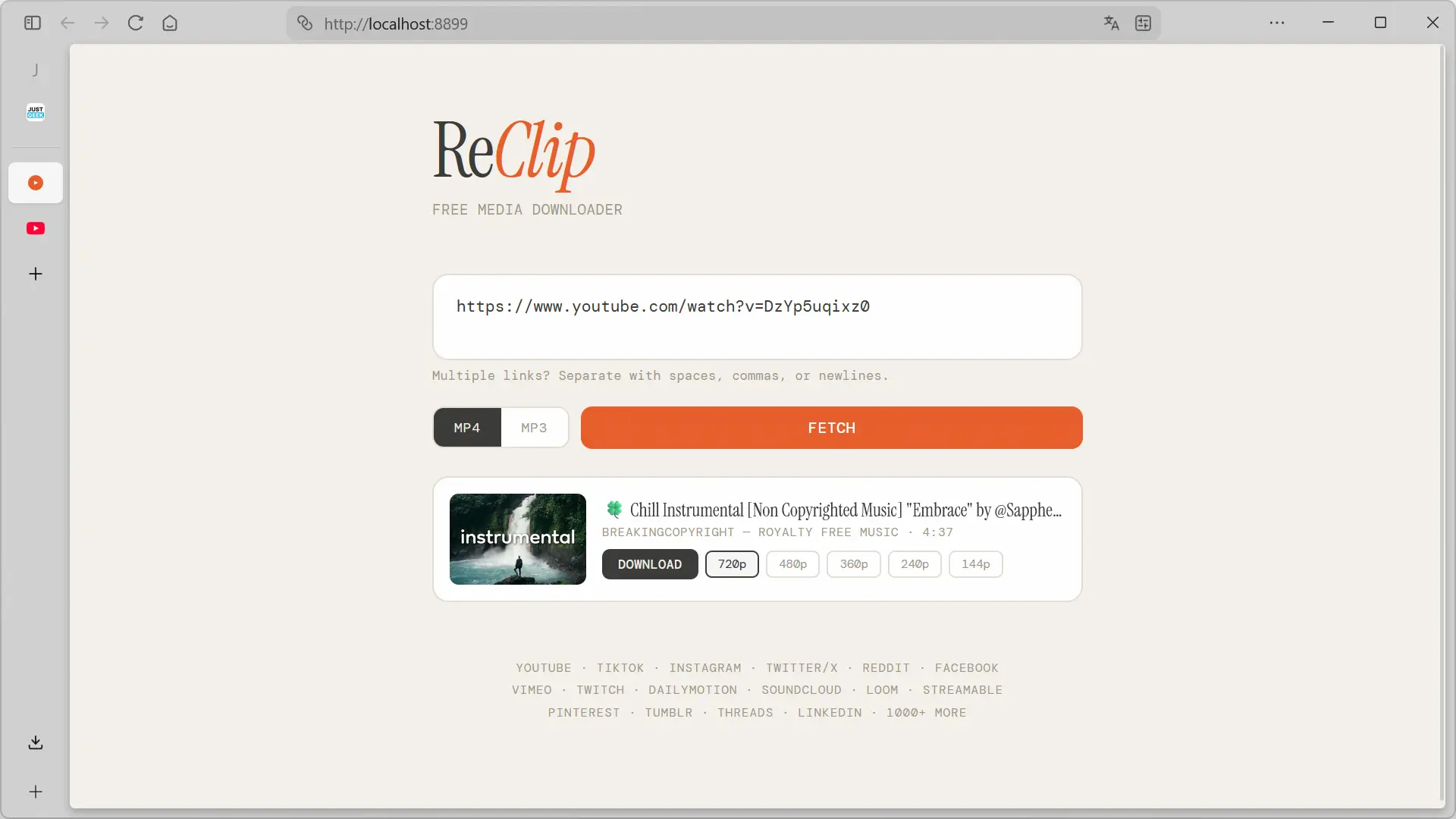
No accounts, no ads, no tracking—just a simple interface where you paste URLs and download content instantly.
2. Download Video or Audio Easily
- Paste one or multiple URLs
- Choose format:
- MP4 for video
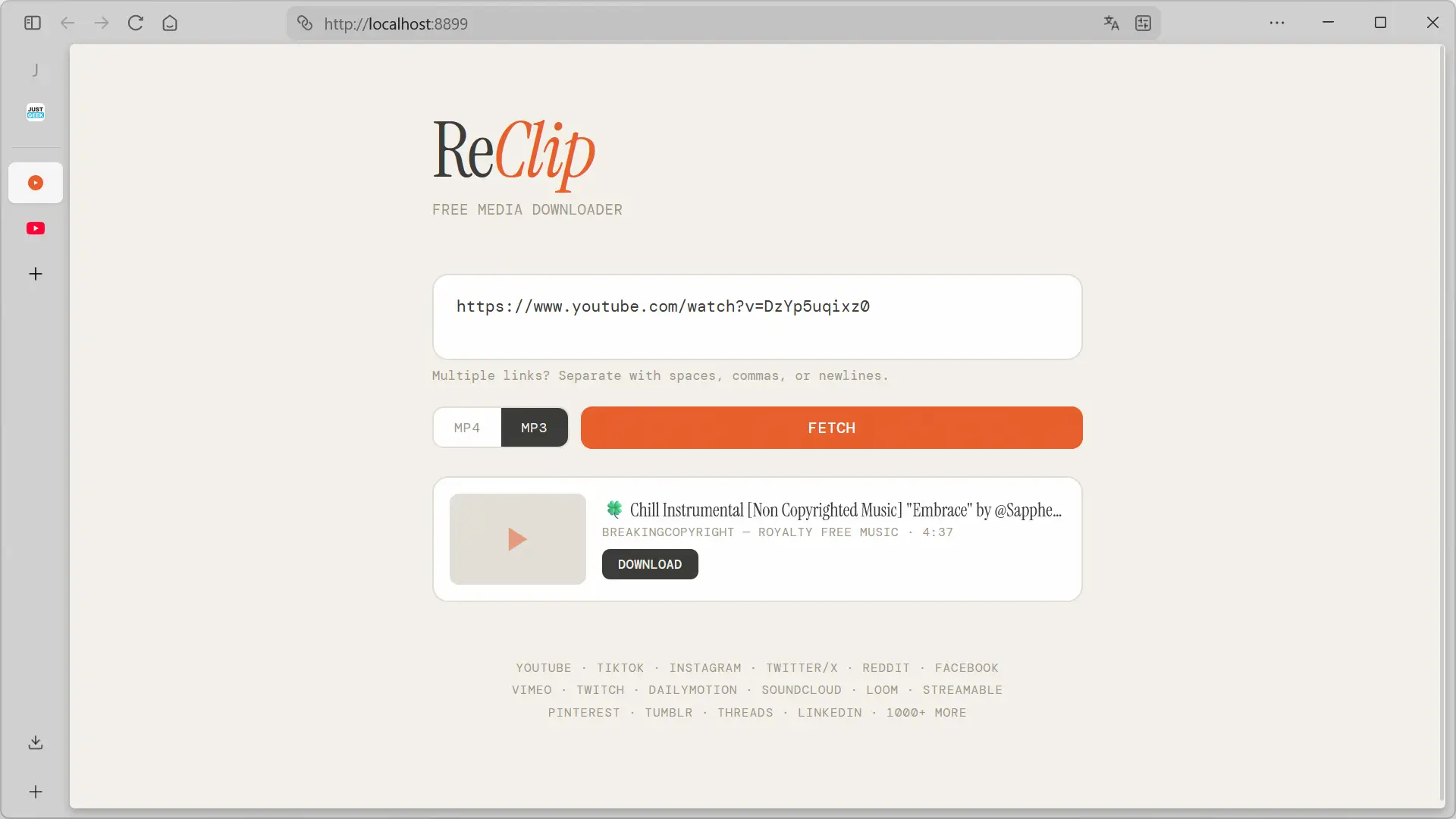
- MP3 for audio
- Click Fetch to load details
ReClip will display:
- Thumbnail
- Video title
- Duration
3. Flexible Quality Options
When downloading videos (MP4), you can select your preferred resolution:
- 720p
- 480p
- 360p
- 240p
- 144p
For audio (MP3), ReClip extracts and prepares the file automatically.
4. Batch Downloads & Duplicate Filtering
ReClip supports bulk downloads, allowing you to process multiple links at once. It also detects and removes duplicate entries automatically—saving you time and storage.
How to Install ReClip on Windows
The easiest way to install ReClip on Windows is by using Docker, which avoids manual setup of Python and dependencies.
Step-by-Step Guide:
- Install Docker Desktop from the official website
- Open PowerShell
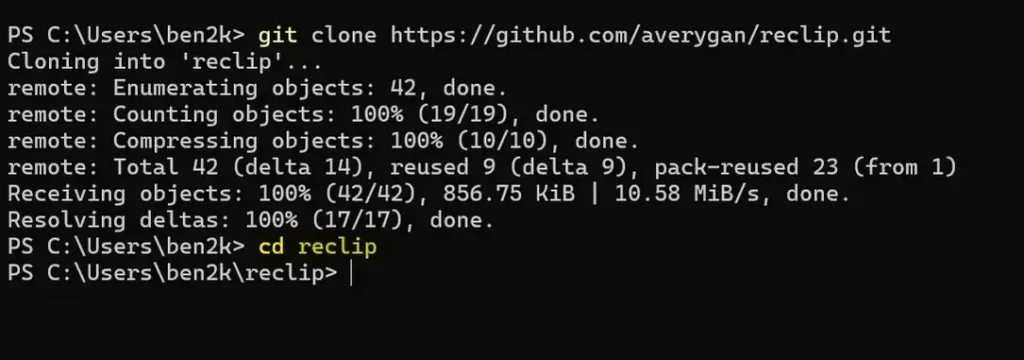
- Clone the repository:
git clone https://github.com/averygan/reclip.git
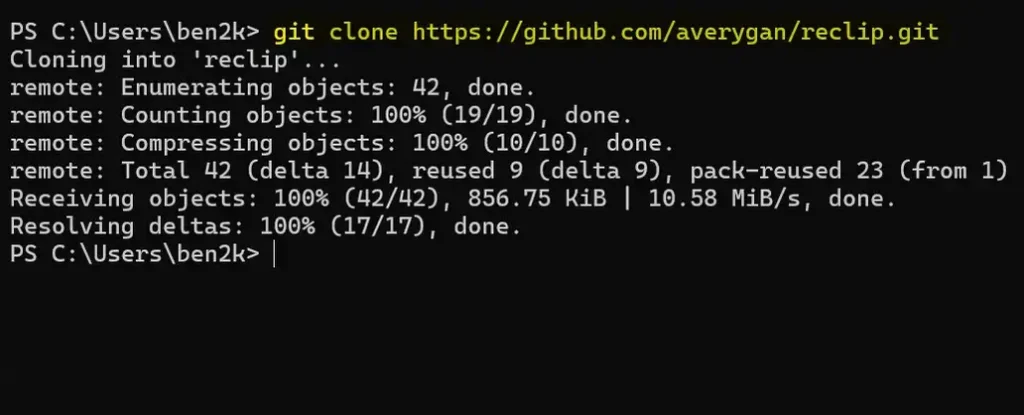
- Navigate to the folder:
cd reclip
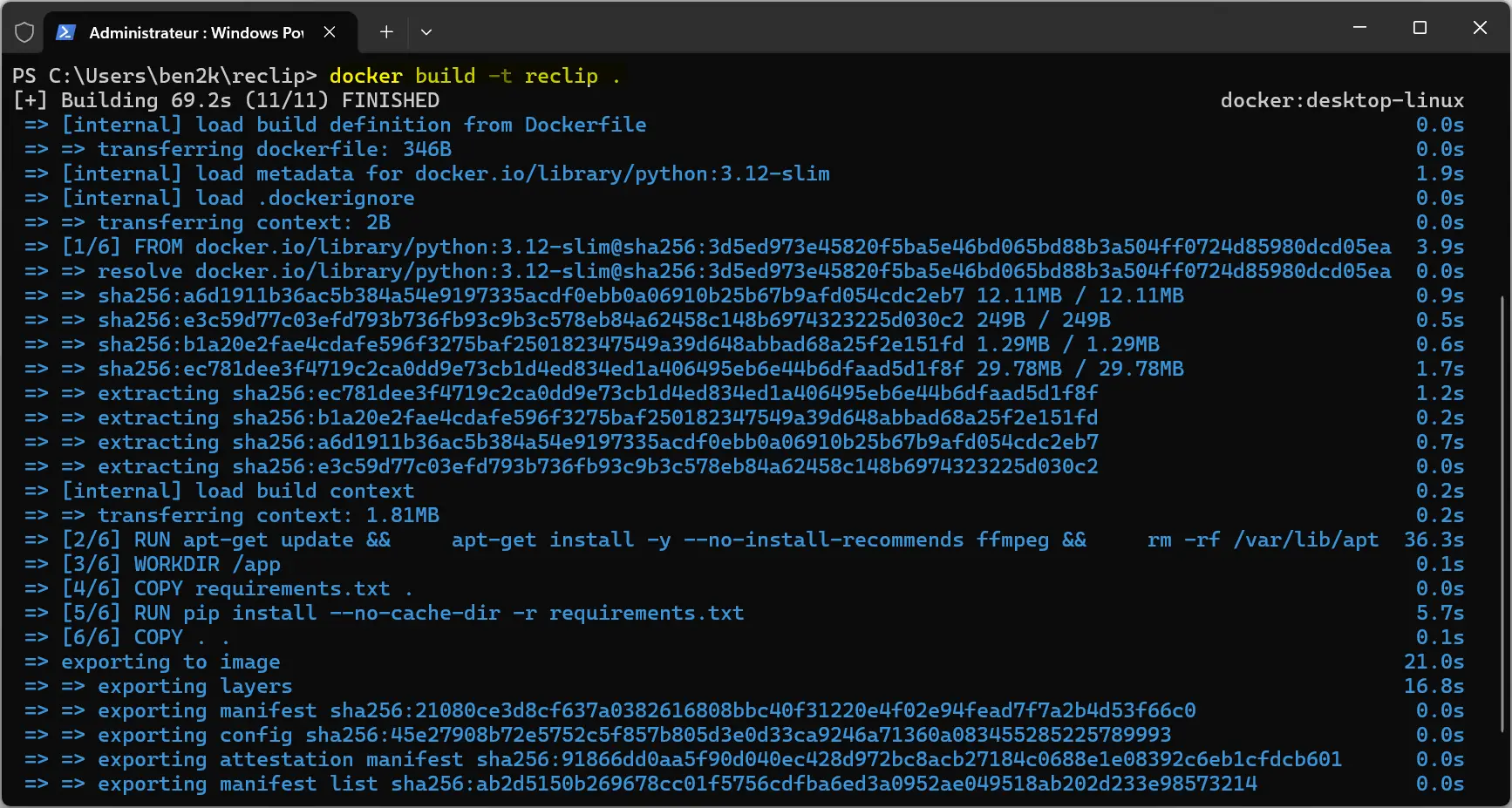
- Build the Docker image:
docker build -t reclip .
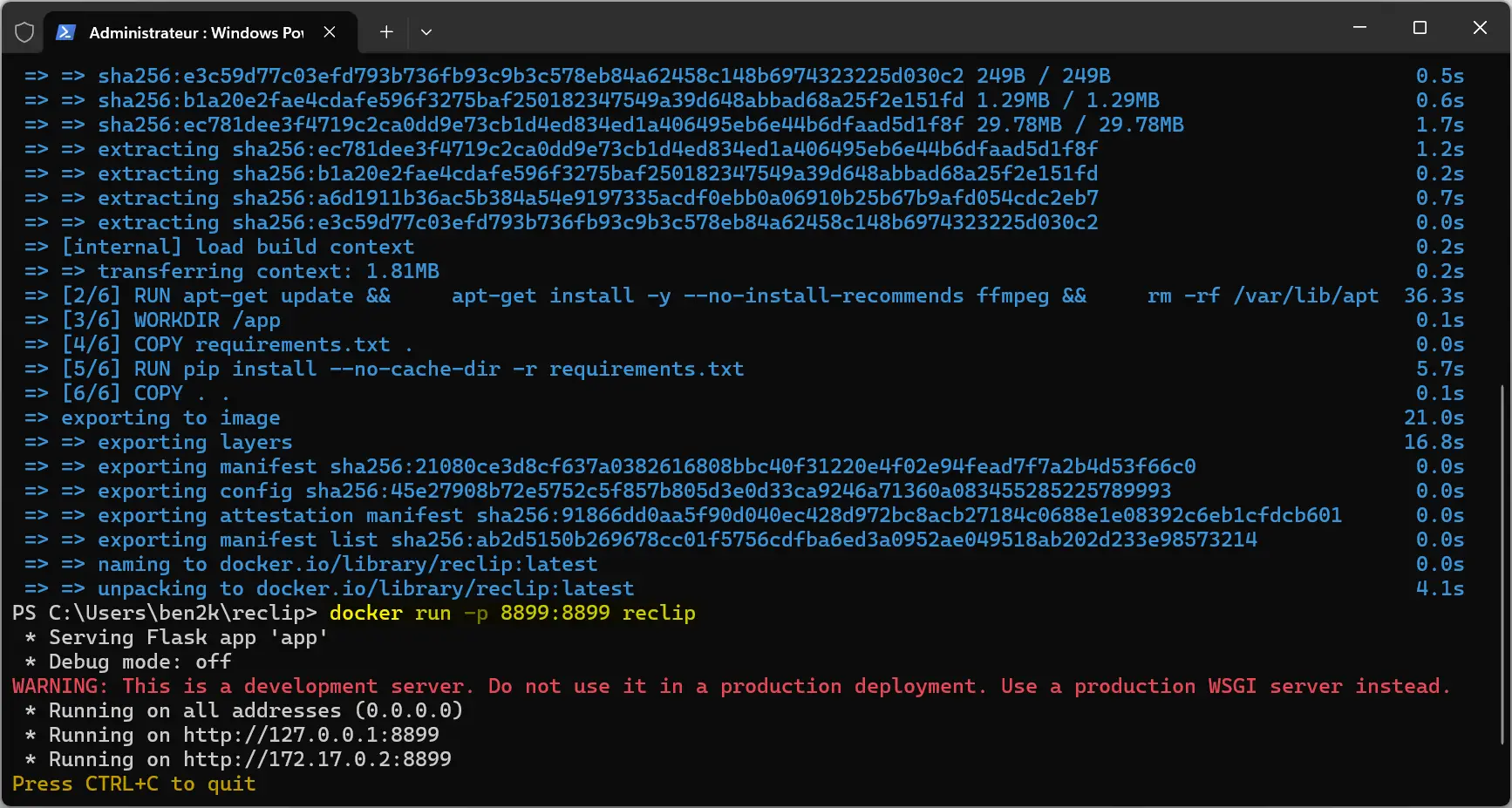
- Run the container:
docker run -p 8899:8899 reclip
- Open your browser and go to:
http://localhost:8899
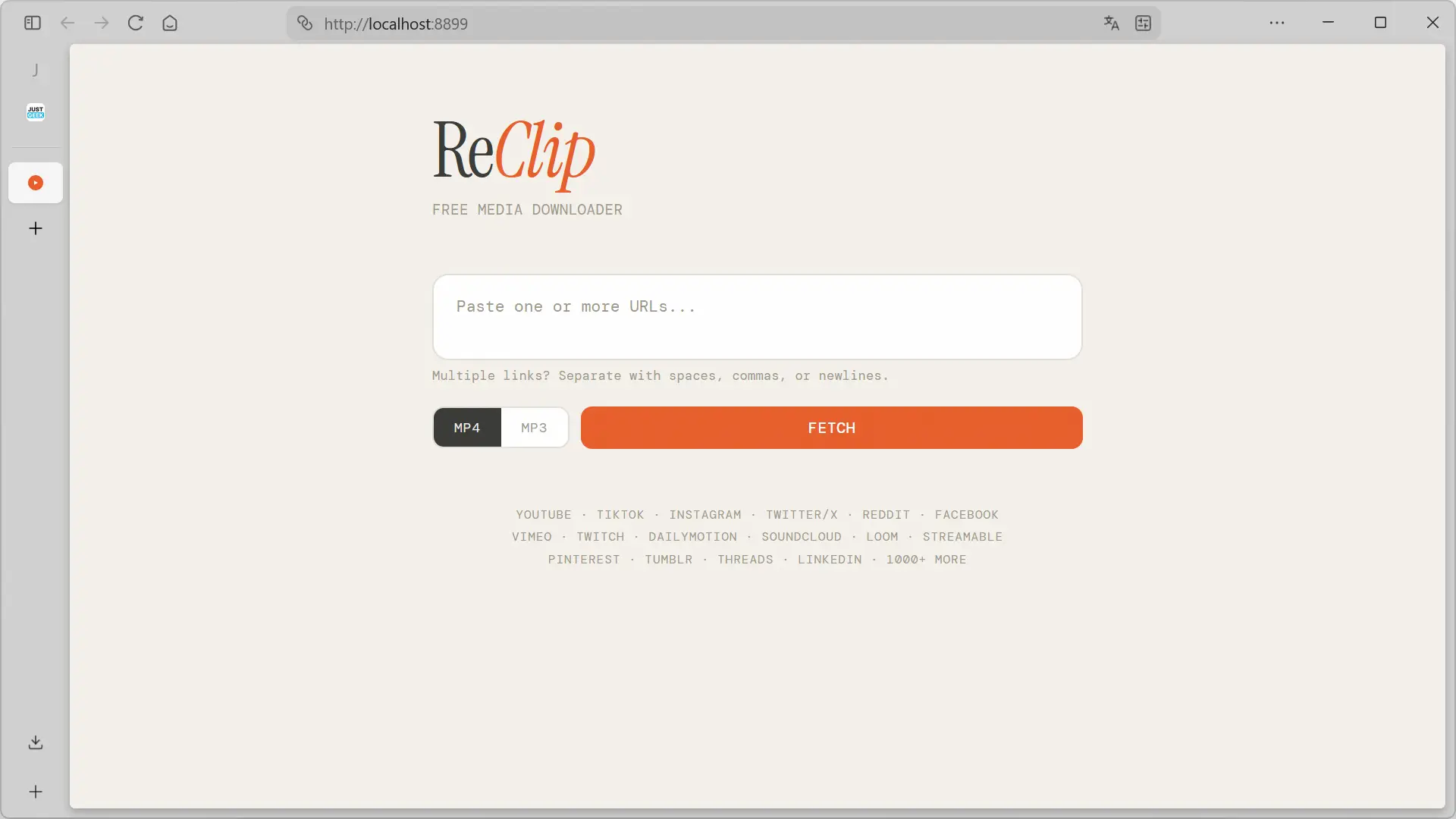
ReClip is now ready to use.
How to Install ReClip on macOS
On macOS, installation is even easier thanks to Homebrew.
Steps:
- Install dependencies:
brew install git yt-dlp ffmpeg
- Clone the repository:
git clone https://github.com/averygan/reclip.git
- Enter the folder:
cd reclip
- Install Python dependencies:
pip install -r requirements.txt
- Run the app:
python app.py
- Open:
http://localhost:8899
How to Install ReClip on Linux
ReClip works seamlessly on Linux systems like Ubuntu or Debian.
Installation Steps:
- Install required packages:
sudo apt install git python3 python3-pip ffmpeg
pip install yt-dlp
- Clone the repository:
git clone https://github.com/averygan/reclip.git
- Enter the directory:
cd reclip
- Install dependencies:
pip install -r requirements.txt
- Start the application:
python3 app.py
- Open your browser:
http://localhost:8899
Optional: Install via Docker on Linux
If you prefer Docker, install it with:
sudo apt install docker.io
Then follow the same steps as the Windows Docker setup.
Why Choose ReClip Over Online Downloaders?
- ✅ No ads or pop-ups
- ✅ 100% free and open source
- ✅ Supports 1,000+ websites
- ✅ Works locally (better privacy)
- ✅ Batch downloads supported
- ✅ Fast and lightweight
Final Thoughts
ReClip is a powerful yet simple solution for downloading videos and audio from the web. While the project is still relatively new, it already delivers excellent performance and reliability. Its open-source nature also means it will continue to improve with community contributions.
If you’re tired of unreliable online tools and want a safe, efficient way to download content, ReClip is absolutely worth trying. It combines the power of yt-dlp with a user-friendly interface—making it one of the best video downloader tools available today.
And if you'd like to go a step further in supporting us, you can treat us to a virtual coffee ☕️. Thank you for your support ❤️!

We do not support or promote any form of piracy, copyright infringement, or illegal use of software, video content, or digital resources.
Any mention of third-party sites, tools, or platforms is purely for informational purposes. It is the responsibility of each reader to comply with the laws in their country, as well as the terms of use of the services mentioned.
We strongly encourage the use of legal, open-source, or official solutions in a responsible manner.
Comments