

If you’ve ever tried testing webhooks locally, you already know the pain. Your app runs on localhost, the outside world can’t reach it, and suddenly GitHub, Stripe, Slack, or any other service that relies on HTTP callbacks becomes impossible to test properly.
For years, Ngrok has been the go-to solution—but with tighter limits on its free plan, many developers are now looking for something simpler, more flexible, and less restrictive. Setting up your own VPN or reverse proxy (hello Tailscale) is an option, but let’s be honest: that’s often overkill for basic webhook testing.
That’s where Webhooks Proxy Tunnel comes in—a lightweight, self-hosted solution built on Cloudflare Workers that lets you test webhooks locally without exposing your router or relying on third-party tunneling services.
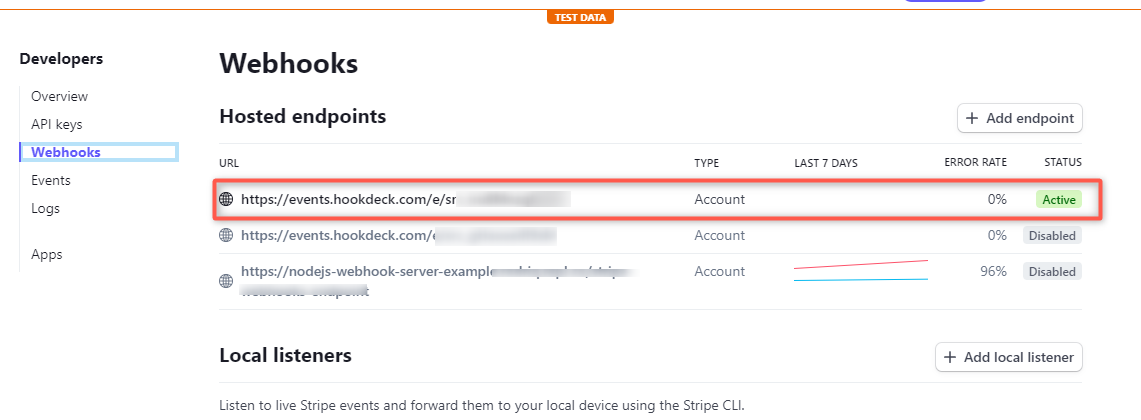
What Is Webhooks Proxy Tunnel?
Webhooks Proxy Tunnel is an open-source tool that allows you to expose a local development server to the public internet using Cloudflare’s infrastructure, while keeping full control over the code that handles your traffic.
Instead of routing your data through a closed third-party service, you deploy your own tunnel directly on Cloudflare. The result is a secure HTTPS endpoint that forwards incoming webhook requests straight to your local machine.
It’s especially useful for developers working with:
- GitHub webhooks
- Stripe events
- Slack integrations
- Payment gateways
- CI/CD notifications
- Any service that needs to POST data to your app
┌───────────┐ ┌─────────────────┐ ┌────────────────┐
│ JIRA │ │ Public endpoint │ │ Local HTTP │
│ GitHub │ │ at Cloudflare: │ ┌───────────┐ │ dev server: │
│ GitLab │◄───►│ │◄───►│ WebSocket │◄───►│ │
│ Slack │ │ *.workers.dev │ └───────────┘ │ localhost:3000 │
│ etc… │ │ │ │ │
└───────────┘ └─────────────────┘ └────────────────┘
How It Works (Under the Hood)
The architecture is surprisingly elegant:
- A Cloudflare Worker exposes a public HTTPS endpoint (for example,
something.workers.dev) - That Worker is paired with a Durable Object, which acts like a small stateful server
- Incoming HTTP requests are accepted by the Worker
- The data is forwarded over a WebSocket connection
- A lightweight Node.js client running on your machine receives the traffic
- Requests are forwarded to your local port (e.g.
localhost:3000)
From the perspective of the webhook provider, your app is publicly accessible. From your perspective, everything still runs locally.
Why This Is Better Than Ngrok (For Many Use Cases)
While Ngrok is powerful, Webhooks Proxy Tunnel offers some clear advantages—especially for developers who value transparency and control.
Key Benefits
- No third-party tunneling service handling your data
- Runs entirely on your Cloudflare account
- Works well on Cloudflare’s free plan (within Worker quotas)
- Full control over the Worker code
- No router configuration or port forwarding
- Multiple tunnels supported simultaneously
Even though traffic technically passes through Cloudflare’s network, you know exactly what code is executed and where your data goes.
Installation: From Zero to Working in Minutes
Getting started is refreshingly simple. You only need:
- A Cloudflare account
- Node.js installed locally
Step 1: Clone the Repository
git clone https://github.com/peter-leonov/webhooks-proxy-tunnel.git
Step 2: Install Dependencies
cd webhooks-proxy-tunnel/worker
npm install
Step 3: Deploy the Worker
npm run deploy
During deployment, you’ll be asked to authenticate with Cloudflare. Once complete, the script outputs a public HTTPS URL for your tunnel.
Running the Local Client
After deployment, you simply start the local Node.js client and point it to your development server (for example, port 3000).
At that point:
- Webhooks hit your Cloudflare Worker URL
- Requests are forwarded via WebSocket
- Your local app receives them instantly
You can even run multiple tunnels in parallel, each with its own unique ID—perfect if you’re juggling several projects at once.
Performance and Limitations
This tool is designed for development and testing, not high-bandwidth production workloads.
Things to keep in mind:
- Requests must fit in memory (roughly 100 MB limit)
- Ideal for JSON payloads and small binary data
- Not suitable for large file transfers or streaming
- Subject to Cloudflare Workers quotas on the free tier
For typical webhook payloads, performance is smooth and reliable.
When Should You Use Something Else?
If you’re building enterprise-grade networking setups or need persistent private networking between machines, tools like Tailscale or Octelium are better suited.
But for quick, clean, and private webhook testing during development, Webhooks Proxy Tunnel hits a sweet spot.
Final Thoughts
Webhooks Proxy Tunnel is one of those tools you stumble upon and immediately want to bookmark. It removes the friction from local webhook testing, avoids the growing limitations of Ngrok’s free plan, and leverages Cloudflare’s infrastructure without locking you into a proprietary service.
If you’re a developer who regularly works with webhook-based integrations, this is absolutely an open-source tool worth keeping in your toolbox.
And if you'd like to go a step further in supporting us, you can treat us to a virtual coffee ☕️. Thank you for your support ❤️!

We do not support or promote any form of piracy, copyright infringement, or illegal use of software, video content, or digital resources.
Any mention of third-party sites, tools, or platforms is purely for informational purposes. It is the responsibility of each reader to comply with the laws in their country, as well as the terms of use of the services mentioned.
We strongly encourage the use of legal, open-source, or official solutions in a responsible manner.
Comments