
TextCompare is here to assist you in comparing two texts or pieces of code. This quick and user-friendly online tool allows you to easily identify the differences between two fragments of text or computer code. Here’s an overview of what TextCompare offers and how it can benefit you in your daily tasks.
TextCompare: A Free Online Text Comparator
TextCompare is a free online text comparator designed to highlight the distinctions between two texts or pieces of code. It proves to be an invaluable tool for students, writers, developers, or anyone requiring text content comparisons.
One of the conveniences that TextCompare provides is the range of methods for importing text. You can either type it directly, paste it, or import two files containing the texts for comparison.
Practical Example: Developers can utilize TextCompare to compare two versions of a script to identify changes. By pasting the two versions into the dedicated text boxes, the text comparator promptly highlights the differences. This feature is equally beneficial for editors or proofreaders tracking changes made to a document. In summary, the utility of TextCompare extends to various purposes.
How to Compare Two Texts with TextCompare
Using TextCompare to compare two texts or pieces of code is straightforward. Just follow these steps:
- Visit the official TextCompare website.
- You’ll encounter two large text boxes. Paste or type the text or code you wish to compare into these boxes.
- Click the “Compare” button located below the text boxes.
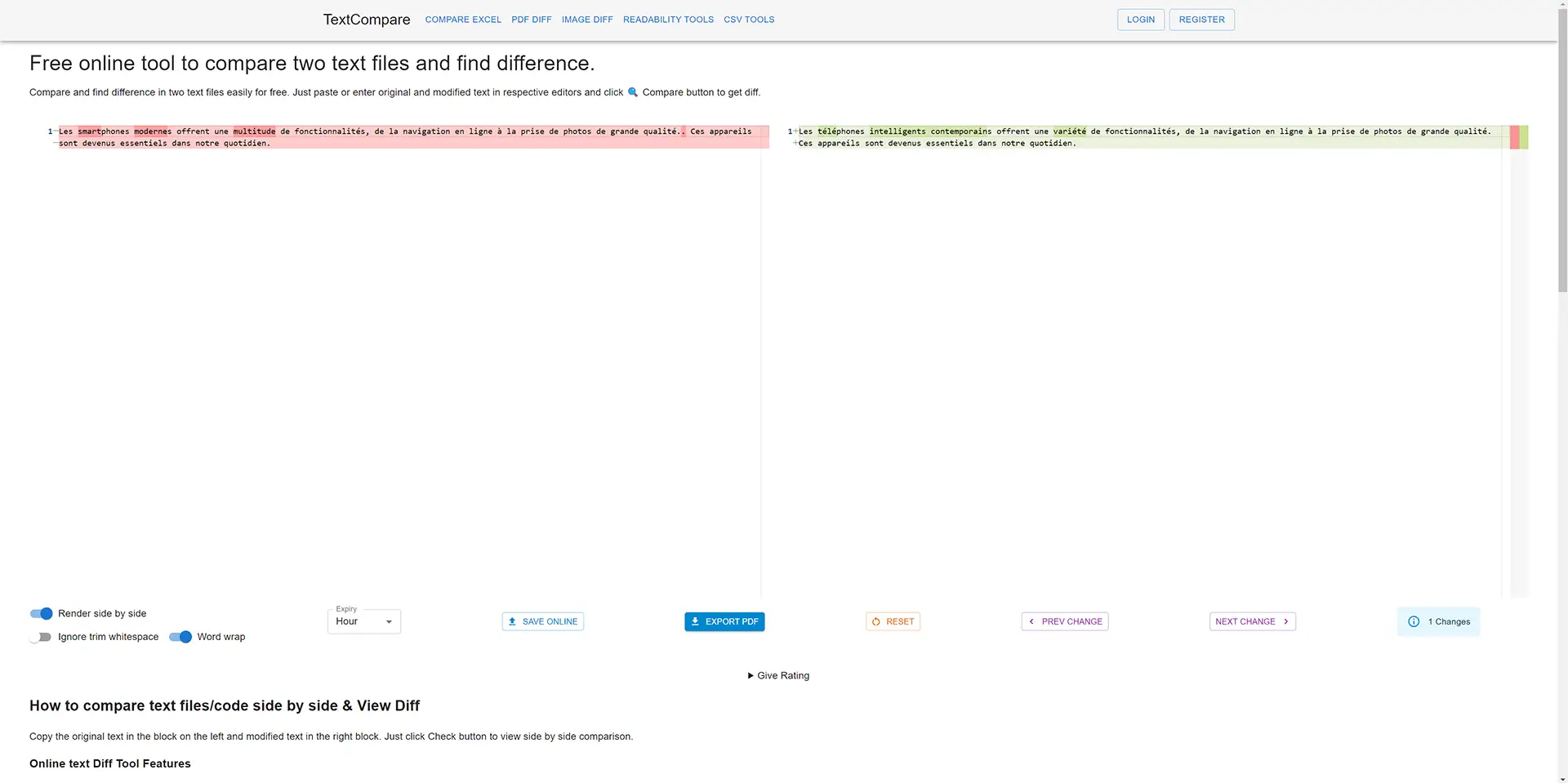
- TextCompare will present the differences between the two texts, highlighting differing words in red for the “source” text and green for the “target” text.
For saving the results, you have two options. You can either save the text online by clicking the “Save Online” button, or you can click the “Export PDF” button to export the differences into a PDF document.
Add Tech2Geek as a preferred source on Google to see more of our latest tech articles.
Support Tech2Geek ❤️
Did this guide help you? If Tech2Geek saves you time or helps you solve a problem,
consider buying me a coffee. ☕
Your support helps keep Tech2Geek independent and free.
Comments