
iPhone users have asked for it for years, and it is finally taking shape. The Thunderbird team has shared the first look at its native iOS email app, a preview of an app now in active development for iPhone and iPad.
In a post on the official Thunderbird blog in October 2026, the team showed early designs and explained how the app is being built. It also gave a rough timeline: a first version for community testing “in the next few months.”
Here’s what we know so far, what’s still unclear, and why it matters for iPhone users who want an alternative to Apple Mail, Gmail, or Outlook.
Key Facts at a Glance
| What | Native Thunderbird email app for iOS |
| Devices | iPhone and iPad |
| Developer | Thunderbird (MZLA Technologies, a Mozilla Foundation subsidiary) |
| How it’s built | Natively, from scratch (not ported from Desktop or Android) |
| Status | In development; designs are “work in progress” |
| Testing | First community test version targeted “in the next few months” |
| Public beta / TestFlight | Not yet announced |
| Price | Not announced (Thunderbird’s other apps are free and open source) |
Built From Scratch for iPhone
The most important detail is how Thunderbird is building the app. Instead of reusing existing code, the team is building natively from scratch.
That is a different path from Android. Thunderbird for Android, released in 2024, grew out of the open-source K-9 Mail app, which Thunderbird took over in 2022. On iOS, there was no comparable project to adopt.
According to the Thunderbird team, the fresh start lets them apply “everything we’ve learned from Thunderbird Desktop and Android” to deliver “a fast, reliable, and modern experience on your iPhone right from the start.”
The long-term goal is a seamless cross-device experience. Your email workflow should feel consistent whether you’re at your desktop computer or checking messages on the go.
What the First Look Shows

The team stresses that “nothing is final.” The early designs and plans focus on four core areas.
1. Hassle-Free Setup
The account setup flow shows options for major providers such as Google and Microsoft. Thunderbird says it wants login to be “fast, secure, and fully automatic,” whether you sign in with a single click or add several accounts.
2. Reliable Background Sync
Thunderbird is building a background sync system that keeps a steady connection with your email provider. The aim is to keep your inbox up to date without draining your battery. This matters on iOS, where Apple tightly limits what apps can do in the background.
3. Core Daily Tools
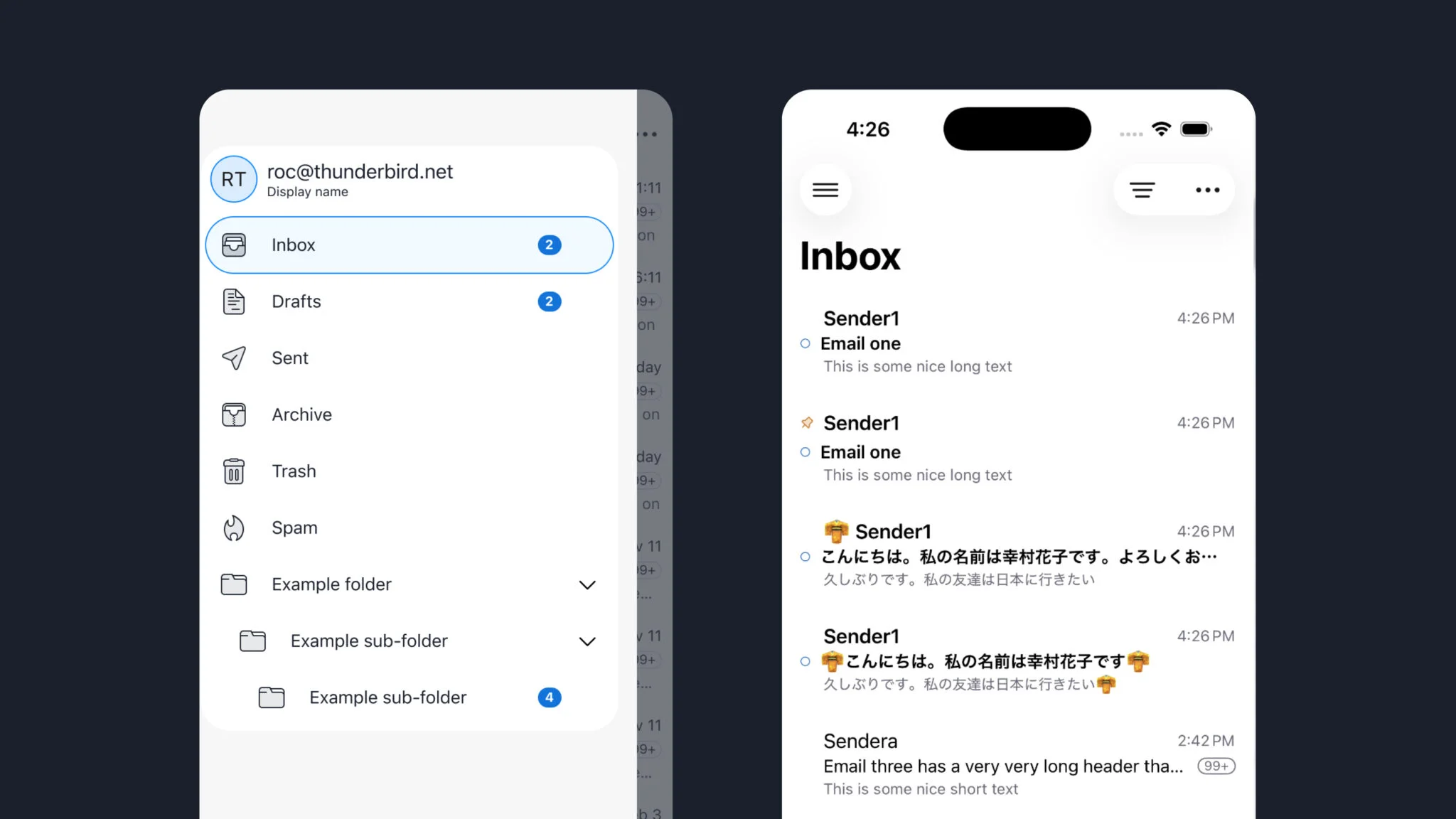
The essentials come first:
- A clutter-free, easy-to-read inbox layout
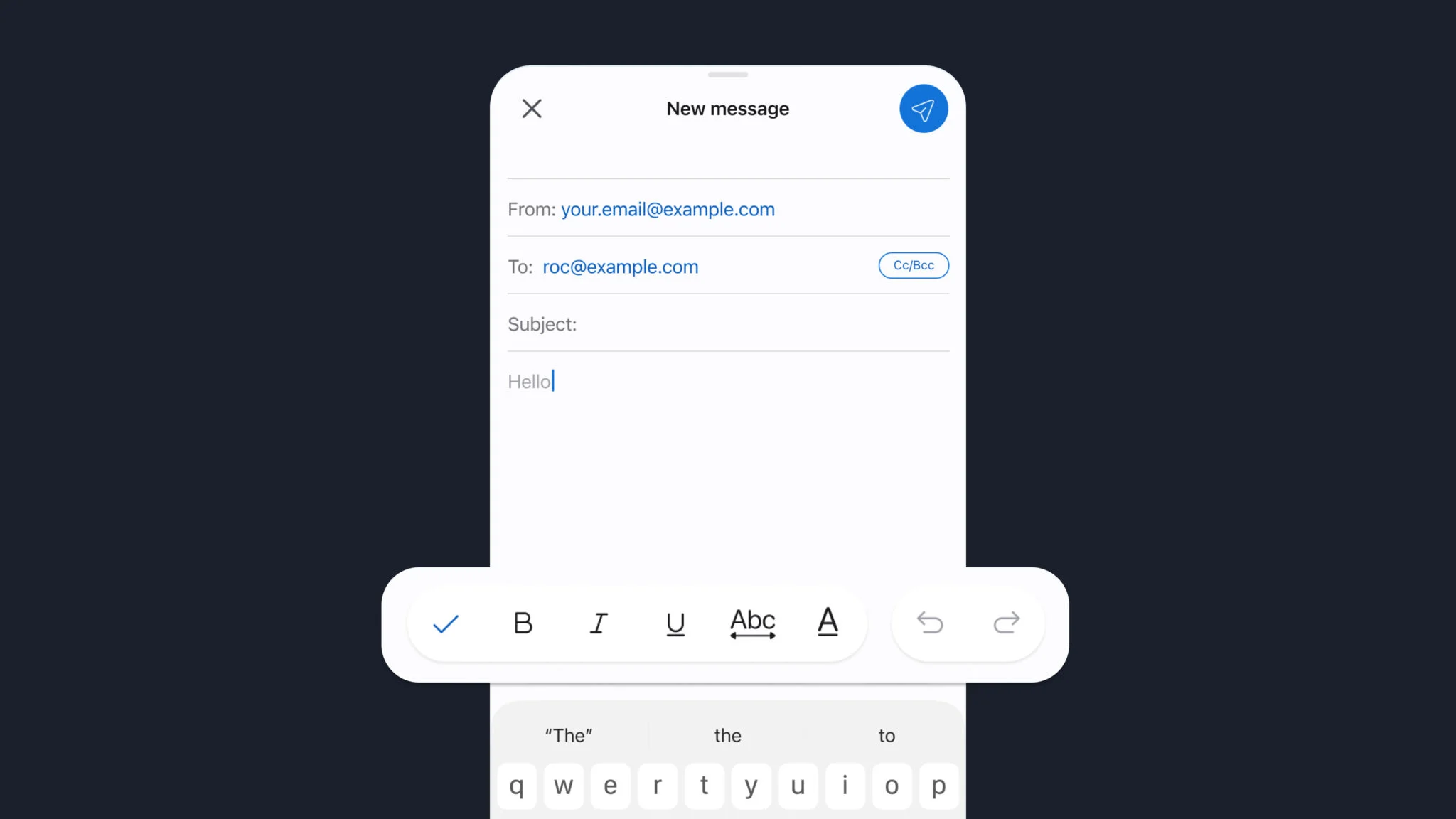
- A clean, modern message editor with a formatting toolbar
4. Designed for Community Contributions
Like the rest of Thunderbird, the iOS app is structured to welcome outside developers. The team describes:
- Clean code that is easier for community developers to work on
- An experimental feature flag system, so power users can try new features early and external contributors can extend the app
The team says having a clean architecture now will let them “layer on exciting new features much faster in the future.”
When Can You Try It?
Thunderbird’s stated goal is a first version ready for community testing in the next few months. No exact date has been announced.
The team also ran a short user research survey, asking people to name the three things that matter most in their daily email routine. That survey has now closed.
🔒 Watch out for fakes: Thunderbird has not announced a public TestFlight beta yet. Some readers have reported opening Apple’s TestFlight app without an invitation. Don’t trust third-party links promising early access. Follow the official Thunderbird blog and social media accounts for real testing announcements.
What We Still Don’t Know
The first look leaves several questions unanswered:
- Which providers will be supported at launch? The mockups show Google and Microsoft. Support for iCloud Mail, Yahoo, Fastmail, or generic IMAP accounts has not been detailed.
- Will it support Proton Mail? Commenters asked for it, but nothing has been announced.
- Calendar and contacts? Thunderbird Desktop includes them. The iOS preview focuses only on email.
- iPad-specific features, such as split-view layouts or keyboard shortcuts, have not been shown.
- Encryption: OpenPGP support, a key feature of Thunderbird Desktop and Android, is not mentioned yet.
- Final release date and pricing.
Why It Matters for iPhone Users
On iPhone, most people use Apple Mail, Gmail, or Outlook. Many of the major alternatives come from large tech companies or rely on cloud services that process your mail.
Thunderbird offers a different approach:
- Open source. Its code is public and auditable, and released under the Mozilla Public License.
- Nonprofit-backed. Thunderbird is developed by MZLA Technologies, a subsidiary of the Mozilla Foundation, and is funded mainly by user donations.
- Multiple accounts in one place. Thunderbird is known for handling many email accounts from different providers.
- One app across all your devices. With Windows, macOS, Linux, Android, and soon iOS, Thunderbird will cover every major platform.
For people who already use Thunderbird on desktop or Android, the iOS app fills the biggest remaining gap in the lineup.
A Long-Awaited Arrival
The Thunderbird team acknowledged in its post how long users have waited:
“We know how long many of you have been asking for and waiting for Thunderbird on iOS… Bringing Thunderbird to iPhone and iPad isn’t just about building an app; it’s about doing it right so it serves you reliably for years to come.”
Early reactions in the blog comments show that demand. Users asked for native iOS design components, rich HTML email signatures, and Proton support, and some asked what the app will offer that Apple Mail does not.
Frequently Asked Questions
Is Thunderbird available on iPhone now? No. The iOS app is still in development. Thunderbird aims to have a first version ready for community testing in the next few months.
Will Thunderbird for iOS work on iPad? Thunderbird says it is bringing the app to both iPhone and iPad. iPad-specific features have not been detailed yet.
Is Thunderbird for iOS free? Pricing hasn’t been announced. Thunderbird’s desktop and Android apps are free and open source.
Can I join the beta on TestFlight? Not yet. No public TestFlight program has been announced. Watch the official Thunderbird blog for testing details.
Will it support Gmail and Outlook accounts? The early setup design shows options for Google and Microsoft accounts. The full list of supported providers hasn’t been announced.
Will it support iCloud email? Thunderbird hasn’t said yet.
Is it based on the Android version? No. The iOS app is being built natively from scratch, though it draws on lessons from Thunderbird Desktop and Android.
Bottom Line
Thunderbird for iOS is still early, but the first look shows a team focused on fundamentals: easy setup, reliable sync, and a clean, modern design built natively for the iPhone. There’s no release date and many features remain unconfirmed. Still, for iPhone users who want an open-source, nonprofit-backed email app, Thunderbird’s arrival on iOS is one of the most anticipated launches of the coming months.
Sources
- Thunderbird Blog, “Thunderbird for iOS: A First Look at the Native iPhone Email App in Development” (October 2026): blog.thunderbird.net/2026/10/thunderbird-for-ios-a-first-look-at-the-native-iphone-email-app-in-development/
- Thunderbird official website: thunderbird.net
- Thunderbird for Android (Google Play / official page): thunderbird.net/mobile
- K-9 Mail joins Thunderbird (2022 announcement): blog.thunderbird.net
- Thunderbird source code and license (Mozilla Public License 2.0): mozilla.org/MPL/2.0
- Apple, TestFlight overview: developer.apple.com/testflight
- Thunderbird donations and funding: thunderbird.net/donate
Add Tech2Geek as a preferred source on Google to see more of our latest tech articles.
Support Tech2Geek ❤️
Did this guide help you? If Tech2Geek saves you time or helps you solve a problem,
consider buying me a coffee. ☕
Your support helps keep Tech2Geek independent and free.
Comments