


For many users, the default Microsoft Edge new tab page feels more like a cluttered news portal than a productivity tool. Between trending headlines, widgets, suggested content, and random shortcuts, it often becomes visually overwhelming. Even after disabling most of the built-in elements, the result can feel dull and uninspired—hardly the sleek, customizable experience Windows 11 users expect.
That’s where Fluent New Tab comes in.
Created by an independent developer, this open-source extension completely replaces Edge’s default start page with a minimalist, modern interface inspired by Windows 11’s Fluent Design system. Ironically, it aligns more closely with Microsoft’s own design language than the official Edge homepage itself.
Once installed, you may find yourself wondering why Microsoft didn’t build something like this from the start.
What Is Fluent New Tab?

Fluent New Tab is a free, open-source browser extension for Microsoft Edge that transforms your new tab page into a clean, distraction-free dashboard. It removes unnecessary clutter and replaces it with a customizable interface that prioritizes usability, elegance, and performance.
Built with Windows 11’s Fluent Design principles in mind, the extension delivers:
- Mica visual effects
- Smooth animations
- Light and dark themes
- System-adaptive appearance
The result is a new tab page that finally feels native to Windows 11.
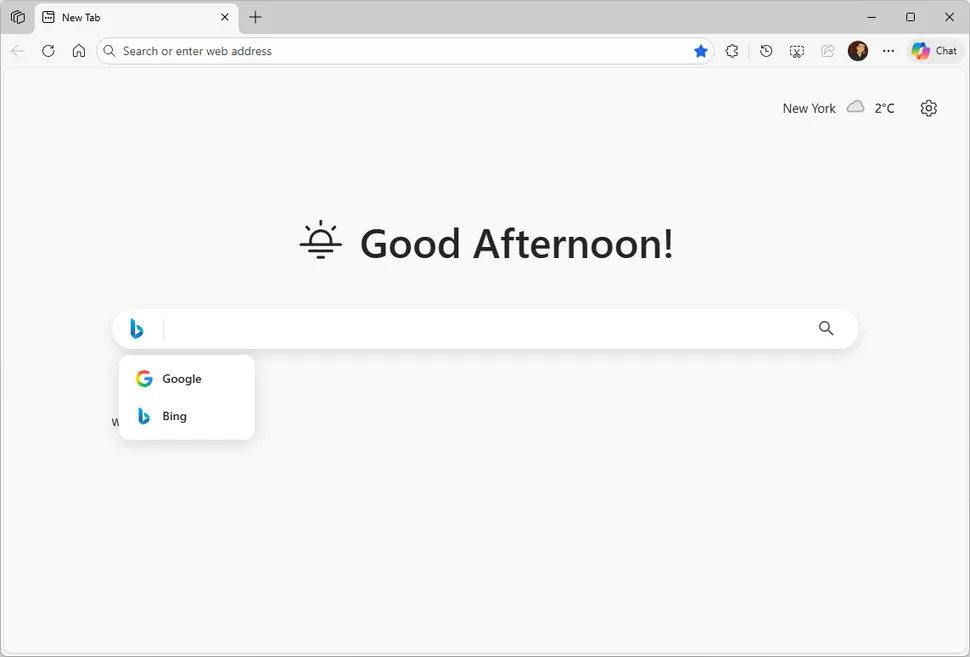
A New Tab Experience Edge Should Have Shipped
Fluent New Tab focuses on simplicity and personalization without sacrificing functionality.
1. Personalized Greeting and Search Bar
At the top of the page, you’ll find a customizable greeting message and a powerful search bar that supports multiple search engines, including:
- Bing
- Brave Search
- DuckDuckGo
- Ecosia
- Startpage
Switching between search providers is seamless, making this extension ideal for users who prioritize privacy or prefer alternatives to Google.
2. Custom Shortcuts with Automatic Favicons
You can add up to four rows of website shortcuts, complete with automatically fetched favicons. Whether you want quick access to social platforms, productivity tools, or news sites, everything stays neatly organized.
One limitation: icons cannot currently be reordered via drag-and-drop. If you want to change their order, you’ll need to delete and recreate them in the desired sequence.
Still, the clean layout and responsive design make this one of the most visually appealing Edge new tab replacements available.
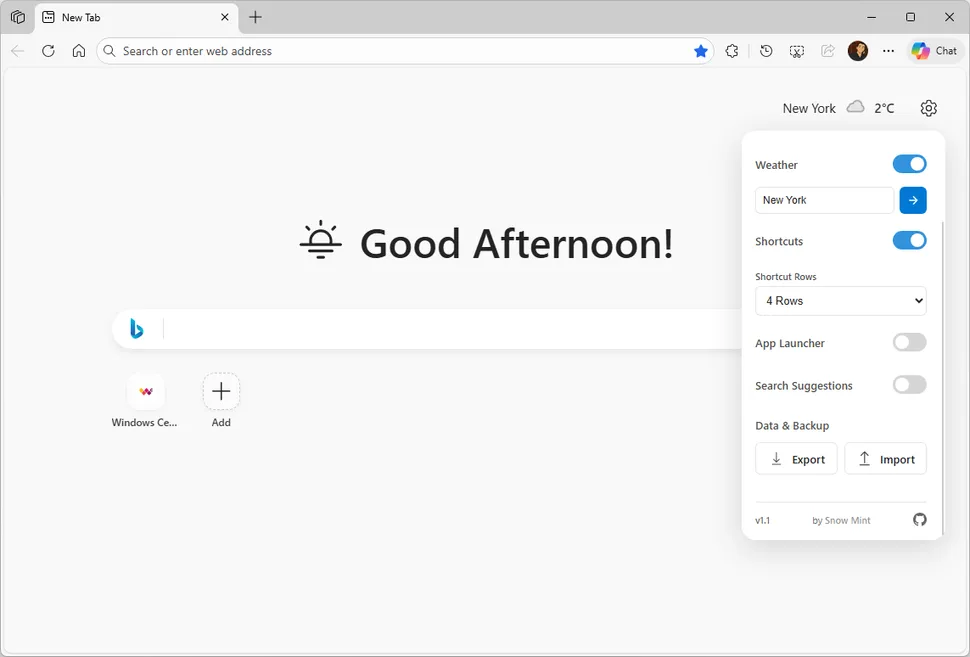
3. Integrated Weather Widget
Fluent New Tab includes a subtle weather widget that displays real-time conditions without overwhelming the page. It blends smoothly with the Fluent interface, keeping your dashboard informative yet distraction-free.
4. Built-In App Launcher for Productivity Suites
A standout feature is the integrated app launcher. With a single click, you can access popular productivity ecosystems such as:
- Microsoft 365 (Outlook, Word, Excel, PowerPoint, OneDrive, Teams)
- Google Workspace (Gmail, Drive, Calendar, Meet, Maps)
- Proton AG (Mail, Calendar, Drive, and more)
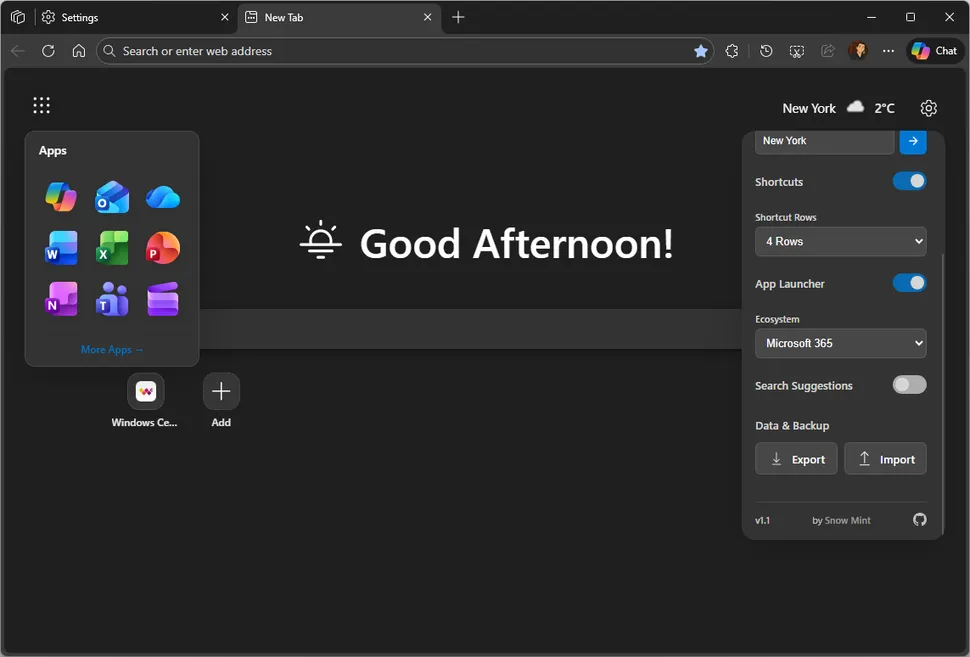
This makes Fluent New Tab not just a homepage replacement—but a productivity hub.
Privacy-Focused and Fully Open Source
Unlike many browser extensions, Fluent New Tab stores everything locally in your browser. There’s:
- No telemetry
- No data collection
- No tracking
The project is fully open source and released under the MIT license, meaning anyone can inspect the code and contribute.
For users concerned about privacy in modern browsers, this is a major advantage.
How to Install Fluent New Tab in Microsoft Edge
There are two ways to install Fluent New Tab:
Method 1: Install from the Edge Add-ons Store (Recommended)
- Visit the extension page in the Microsoft Edge Add-ons Store.
- Click “Get.”
- Confirm installation.
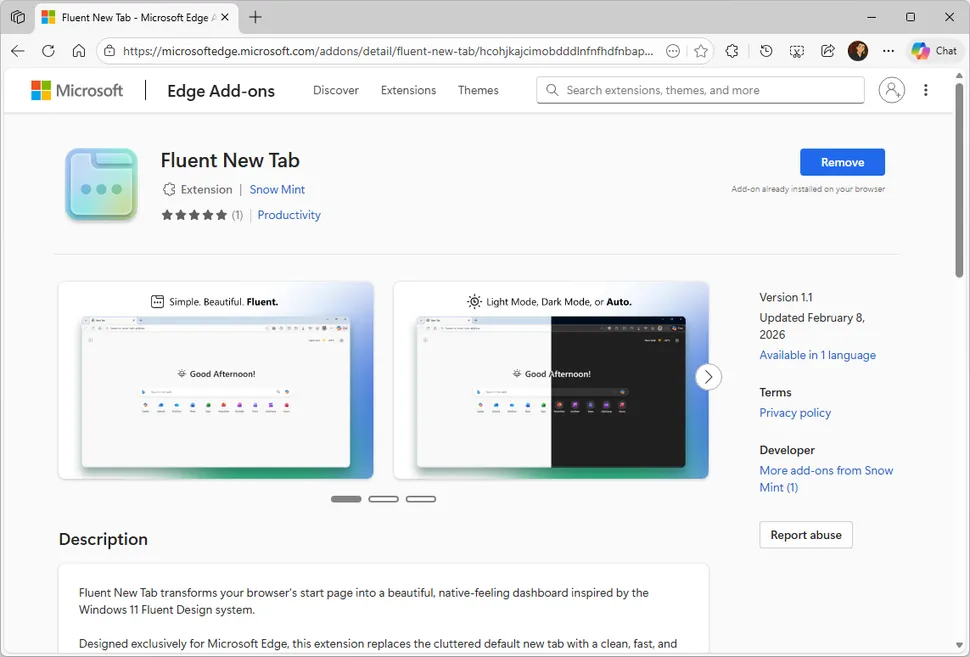
Edge will automatically install and activate the extension.
Note: Sometimes Edge temporarily disables extensions that replace the default homepage. If that happens:
- Go to
edge://extensions- Locate Fluent New Tab
- Re-enable it manually
Method 2: Install the Latest Version Manually (Advanced Users)
If you want the newest release before it appears in the official store (updates may take up to 7 business days), you can install it manually:
- Download the ZIP file from the project’s GitHub Releases page.
- Extract the ZIP archive to a folder on your computer.
- Open Edge and go to
edge://extensions. - Enable Developer Mode (toggle in the left sidebar).
- Click “Load unpacked.”
- Select the extracted folder.
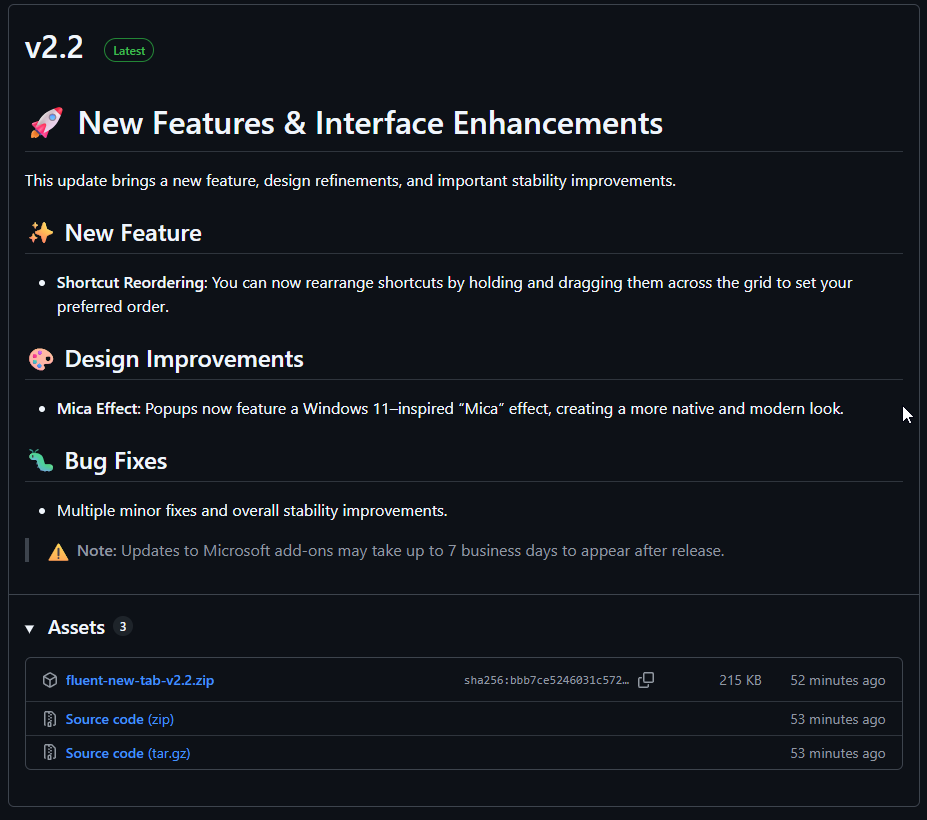
The extension will install immediately and function like the store version.
Why Fluent New Tab Is One of the Best Edge Extensions in 2026
If you’re searching for:
- The best Microsoft Edge new tab replacement
- A minimalist Edge homepage
- A Windows 11-style start page for Edge
- A privacy-friendly new tab extension
Fluent New Tab checks all the boxes.
It combines aesthetics, performance, and privacy into a lightweight package that genuinely improves your daily browsing experience.
Final Thoughts
The new tab page is one of the most frequently viewed screens in any browser. It should feel clean, fast, and purposeful—not cluttered or distracting.
Fluent New Tab delivers exactly that. With its Windows 11-inspired design, multi-engine search support, built-in productivity launcher, and privacy-first philosophy, it transforms Microsoft Edge into a more refined and user-focused browser.
If you use Edge daily and want a modern, distraction-free dashboard, this extension is absolutely worth trying.
And if you'd like to go a step further in supporting us, you can treat us to a virtual coffee ☕️. Thank you for your support ❤️!

We do not support or promote any form of piracy, copyright infringement, or illegal use of software, video content, or digital resources.
Any mention of third-party sites, tools, or platforms is purely for informational purposes. It is the responsibility of each reader to comply with the laws in their country, as well as the terms of use of the services mentioned.
We strongly encourage the use of legal, open-source, or official solutions in a responsible manner.
Comments