
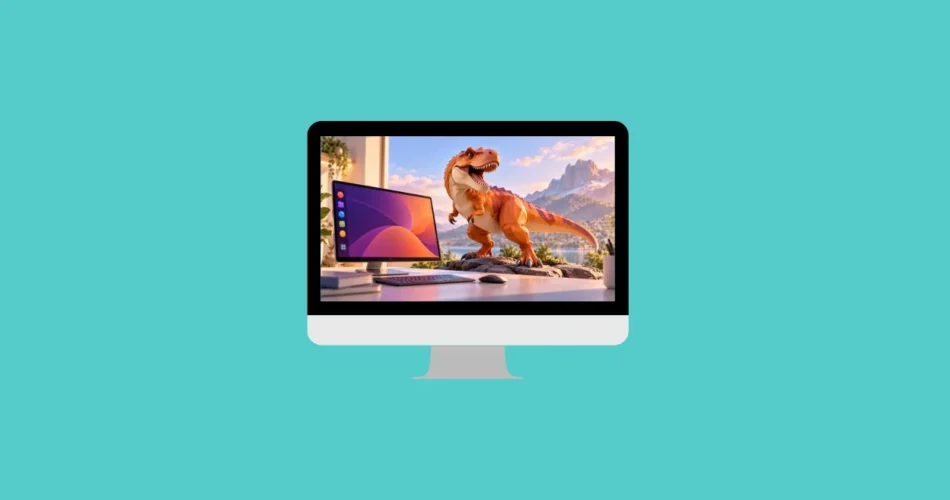
Canonical has set the release date for Ubuntu 27.04, codenamed “Tenacious T-Rex,” putting the next interim version of the popular Linux distribution on the development roadmap for April 2027. The upcoming release is expected to bring a newer desktop environment and Linux kernel, potentially including GNOME 52 and Linux 7.6.
Although the release is still months away, the early announcement gives Ubuntu users, developers, and Linux enthusiasts a first look at what to expect. As with previous Ubuntu releases, however, the final software lineup may change as development progresses.
Ubuntu 27.04 Release Date and Development Schedule
Canonical has scheduled Ubuntu 27.04 for April 22, 2027. This follows Ubuntu’s established release cycle, which typically delivers a new version every six months, in April and October.
Canonical usually publishes its release schedule well in advance. The dates provide developers and testers with a roadmap for preparing new features, identifying bugs, and improving system stability before the final version becomes available.
The development process is expected to follow the usual Ubuntu workflow, including:
- Daily builds: Early development versions for users who want to track progress.
- Alpha and beta testing: Preliminary builds that help developers and community testers identify problems.
- Release candidates: Near-final versions used to address remaining issues before launch.
- Final release: The stable Ubuntu 27.04 version, scheduled for April 22, 2027.
These stages give Canonical and the wider Ubuntu community time to test hardware compatibility, desktop features, drivers, and system components.
The schedule and availability of individual development builds may evolve throughout the cycle. Users should check the official Ubuntu development announcements for confirmed milestones and download information.
GNOME 52 and Linux Kernel 7.6: What to Expect
Ubuntu 27.04 is expected to adopt GNOME 52 and potentially Linux kernel 7.6, although these component versions should be treated as provisional until Canonical confirms the final software lineup.
Both components play a major role in the overall Ubuntu experience, but they serve different purposes.
GNOME 52 Could Bring Desktop Improvements
GNOME is the default desktop environment used by standard Ubuntu Desktop. It provides the graphical interface, application launcher, system settings, window management, and many of the tools users interact with every day.
A newer GNOME release could bring interface refinements, improvements to desktop applications, better workflow management, and other usability changes. The exact features available in Ubuntu 27.04 will depend on the GNOME version Canonical ultimately includes and any changes made by the Ubuntu development team.
GNOME development and Ubuntu packaging do not always follow identical schedules. A new GNOME version may be released before Ubuntu integrates it, and some components may be updated or adjusted during the distribution’s development cycle.
Linux Kernel 7.6 Could Improve Hardware Support
The Linux kernel provides the foundation for communication between the operating system and computer hardware. It handles essential tasks such as memory management, processes, storage, networking, and device drivers.
If Ubuntu 27.04 ships with Linux kernel 7.6, users could benefit from newer hardware support, driver updates, and performance or compatibility improvements introduced by that kernel series.
The practical impact will depend on the hardware involved. Users with newer processors, graphics cards, wireless adapters, or other recently released devices may have more reason to try the latest kernel than those whose systems already work reliably.
However, the kernel version has not yet been established as a final specification for Ubuntu 27.04. Canonical may change its plans if development, compatibility, or stability requirements make another version more suitable.
Ubuntu 27.04 Will Be an Interim Release, Not an LTS Version
Ubuntu 27.04 is expected to be a standard interim release rather than a Long-Term Support (LTS) edition. This distinction matters when deciding whether to install it on a personal computer, workstation, or production server.
Ubuntu generally provides five years of standard security maintenance for LTS releases, while interim releases typically receive only nine months of updates. Additional support options may be available under Canonical’s separate support programs.
The shorter maintenance period means users running an interim version must plan to upgrade to a subsequent supported Ubuntu release before its support period ends.
Who Should Consider Ubuntu 27.04?
Ubuntu 27.04 may appeal to several groups of users:
- Linux enthusiasts who want to test newer desktop features and system components.
- Developers who need to evaluate applications against upcoming Linux software versions.
- Hardware testers who want to check compatibility with newer devices.
- Desktop users who enjoy following Ubuntu’s development cycle and upgrading regularly.
By contrast, businesses, server administrators, and users who prioritize long-term stability may prefer an LTS release. LTS versions provide a longer standard maintenance period and are generally a better fit for systems that should not require frequent distribution upgrades.
Anyone considering Ubuntu 27.04 before its final release should also remember that development builds can contain bugs, incomplete features, and compatibility problems. They are better suited to testing machines or virtual machines than to systems where reliability is essential.
How to Check Which Ubuntu Version You Have Installed
If you want to determine whether your computer is running an LTS release or an interim version, you can check your Ubuntu installation directly from the terminal.
- Open the Terminal application.
- Run the following command:
lsb_release -a - Press Enter to display the installed distribution’s release number, codename, and other identifying information.
You can also use:
cat /etc/os-releaseThese commands help you identify your current Ubuntu version and determine whether an upgrade is relevant to your system.
Frequently Asked Questions About Ubuntu 27.04
When will Ubuntu 27.04 be released?
Ubuntu 27.04 is scheduled for April 22, 2027. Canonical may adjust development milestones if serious issues arise before the final release.
What is the codename for Ubuntu 27.04?
The release is codenamed Tenacious T-Rex. Ubuntu traditionally uses a two-word codename consisting of an adjective and an animal that begin with the same letter.
Will Ubuntu 27.04 include GNOME 52?
GNOME 52 is a potential component of Ubuntu 27.04, but the final desktop environment version has not yet been definitively confirmed. Canonical’s development decisions and the GNOME release schedule will determine the final lineup.
Will Ubuntu 27.04 use Linux kernel 7.6?
Linux kernel 7.6 is also expected, but it remains a provisional detail until Canonical confirms the version selected for the final release.
How long will Ubuntu 27.04 receive updates?
As an interim release, Ubuntu 27.04 is expected to receive nine months of standard updates. Users should plan to upgrade before that support period ends.
Should I upgrade to Ubuntu 27.04 or stay on an LTS release?
If you prioritize stability, long-term security maintenance, and fewer upgrades, an LTS version is generally the better choice. Ubuntu 27.04 will be more appealing if you want to experiment with newer software or test hardware compatibility.
Conclusion
Ubuntu 27.04 “Tenacious T-Rex” is scheduled to arrive on April 22, 2027, continuing Canonical’s established six-month release cycle. GNOME 52 and Linux kernel 7.6 are potential highlights, but their inclusion remains subject to the development process.
For users who enjoy trying the latest Linux technologies, the upcoming release could offer an opportunity to explore newer desktop and hardware capabilities. Those who depend on a stable system for work or server operations will likely be better served by an LTS release until Ubuntu 27.04 has been released, tested, and evaluated.
Add Tech2Geek as a preferred source on Google to see more of our latest tech articles.
Support Tech2Geek ❤️
Did this guide help you? If Tech2Geek saves you time or helps you solve a problem,
consider buying me a coffee. ☕
Your support helps keep Tech2Geek independent and free.
Comments