

Artificial intelligence has transformed from a niche research field into one of the most influential technologies of the modern era. Every time you ask ChatGPT a question, generate an image, or use an AI-powered search engine, billions of calculations happen behind the scenes in just a fraction of a second.
One question naturally follows: why do companies like OpenAI, Microsoft, Google, Meta, and Anthropic rely on NVIDIA GPUs instead of the powerful CPUs already found in servers and personal computers? After all, CPUs have powered computing for decades. Shouldn’t they be the obvious choice?
The answer lies in the way AI performs calculations. Modern AI models don’t require processors that excel at making complex decisions one task at a time. Instead, they need hardware capable of executing millions—or even billions—of nearly identical mathematical operations simultaneously.
That’s exactly what a Graphics Processing Unit (GPU) was designed to do.
Ironically, the same technology originally developed to render realistic video game graphics has become the engine powering today’s AI revolution. Understanding why requires looking beyond marketing buzzwords and examining how CPUs and GPUs are built from the ground up.
In this guide, we’ll explain the hardware differences, explore why neural networks are perfectly suited for GPUs, and reveal why even the fastest CPU struggles to compete with a modern AI accelerator.
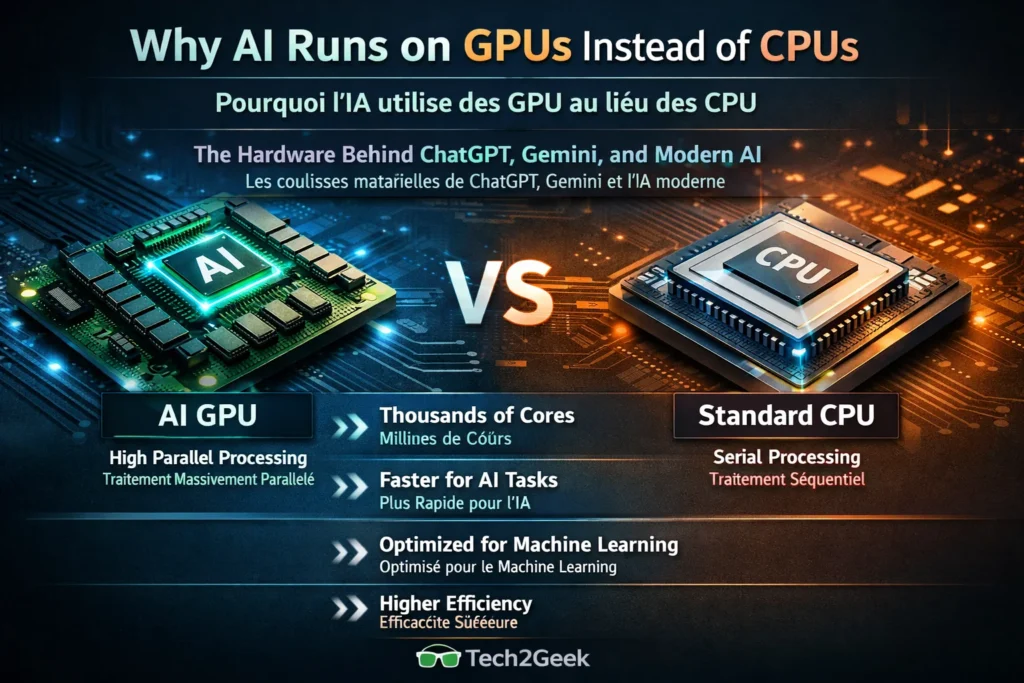
CPU vs. GPU: Understanding the Fundamental Difference
Although both CPUs and GPUs are processors, they were designed with completely different goals.
A CPU (Central Processing Unit) is built to execute a wide variety of tasks quickly and efficiently. It runs your operating system, launches applications, manages files, handles networking, and responds instantly whenever you click your mouse or press a key.
A GPU (Graphics Processing Unit), on the other hand, wasn’t originally created for general computing at all. Its primary job was rendering millions of pixels every second to produce realistic graphics for games and professional visualization.
Over time, engineers realized something remarkable:
The same hardware architecture that makes GPUs exceptional at graphics also makes them incredibly efficient at artificial intelligence.
To understand why, you first need to know two important computing concepts.
Two Concepts That Explain Almost Everything
What Is a Processing Core?
Every processor contains one or more cores.
A core is an independent execution unit capable of performing calculations.
Imagine each core as an employee inside a factory.
- One core equals one worker.
- Four cores equal four workers.
- Sixteen cores equal sixteen workers operating simultaneously.
Modern desktop CPUs usually contain between 8 and 24 powerful cores, while enterprise server processors may include dozens more.
GPUs take a completely different approach by using thousands of much smaller cores working together.
Instead of making each worker exceptionally intelligent, GPU designers simply hired thousands more of them.
What Is Parallel Computing?
The second concept is parallelism.
Computers can solve problems in two different ways.
Sequential Processing
One worker completes every task individually.
Imagine unpacking 5,000 boxes alone.
You finish one box before moving on to the next.
The work gets done, but it takes time.
Parallel Processing
Now imagine hiring 5,000 people.
Each person opens one box simultaneously.
The amount of work hasn’t changed.
The difference is that everyone works at the same time.
That’s parallel computing.
Some problems naturally benefit from this approach.
Others don’t.
Artificial intelligence happens to be one of the best examples of a massively parallel workload.
CPUs Prioritize Speed for Individual Tasks
Modern CPUs are engineering masterpieces.
Rather than adding thousands of cores, manufacturers invest enormous amounts of silicon into making each core extraordinarily capable.
A single CPU core includes technologies such as:
- Advanced branch prediction
- Sophisticated instruction scheduling
- Large multi-level caches
- Out-of-order execution
- Speculative execution
- Complex control logic
These features allow CPUs to solve complicated problems with minimal delay.
Computer engineers describe this goal as low latency.
Latency measures how quickly one task can begin and finish.
If you click an application icon, you expect it to respond almost instantly.
If your keyboard waited one second after every keypress, your computer would feel broken regardless of its processing power.
This is exactly the type of workload CPUs were built to handle.
Think of a CPU as a Team of Specialists
Imagine a hospital performing complicated surgery.
You wouldn’t assign hundreds of inexperienced workers to operate on one patient.
Instead, you’d rely on a small group of highly trained surgeons.
Each specialist performs different tasks requiring expertise, judgment, and flexibility.
That’s essentially how a CPU works.
It has relatively few cores, but every core is incredibly sophisticated.
CPUs excel when workloads involve:
- Decision making
- Complex logic
- Changing instructions
- Operating systems
- Office software
- Web browsers
- Databases
- Software development
- Gaming logic
Every instruction can differ from the previous one.
The processor constantly adapts.
Flexibility—not raw parallelism—is the CPU’s greatest strength.
GPUs Focus on Maximum Throughput
GPUs solve an entirely different problem.
Instead of making every core powerful, GPU engineers pack as many cores as physically possible onto a chip.
For example, NVIDIA’s AI accelerators contain thousands of computing cores, dramatically outnumbering the cores found in even the most powerful server CPUs.
Individually, these cores are much simpler.
They don’t spend time predicting future instructions or reorganizing workloads.
Instead, they execute instructions repeatedly with incredible efficiency.
Rather than optimizing how fast one calculation finishes, GPUs optimize how much total work gets completed every second.
This metric is known as throughput.
Throughput measures total output rather than the speed of individual operations.
A GPU may not complete one calculation as quickly as a CPU.
However, it can perform tens of thousands—or even millions—of similar calculations simultaneously.
That difference completely changes the equation for AI workloads.
A Factory Is a Better Analogy Than a Hospital
If CPUs resemble skilled surgeons, GPUs resemble automated factories.
Picture an assembly line producing thousands of smartphones every hour.
Each worker performs one simple task:
- tighten a screw,
- attach a battery,
- install a display,
- inspect the finished product.
No individual worker understands the entire manufacturing process.
But together, the factory produces an enormous number of products every day.
GPUs operate using the same philosophy.
Every core performs relatively simple work.
The power comes from having thousands of cores executing identical operations at the same time.
Why GPUs Can’t Handle Every Workload
There’s an important limitation.
GPU cores cannot all decide to do different things independently.
Instead, they generally execute the same instruction simultaneously, each working on different pieces of data.
Computer architects refer to this model as SIMD, which stands for Single Instruction, Multiple Data.
Imagine a fitness instructor leading a class.
When the instructor says:
“Raise your right arm.”
Everyone performs the same movement together.
Each person is acting on their own body, but nobody decides to perform an entirely different exercise.
That’s essentially how GPU cores operate.
This design works brilliantly when millions of calculations follow the same pattern.
However, it performs poorly when every calculation requires different decisions or branching logic.
Latency vs. Throughput: The Real Difference
At this point, the distinction becomes much clearer.
A CPU is optimized to reduce the time needed to finish one complex task.
A GPU is optimized to maximize the number of similar tasks completed simultaneously.
You can summarize the difference like this:
| CPU | GPU |
|---|---|
| Few powerful cores | Thousands of lightweight cores |
| Optimized for low latency | Optimized for high throughput |
| Excellent for complex decisions | Excellent for repetitive calculations |
| Flexible workloads | Massively parallel workloads |
| Operating systems and applications | AI, graphics, and scientific computing |
Neither processor is universally better.
Each excels at solving different types of problems.
The real question is:
What kind of workload does artificial intelligence create?
As you’ll discover in the next section, nearly every AI model—from ChatGPT to Gemini and Claude—spends most of its time performing one simple mathematical operation over and over again.
That repetitive workload happens to match the GPU’s architecture almost perfectly.
Why Neural Networks Are Perfectly Designed for GPUs
Now that we’ve seen how CPUs and GPUs differ, it’s time to answer the biggest question:
Why is artificial intelligence so much faster on a GPU?
The answer isn’t because GPUs are inherently “smarter” or more advanced than CPUs. Instead, it’s because modern AI performs one type of mathematical operation over and over again—and that operation is exactly what GPUs were built to accelerate.
In fact, nearly every large language model (LLM), including ChatGPT, Gemini, Claude, and Llama, spends most of its time performing massive matrix multiplications.
Understanding this concept explains why GPUs became the backbone of today’s AI revolution.
AI Isn’t “Thinking” Like Humans
When people interact with ChatGPT, it can feel like the model is reasoning, understanding language, or even thinking.
Behind the scenes, however, something much less mysterious is happening.
Every word you type is converted into numbers.
Those numbers are transformed repeatedly through dozens—or sometimes hundreds—of mathematical layers before the model predicts the next word.
At its core, an AI model performs mathematics—not human reasoning.
Almost every calculation inside a neural network boils down to multiplying large collections of numbers together.
That may sound simple, but the scale is enormous.
What Is a Neural Network?
A neural network is a computer model inspired loosely by the structure of the human brain.
Instead of biological neurons, it consists of layers of mathematical functions connected together.
Each layer receives numerical data, processes it, and passes the result to the next layer.
This continues until the model produces an output, such as:
- predicting the next word,
- recognizing an image,
- translating text,
- answering a question,
- generating code,
- creating artwork.
Although neural networks are often illustrated as circles connected by lines, those diagrams are only visual representations.
Inside the hardware, the computer isn’t moving information between tiny circles.
It’s performing gigantic mathematical operations on arrays of numbers.
Everything Becomes Numbers
Computers don’t understand words.
They understand numbers.
Before ChatGPT can process a sentence, every word—or more precisely, every token—is converted into numerical values.
For example, the sentence:
Artificial intelligence is changing computing.
is transformed into a sequence of numerical vectors.
Each vector contains hundreds or even thousands of values representing different characteristics of the word.
Those numbers then move through layer after layer of mathematical transformations.
Every transformation involves multiplying large tables of numbers together.
Understanding Matrices
These tables are called matrices.
A matrix is simply a grid of numbers arranged into rows and columns.
If you’ve ever used Microsoft Excel or Google Sheets, you’ve already worked with something that resembles a matrix.
For example:
| 2 | 8 | 4 |
| 7 | 1 | 9 |
| 5 | 6 | 3 |
Real AI models use matrices that are vastly larger.
Instead of nine numbers, they may contain millions—or even billions—of values.
These numbers represent everything the model has learned during training.
Engineers often refer to these learned values as weights.
Together, they store the model’s knowledge.
Every AI Prediction Depends on Matrix Multiplication
Whenever ChatGPT generates a response, it repeatedly performs matrix multiplication.
The process looks roughly like this:
- Your input becomes numerical vectors.
- Those vectors are multiplied by the model’s weight matrices.
- The results pass through mathematical activation functions.
- The output becomes the input for the next layer.
- The process repeats dozens of times.
- Finally, the model predicts the most likely next token.
This entire pipeline happens in milliseconds.
Yet internally, billions of mathematical operations may have been completed.
The overwhelming majority of those operations involve multiplying matrices.
Why Matrix Multiplication Is So Easy to Parallelize
This is where GPUs shine.
Imagine multiplying two large matrices together.
The result is another matrix.
Here’s the important observation:
Every cell in the resulting matrix can be calculated independently.
One calculation doesn’t need to wait for another.
Each output value can be computed at exactly the same time.
That independence makes the workload almost perfectly parallel.
Suppose the result contains one million cells.
A CPU with 16 cores can calculate only a handful simultaneously.
The remaining calculations wait their turn.
A GPU with thousands of cores can work on enormous numbers of those calculations at once.
Instead of solving the problem sequentially, it spreads the workload across thousands of processing units.
This dramatically reduces execution time.
A Real-World Analogy
Imagine grading one million multiple-choice exams.
Each exam is completely independent.
No student’s score depends on another student’s answers.
One teacher could grade every paper alone.
Eventually, the work would be finished.
Now imagine hiring ten thousand teachers.
Each teacher grades a different exam simultaneously.
The grading rules never change.
Everyone performs the exact same task.
The total workload stays the same.
The completion time becomes dramatically shorter.
Matrix multiplication works almost exactly like this.
Every calculation follows identical instructions.
Only the numbers change.
That makes it an ideal workload for GPUs.
AI Repeats the Same Operations Billions of Times
Large language models aren’t constantly inventing new types of calculations.
Instead, they perform the same relatively simple operations again and again.
For each layer of the network, every neuron repeats the same mathematical process.
Multiply.
Add.
Multiply.
Add.
Repeat.
This repetition is exactly what GPU hardware was designed to accelerate.
Thousands of GPU cores can perform those identical instructions simultaneously while processing different pieces of data.
The result is enormous computational throughput.
Why CPUs Can’t Compete
Could a CPU perform matrix multiplication?
Absolutely.
Modern CPUs include powerful vector instructions capable of accelerating many mathematical workloads.
The problem isn’t capability.
It’s scale.
Even the fastest server CPU contains only dozens of highly sophisticated cores.
Modern AI accelerators contain thousands of simpler cores designed specifically for repetitive numerical computation.
When an AI model must perform billions of nearly identical calculations, the GPU’s architecture becomes vastly more efficient.
Instead of assigning one calculation after another to a limited number of cores, the GPU distributes the workload across thousands of workers operating simultaneously.
The larger the neural network becomes, the greater the advantage.
Tensor Cores: Hardware Built Specifically for AI
As artificial intelligence grew, GPU manufacturers noticed something interesting.
Most AI workloads performed the same mathematical operation repeatedly:
Matrix multiplication.
Instead of relying only on traditional GPU cores, NVIDIA introduced specialized hardware dedicated exclusively to accelerating these calculations.
These are called Tensor Cores.
Unlike general-purpose processing cores, Tensor Cores are designed to perform matrix multiplication as efficiently as possible.
They accept small blocks of numerical data, perform multiplication and accumulation in hardware, and produce results with remarkable speed.
Rather than executing several separate instructions, Tensor Cores combine multiple operations into a highly optimized pipeline.
This significantly increases AI performance while reducing energy consumption.
What Exactly Is a Tensor?
The name “Tensor Core” often sounds intimidating.
Fortunately, the concept is straightforward.
A matrix is a two-dimensional table of numbers.
A tensor is simply a more general mathematical structure.
You can think of it as data organized across multiple dimensions.
For example:
- A single number is a zero-dimensional tensor.
- A list of numbers is a one-dimensional tensor.
- A spreadsheet is a two-dimensional tensor.
- A collection of spreadsheets forms a higher-dimensional tensor.
Deep learning frameworks use tensors because AI data often contains multiple dimensions simultaneously, such as:
- batch size,
- sequence length,
- image height,
- image width,
- color channels,
- embedding dimensions.
Tensor Cores are optimized to manipulate these structures extremely efficiently.
Why Tensor Cores Changed the AI Industry
Before Tensor Cores existed, GPUs already offered significant advantages over CPUs.
Tensor Cores widened that performance gap even further.
Instead of simply providing more processing cores, NVIDIA redesigned portions of the hardware specifically for deep learning.
The result was a dramatic increase in AI performance.
Tasks that once required large clusters of CPUs could suddenly run much faster using far fewer GPUs.
This innovation accelerated research across the entire industry.
Today, virtually every major AI company relies on hardware containing specialized matrix-processing units.
Without them, training today’s trillion-parameter AI models would be dramatically slower, more expensive, and far less practical.
AI and GPUs Are a Perfect Match
The relationship between artificial intelligence and GPUs isn’t accidental.
Modern neural networks spend most of their time performing billions of independent matrix calculations.
GPUs were engineered to execute enormous numbers of identical operations simultaneously.
Those two characteristics fit together almost perfectly.
This explains why GPUs became the foundation of today’s AI infrastructure and why they continue to outperform traditional CPUs for deep learning workloads.
However, surprisingly, raw computational power isn’t the biggest factor limiting AI performance.
In many real-world situations, the processors aren’t busy computing at all—they’re waiting.
Why Memory—Not Processing Power—Has Become AI’s Biggest Bottleneck
At this point, it might seem like we’ve solved the mystery.
Artificial intelligence relies on GPUs because they can execute billions of matrix calculations simultaneously. End of story, right?
Not quite.
Surprisingly, the fastest AI processors in the world often spend a significant amount of time doing… nothing.
Their computing cores sit idle, not because they’re too slow, but because they’re waiting for data to arrive.
This is one of the least understood aspects of modern AI hardware. While headlines focus on faster chips and higher AI performance, the real limitation behind large language models is often memory bandwidth rather than raw computing power.
To understand why, we first need to distinguish between two very different types of workloads.
Compute-Bound vs. Memory-Bound Workloads
Not every computing task is limited by the processor itself.
Engineers generally classify workloads into two categories.
Compute-Bound
A workload is compute-bound when the processor is operating at full capacity.
Every core is busy performing calculations, and the only way to finish faster is to add more computational power.
Examples include:
- Scientific simulations
- Video rendering
- Cryptocurrency mining
- Physics calculations
- AI model training
In these situations, faster processors directly translate into shorter execution times.
Memory-Bound
A workload becomes memory-bound when the processor is capable of working faster but can’t obtain data quickly enough.
Instead of performing calculations, the cores spend much of their time waiting for information to arrive from memory.
Imagine hiring 500 construction workers to build a house.
If trucks deliver bricks only once every hour, most workers will stand around doing nothing.
The workers aren’t slow.
The supply chain is.
The exact same problem affects modern AI hardware.
Why AI Inference Is Different From AI Training
Training an AI model and using one are two very different tasks.
During training, the model continuously updates billions of parameters while processing enormous datasets. GPUs remain heavily occupied performing mathematical operations.
When you’re chatting with ChatGPT, however, the model is performing inference.
Inference simply means generating predictions using knowledge the model has already learned.
Every time the AI predicts the next word, it must consult its trained parameters—called weights—before producing an answer.
And that’s where memory becomes the limiting factor.
Every Word Requires Access to Billions of Parameters
Modern language models contain astonishing amounts of information.
Some models include:
- 7 billion parameters
- 13 billion parameters
- 70 billion parameters
- Hundreds of billions of parameters
Each parameter is stored as a numerical value inside the GPU’s memory.
Whenever the model predicts a single new token, it must access an enormous portion of these stored values.
The calculations themselves happen incredibly quickly.
Reading the data is what takes time.
Think of it like preparing dinner.
Cooking might take only five minutes.
Finding every ingredient scattered across a giant warehouse could take much longer.
For AI, retrieving the ingredients—the model’s weights—is often slower than performing the calculations themselves.
Why GPU Cores Spend Time Waiting
Modern AI accelerators contain thousands of highly efficient computing cores.
These cores can process mathematical operations in microseconds.
The problem is that they can’t calculate anything until the required data reaches them.
For every generated token, the model repeatedly performs this cycle:
- Read weights from memory.
- Send those weights to the computing cores.
- Perform matrix multiplication.
- Produce intermediate results.
- Repeat for the next neural network layer.
Notice something interesting.
The mathematical operations are only one step.
Moving data between memory and the processor happens continuously.
If data arrives slowly, even the world’s fastest GPU becomes underutilized.
This is why many AI workloads spend surprisingly little time limited by computation itself.
Memory Bandwidth: The Hidden Performance Metric
When most people compare computer hardware, they look at:
- CPU clock speed
- Number of cores
- GPU specifications
- FLOPS (Floating Point Operations Per Second)
For AI, another specification is often even more important:
Memory bandwidth.
Memory bandwidth measures how much data can move between memory and the processor every second.
Think of it as a highway.
The processor represents thousands of cars trying to reach their destination.
Memory bandwidth determines how many lanes that highway contains.
A narrow road creates traffic.
A wide highway allows vehicles to move freely.
Even the fastest sports car can’t travel quickly if it’s trapped in gridlock.
Likewise, thousands of GPU cores cannot operate efficiently if memory cannot feed them with data fast enough.
Why AI Hardware Uses Specialized Memory
Consumer graphics cards already use high-speed memory for gaming.
AI accelerators go even further.
Instead of standard memory technologies, enterprise GPUs often rely on High Bandwidth Memory (HBM).
HBM places memory chips extremely close to the processor itself.
This dramatically increases the amount of data that can flow every second while reducing power consumption.
The result is far greater memory throughput than conventional desktop hardware can achieve.
That’s one reason data center GPUs cost dramatically more than consumer graphics cards.
You’re paying not only for computing power but also for an incredibly advanced memory subsystem.
What Is VRAM?
If you’ve ever purchased a graphics card, you’ve probably noticed specifications like:
- 8 GB VRAM
- 12 GB VRAM
- 24 GB VRAM
VRAM stands for Video Random Access Memory.
Originally, it stored textures, images, and graphics used by video games.
Today, VRAM has become one of the most valuable resources in artificial intelligence.
Instead of storing game assets, it stores the parameters of neural networks.
Without sufficient VRAM, an AI model simply cannot run efficiently.
Why Large AI Models Need Massive Amounts of VRAM
Every parameter inside a neural network occupies memory.
Multiply that by tens—or hundreds—of billions of parameters, and the memory requirements become enormous.
For example:
| AI Model Size | Approximate Memory Requirement* |
|---|---|
| 7 billion parameters | ~14 GB |
| 13 billion parameters | ~26 GB |
| 70 billion parameters | ~140 GB |
| 400 billion parameters | ~800 GB |
*Memory usage varies depending on numerical precision and optimization techniques.
This explains why enterprise AI systems often combine multiple GPUs into a single server.
One graphics card simply doesn’t provide enough memory to store the entire model.
Instead, the model is distributed across several GPUs working together.
Why AI Companies Buy Thousands of GPUs
When news reports mention companies purchasing tens of thousands of GPUs, many people assume it’s purely about increasing computational power.
Computation is certainly important.
But there’s another reason.
Every GPU contributes additional VRAM.
The larger the available memory pool, the larger the AI models that can be trained or deployed.
Memory capacity directly determines which models fit into hardware and how efficiently they can operate.
In many cases, organizations purchase more GPUs because they need more memory—not just more processing cores.
Quantization: Making AI Models Smaller
Researchers have developed clever techniques to reduce memory requirements without dramatically sacrificing accuracy.
One of the most effective is quantization.
Instead of storing every parameter using large numerical formats, quantization compresses those values into smaller representations.
Imagine replacing a high-resolution image with a carefully compressed version.
The file becomes much smaller while remaining visually similar.
The same principle applies to AI models.
Benefits include:
- Lower VRAM requirements
- Faster deployment
- Reduced energy consumption
- Lower infrastructure costs
- Ability to run larger models on fewer GPUs
Quantization has become one of the most important optimizations in modern AI engineering.
The Future of AI Depends on Faster Memory
For years, chip manufacturers competed primarily by increasing processing speed.
Today’s AI revolution has shifted that focus.
Now, improving memory technology is just as important as designing faster processors.
Engineers are investing heavily in:
- Higher memory bandwidth
- Larger VRAM capacities
- Faster interconnects between GPUs
- More efficient memory architectures
- Advanced packaging technologies
The goal isn’t simply to create faster processors.
It’s to ensure those processors never have to wait for data.
The Next Piece of the Puzzle
We’ve now seen that AI performance depends on much more than thousands of GPU cores.
Modern AI hardware succeeds because it combines:
- Massive parallel computing,
- Specialized AI processing units,
- Extremely high memory bandwidth,
- Large amounts of VRAM.
But one final question remains.
If companies like AMD, Intel, and others also manufacture powerful GPUs, why does NVIDIA continue to dominate the AI industry?
The answer has surprisingly little to do with hardware.
Instead, NVIDIA’s greatest competitive advantage comes from something developers can’t physically hold in their hands.
CUDA, NVIDIA’s Software Advantage, and the Future of AI Hardware
By now, we’ve answered most of the big questions surrounding AI hardware.
We’ve learned why GPUs outperform CPUs for deep learning, why neural networks rely heavily on matrix multiplication, and why memory bandwidth has become one of the most important performance metrics in modern AI.
But one puzzle still remains.
If GPUs are so essential for artificial intelligence, why does one company dominate the market?
After all, NVIDIA isn’t the only manufacturer capable of designing high-performance graphics processors. AMD, Intel, and several specialized AI chip companies have all developed powerful hardware.
Yet when major AI organizations build massive data centers, NVIDIA hardware is still the first choice.
The explanation goes far beyond silicon.
In reality, NVIDIA’s biggest competitive advantage isn’t its chips—it’s the software ecosystem built around them.
Hardware Alone Isn’t Enough
Imagine buying the world’s fastest race car.
Now imagine there are no roads, no gas stations, no mechanics, and no driving schools.
The car may be extraordinary, but using it would be incredibly difficult.
The same principle applies to computer hardware.
A powerful processor has little value if developers lack the software tools needed to use it efficiently.
This is exactly where NVIDIA gained a massive head start.
What Is CUDA?
CUDA stands for Compute Unified Device Architecture.
Released by NVIDIA in 2007, CUDA is a software platform that allows programmers to use GPUs for much more than rendering graphics.
Before CUDA, GPUs were largely limited to visual tasks like displaying games, animations, and 3D models.
CUDA transformed them into general-purpose computing devices capable of accelerating workloads such as:
- Artificial intelligence
- Scientific research
- Financial modeling
- Engineering simulations
- Medical imaging
- Weather forecasting
- Data analytics
Instead of treating the GPU as a graphics-only processor, developers could write software that harnessed thousands of GPU cores for parallel computation.
That decision would ultimately reshape the entire technology industry.
Why CUDA Became the Industry Standard
Creating a powerful processor is difficult.
Building an ecosystem around it is even harder.
Over nearly two decades, NVIDIA invested billions of dollars into expanding CUDA.
Today, the platform includes:
- Highly optimized software libraries
- AI development tools
- Debugging utilities
- Performance profilers
- Scientific computing frameworks
- Documentation
- Educational resources
- A global developer community
This enormous software stack makes it significantly easier for researchers and companies to develop AI applications.
Instead of starting from scratch, developers can rely on years of optimization already built into CUDA.
Deep Learning Frameworks Are Optimized for CUDA
Modern AI researchers rarely write GPU instructions manually.
Instead, they use deep learning frameworks such as:
- PyTorch
- TensorFlow
- JAX
These frameworks automatically distribute computations across GPUs.
For years, NVIDIA worked closely with framework developers to optimize performance specifically for CUDA-enabled hardware.
As a result, many AI models run exceptionally well on NVIDIA GPUs with minimal configuration.
Competing hardware may offer impressive raw performance on paper, but matching years of software optimization is far more challenging than matching hardware specifications.
Why Switching Isn’t Easy
Suppose another company released a GPU that matched—or even exceeded—NVIDIA’s hardware performance.
Would AI companies immediately replace their existing infrastructure?
Probably not.
Large organizations have already invested heavily in:
- CUDA-based software
- Internal development tools
- AI training pipelines
- Optimized production systems
- Developer expertise
Replacing all of that software would require enormous time, money, and engineering effort.
This creates what’s known as an ecosystem advantage.
The value lies not only in the hardware itself but in everything built around it.
The Real Competitive Moat
Business analysts often talk about a company’s “moat”—the advantage that makes it difficult for competitors to catch up.
Many people assume NVIDIA’s moat is its GPU architecture.
In reality, the hardware is only one part of the equation.
The company’s greatest strengths include:
- Nearly two decades of CUDA development
- Mature software libraries
- Extensive documentation
- Strong relationships with AI researchers
- Continuous optimization for machine learning workloads
- Broad support across major AI frameworks
Even if competitors produce equally capable chips, reproducing this ecosystem is a much longer and more difficult challenge.
Software creates momentum, and momentum is hard to replace.
AI Hardware Is Becoming More Specialized
Artificial intelligence continues to evolve rapidly.
As models become larger and more demanding, hardware manufacturers are designing increasingly specialized processors.
Instead of relying solely on traditional GPU cores, today’s AI accelerators include dedicated hardware for:
- Matrix multiplication
- Tensor operations
- Mixed-precision arithmetic
- Memory management
- High-speed communication between multiple GPUs
Future processors will likely become even more specialized as AI workloads continue to grow.
General-purpose computing remains important, but AI increasingly rewards hardware designed for a specific set of mathematical operations.
The Growing Importance of Multi-GPU Systems
Training today’s largest language models requires far more resources than a single processor can provide.
Instead, companies connect hundreds—or even thousands—of GPUs into enormous computing clusters.
These clusters work together by dividing the model across multiple processors while exchanging information at extremely high speeds.
This introduces another challenge.
The GPUs must communicate efficiently with one another.
High-speed interconnect technologies have therefore become almost as important as the processors themselves.
Building a modern AI supercomputer is no longer about installing more GPUs.
It’s about creating an entire system where processors, memory, networking, storage, and software operate as one unified platform.
Will CPUs Become Obsolete?
Despite the excitement surrounding GPUs, CPUs remain indispensable.
Every AI server still depends on CPUs to handle tasks such as:
- Running the operating system
- Managing storage
- Coordinating networking
- Scheduling workloads
- Preparing data before it reaches the GPU
- Managing communication across the system
Rather than replacing CPUs, GPUs complement them.
The CPU acts as the coordinator, while the GPU performs the massive parallel computations that drive AI.
Modern AI infrastructure relies on both processors working together.
Key Takeaways
If you remember only a few ideas from this guide, make them these:
1. CPUs and GPUs Solve Different Problems
CPUs contain a relatively small number of highly sophisticated cores optimized for low-latency, complex, and unpredictable workloads.
GPUs use thousands of simpler cores designed to perform the same operation across massive amounts of data simultaneously.
2. Artificial Intelligence Is Built Around Matrix Mathematics
Large language models don’t “think” like humans.
Instead, they repeatedly perform matrix multiplications involving billions of numerical values.
These calculations are highly parallel, making GPUs dramatically more efficient than CPUs for deep learning workloads.
3. Memory Is Often the Real Limiting Factor
During AI inference, moving data from memory to the processor frequently takes longer than the calculations themselves.
This is why memory bandwidth and VRAM capacity have become critical specifications for AI hardware.
4. NVIDIA’s Greatest Strength Is Its Software
While NVIDIA manufactures exceptional GPUs, its long-term advantage comes from CUDA and the vast ecosystem built around it.
Hardware can eventually be matched.
A mature software platform supported by millions of developers is much more difficult to replicate.
Final Thoughts
The rise of artificial intelligence didn’t happen because someone invented an entirely new kind of computer.
Instead, it happened because researchers discovered that neural networks rely on an enormous number of simple, repetitive mathematical operations—and GPUs were already perfectly suited to execute them.
What began as hardware designed to render realistic video games evolved into the foundation of modern AI.
Today’s most advanced language models, image generators, recommendation systems, autonomous vehicles, and scientific research platforms all depend on the same fundamental principles: massive parallel processing, high-speed memory, and optimized software.
As AI models continue to grow in size and complexity, future breakthroughs will depend not only on faster processors but also on smarter memory architectures, better interconnects, and increasingly sophisticated software ecosystems.
Understanding why AI runs on GPUs instead of CPUs isn’t just a lesson in computer engineering. It offers a glimpse into how modern computing is evolving—and why the next generation of technological innovation will be shaped as much by hardware design as by the algorithms running on top of it.
Add Tech2Geek as a preferred source on Google to see more of our latest tech articles.
Support Tech2Geek ❤️
Did this guide help you? If Tech2Geek saves you time or helps you solve a problem,
consider buying me a coffee. ☕
Your support helps keep Tech2Geek independent and free.
Comments