


If you’ve been following our Linux newsletter for a while, you already know this isn’t my first desktop environment rodeo. Over the years, I’ve tested everything from ultra-minimal setups to bold, experimental interfaces. Yet no matter how many desktops I try, I always end up back where I started: KDE Plasma.
That’s not because Plasma is perfect or because other desktop environments don’t have their strengths. It’s because Plasma consistently fits how I actually use my PC. It feels purposeful, powerful, and unapologetically desktop-first in a way that few alternatives manage to achieve.
If you’re unfamiliar, KDE Plasma is a desktop environment available on Linux and FreeBSD. A desktop environment isn’t just how your system looks—it defines how you interact with your computer. Think of Windows’ taskbar and Start menu, but taken further: window management, shortcuts, system tools, widgets, and deeply integrated software all fall under that umbrella.
Here’s why KDE Plasma continues to be my daily driver.
KDE Plasma Comes With Power Features Built In
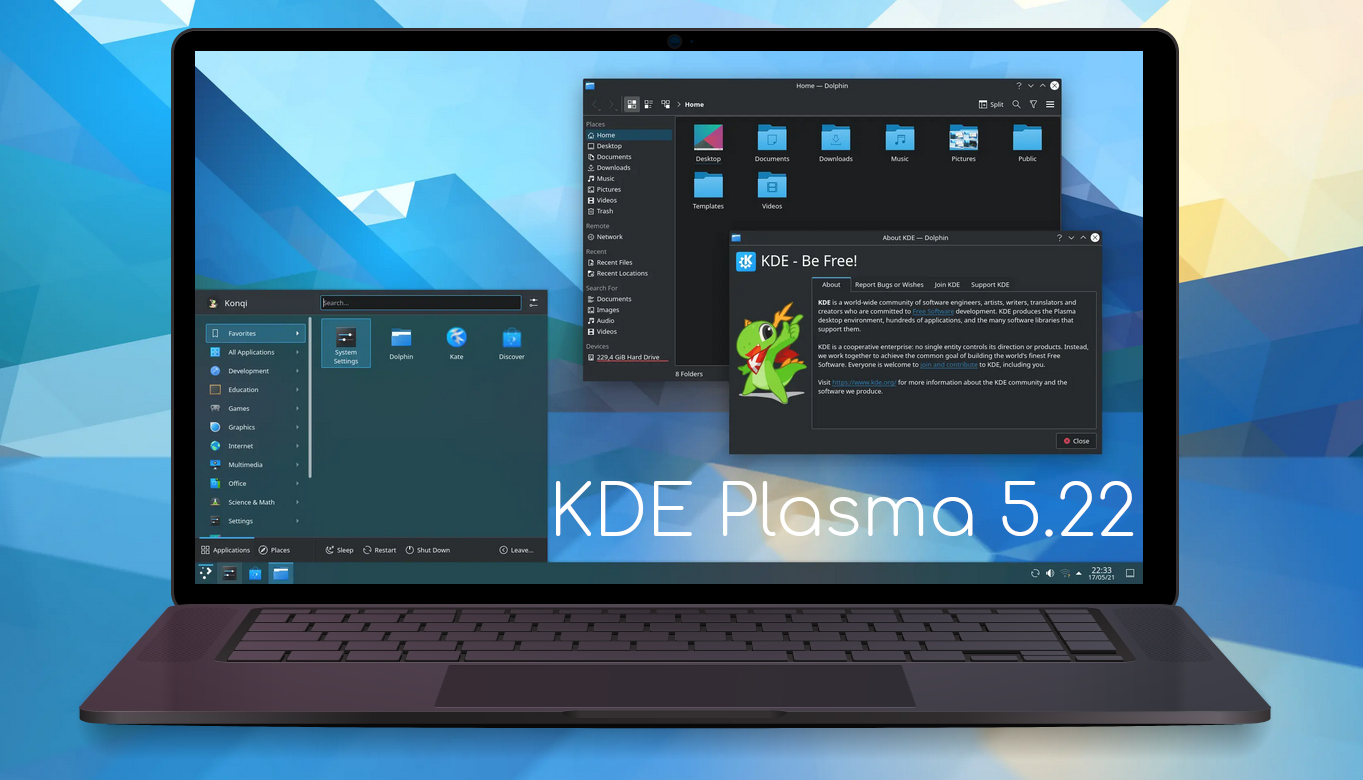
One of Plasma’s biggest advantages is how much functionality you get out of the box.
Many desktop environments rely heavily on third-party extensions to unlock advanced features. That means hunting down add-ons, checking compatibility after updates, and hoping nothing breaks. Plasma avoids that headache by shipping with powerful tools already integrated and ready to use.
A perfect example is KRunner. I use it multiple times every day. It’s not just an app launcher—it can:
- Search files and folders
- Run terminal commands
- Perform calculations
- Look up bookmarks
- Trigger web searches
- Control system settings
Other desktops offer similar launchers, but none I’ve used feel as fast, flexible, or deeply integrated as KRunner.
Then there’s Plasma’s clipboard manager, which has evolved into a true power-user tool—especially in recent releases like Plasma 6.5. It keeps a full history of copied items, lets you pin frequently used entries, and even supports multiple clipboard modes. Once you get used to it, it’s hard to live without.
Even popular cross-platform tools like KDE Connect feel more polished on Plasma. Notifications, file transfers, media controls, and device integration are tightly woven into the desktop, making the entire experience feel cohesive rather than bolted together.
Plasma doesn’t just feel customizable—it feels complete.
Rapid Development Without Losing Direction
KDE Plasma and the wider KDE ecosystem are evolving at an impressive pace. New projects appear frequently, and existing ones receive meaningful improvements rather than superficial changes.
Recently, a VR-focused Plasma interface surfaced in an early draft state—and surprisingly, it already works. That kind of experimentation speaks volumes about how active and ambitious the KDE community is right now.
This doesn’t mean other desktops are stagnating. GNOME, for example, follows a well-established release rhythm and continues to refine its design philosophy. I’m particularly impressed by some of the applications coming out of the GNOME Circle initiative.
And of course, there’s nothing wrong with desktops that prioritize stability over rapid innovation. Minimal environments have their place—especially in enterprise or low-resource setups.
But for my needs, Plasma’s momentum is hard to ignore.
In fact, I’d argue 2026 is shaping up to be a breakout year for KDE:
- More distributions are adopting Plasma as a default
- Devices like the Steam Deck are introducing it to new users
- An official KDE Linux distribution is expected to launch soon
That level of visibility and adoption matters.
It Feels Like It Was Designed for PCs — Not Tablets
This is where Plasma truly wins me over.
Many modern desktop environments are clearly influenced by touch-first design. Large buttons, rounded elements, and gesture-heavy workflows make sense on tablets—but they often feel awkward on traditional PCs.
KDE Plasma, by contrast, feels unapologetically desktop-centric.
Buttons are designed to be clicked precisely, not tapped vaguely. Menus are information-dense without being cluttered. Keyboard shortcuts are everywhere, allowing you to control nearly every aspect of the interface without touching the mouse.
That doesn’t mean KDE ignores touch. Plasma Mobile exists as a separate, optimized interface for phones and tablets. Touch-first workflows are supported where they make sense—just not forced onto desktop users.
My desktop stays a desktop, and I appreciate that.
Why I Keep Coming Back to Plasma
There’s nothing inherently wrong with other desktop environments. Many are excellent, thoughtfully designed, and well-maintained. But when it comes to matching my workflow, habits, and preferences, KDE Plasma consistently feels like home.
I still enjoy exploring alternatives. Recently, I installed Q4OS with the Trinity desktop, a throwback environment inspired by early KDE designs. It’s fascinating to see how those original ideas have evolved over time.
But for now—and likely for a long while—KDE Plasma remains my daily driver. It gives me power without friction, customization without chaos, and modern features without abandoning the traditional desktop experience.
And for me, that balance is hard to beat.
And if you'd like to go a step further in supporting us, you can treat us to a virtual coffee ☕️. Thank you for your support ❤️!

We do not support or promote any form of piracy, copyright infringement, or illegal use of software, video content, or digital resources.
Any mention of third-party sites, tools, or platforms is purely for informational purposes. It is the responsibility of each reader to comply with the laws in their country, as well as the terms of use of the services mentioned.
We strongly encourage the use of legal, open-source, or official solutions in a responsible manner.
Comments