
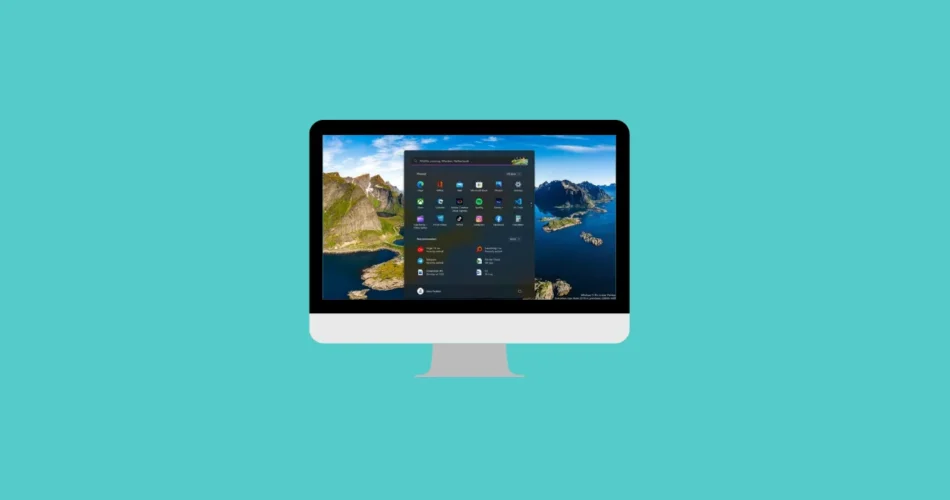
Microsoft is stepping up its efforts to make Windows 11 faster, more reliable, and easier to use. In an update published on October 15, 2026, the company outlined a series of improvements designed to boost system responsiveness, reduce memory usage, simplify Windows Update, and improve several built-in applications.
According to Microsoft, Windows 11 can now feel up to 20% more responsive, with additional memory available for active applications on systems with limited RAM. The company is also bringing back long-requested taskbar customization options, updating the Photos app, improving Bluetooth connectivity, and introducing new accessibility and gaming features.
Some changes are already available, while others are being tested with Windows Insiders or are scheduled to roll out more broadly before the end of 2026.
Here’s a closer look at the most important Windows 11 improvements, what they mean for everyday users, and when you can expect to get them.
1. Windows 11 Is Up to 20% More Responsive and Uses Less RAM

Performance is one of the main areas Microsoft is targeting. The company says recent Windows 11 optimizations have made common tasks more responsive, including opening the Start menu, launching File Explorer, searching for files, and accessing Settings.
The improvements also extend to applications such as Snipping Tool, Microsoft 365, and Microsoft Edge.
Microsoft reports that its internal tests showed responsiveness gains of up to 20% when comparing Windows 11 builds 26200.7628 and 26300.9550. However, this figure represents the best reported improvement under Microsoft’s test conditions, not a guaranteed speed increase for every PC.
More memory available for active applications
Computers with 8GB of RAM or less stand to benefit from changes to Windows 11’s memory management.
Microsoft says the operating system can now keep up to 2GB of additional active data in memory instead of moving it to an SSD. When memory pressure forces Windows to rely more heavily on storage, switching between applications can become slower. Keeping more frequently needed data in RAM can help reduce those delays.
The company has also changed how Widgets behave on lower-memory systems. On PCs with 8GB of RAM or less, Widgets no longer remain loaded continuously and instead load when opened. Microsoft says this change can save more than 200MB of RAM.
These adjustments could be particularly useful for users who keep multiple browser tabs open while working with office applications, messaging tools, and other desktop software.
What to expect: Windows 11 should feel more responsive in certain everyday tasks, especially on memory-constrained computers. Actual results will depend on the hardware, background applications, and workload.
2. Windows Update Becomes Less Disruptive
Windows updates are essential for security and reliability, but repeated restarts and lengthy installations can interrupt work.
Microsoft says it is improving the update experience to reduce unnecessary interruptions. The changes aim to make installations faster and help avoid repeated restarts, although the company has not published a universal time-saving figure.
The broader goal is to make updates less disruptive without compromising security or system stability.
Better Bluetooth connectivity
Microsoft is also working on Bluetooth reliability, including device pairing, reconnection, and audio calls.
For Apple AirPods, the company reports that pairing can be up to 15 seconds faster. The exact improvement will depend on the device and connection conditions.
These changes should benefit people who regularly use wireless headphones, speakers, keyboards, mice, and other Bluetooth accessories with their Windows PCs.
Faster Windows Hello authentication
Windows Hello is also receiving improvements intended to make facial recognition and fingerprint authentication faster and more reliable.
Microsoft says the changes should reduce authentication failures and make unlocking a PC more consistent. The company is also working with hardware manufacturers to improve driver quality and address stability issues.
Why it matters: Faster sign-ins and more reliable wireless connections can improve the daily Windows experience without requiring users to purchase new hardware.
3. Windows 11 Finally Lets Users Move the Taskbar
One of the most requested changes since Windows 11 launched in 2021 is returning: the ability to move the taskbar to different edges of the screen.
Users can place the taskbar at the top, left, or right of the display instead of being limited to the bottom position. Microsoft is also bringing back taskbar size customization.
These options give users more control over their desktop layout, particularly those who prefer a vertical taskbar or want to make better use of widescreen monitors.
The settings are available under the taskbar section of Windows personalization settings, although availability may depend on the Windows 11 build installed.
Windows Search can perform actions directly
Microsoft is also testing a redesigned Windows Search experience that goes beyond displaying files, applications, and web results.
The updated search interface can offer direct actions for certain system settings. For example, users may be able to enable Dark Mode, change Night Light settings, or organize open windows directly from search results without navigating through several Settings pages.
The feature is currently being tested with Windows Insiders, with a broader rollout planned before the end of 2026.
If implemented as described, these changes could make Windows Search a more useful control center for everyday tasks.
4. Microsoft Photos Gets a Redesign and New AI Tools
The Microsoft Photos app is receiving a significant update intended to improve image organization, editing, and viewing.
The redesigned gallery brings together photos and videos stored locally on a PC, in OneDrive, and in iCloud. Users can search for images by describing their contents, look for specific people, or browse their albums.
Faster editing and image viewing
Microsoft says the updated photo editor launches 25% faster. The image viewer is also expected to start 15% faster on average, while HEIC images can open up to 30% faster.
The app continues to offer familiar editing tools, including cropping and image adjustments, alongside AI-powered capabilities.
One of the notable additions is Relight, which lets users introduce up to three virtual light sources into an image. They can adjust the position, color, and intensity of each source to change the lighting effect.
The update also adds SVG image support and preserves access to photo metadata, including camera settings and location information where available.
The redesigned Photos app is currently being tested with Windows Insiders, with a wider release expected before the end of 2026.
5. Advanced Shader Delivery Could Reduce Game Loading Delays
Windows 11 is also getting improvements aimed at PC gamers through Microsoft’s Advanced Shader Delivery technology.
Shaders are small programs that help games render graphics. Depending on the game and hardware, compiling shaders can cause delays during the first launch or when certain content is loaded.
Advanced Shader Delivery aims to reduce that work by allowing compatible games to download shaders that have already been compiled for supported hardware configurations.
Microsoft says the technology can reduce shader compilation time by up to 95% in compatible games. This is a maximum reported improvement, not a guarantee that every game will load 95% faster.
The feature requires support from the relevant game and hardware configuration, so its benefits will vary across titles.
For players who frequently encounter lengthy shader-compilation screens, the technology could make starting a game more convenient.
6. Ink Canvas Adds More Options for Pen and Touch Users
Microsoft is expanding its tools for touchscreen PCs and devices that support digital pens with Ink Canvas.
The application allows users to draw, take handwritten notes, and annotate documents. Compatible Copilot features can also transform certain sketches and handwritten notes into text or images, subject to the relevant Microsoft 365 subscription and feature requirements.
Ink Canvas is preinstalled on the second-generation 12-inch Surface Pro, and Microsoft says it became available for other compatible Windows devices through the Microsoft Store on October 13, 2026.
Improved haptic feedback
Windows 11 is also making greater use of haptic feedback with compatible accessories.
Small vibrations can accompany certain actions, such as moving a window or aligning an object in PowerPoint. Logitech’s MX Master 4 mouse is among the hardware Microsoft cites in connection with these capabilities.
The benefits depend on having compatible hardware and software. Users with standard peripherals should not expect every haptic feature to be available.
7. Windows 11 Expands Its Accessibility Features
Microsoft is introducing several changes intended to make Windows 11 more accessible to people with different visual and interaction needs.
Screen Tint
Screen Tint lets users apply a colored tint to the display and adjust its intensity. This may help some people who find certain screen colors uncomfortable, although the ideal settings will vary from person to person.
Better Magnifier support for multiple monitors
Windows Magnifier can now maintain a different zoom level for each connected monitor. This is useful for users who work across displays with different sizes or resolutions.
Narrator improvements
Narrator, Windows’ built-in screen reader, is gaining better support for reading mathematical equations while preserving their structure. It can also announce row and column headers in Excel, helping users understand spreadsheet layouts.
Improved braille display support
Compatible braille displays using the HID standard can be connected through USB or Bluetooth during Windows setup without requiring separate driver installation.
Together, these improvements aim to reduce setup difficulties and make Windows features easier to use with assistive technologies.
8. Windows 11 Improves Android and iPhone Integration
Microsoft continues to expand the connection between Windows PCs and smartphones through the Phone Link experience.
Users can already access supported phone notifications, text messages, and calls from their computers. The latest improvements add more convenient controls through the Start menu and Quick Settings on supported devices.
Depending on the phone and Windows configuration, users can perform actions such as silencing their smartphone or making it ring to help locate it.
Android users can also benefit from additional integration features, including accessing phone files through File Explorer and opening supported mobile applications in desktop windows on compatible devices.
Resume lets you continue tasks on your PC
The Resume feature can allow supported activities started on a compatible smartphone to continue on a Windows PC.
However, the exact capabilities depend on the phone, application, and account configuration. Some features are Android-specific, and not every function is available across all smartphones.
These changes are part of Microsoft’s broader effort to make Windows a more connected environment for users who regularly move between a phone and a computer.
When Will These Windows 11 Improvements Be Available?
Not every feature described by Microsoft is available to all users immediately.
Some performance optimizations and system changes are being introduced through Windows updates, while other features are still being tested with Windows Insiders. The redesigned Photos app and enhanced Windows Search experience, for example, are expected to reach more users before the end of 2026.
Availability can vary according to the Windows 11 version, update channel, hardware, and staged rollout schedule.
To check for available updates:
- Open Settings.
- Select Windows Update.
- Click Check for updates.
- Install available updates and restart your PC if prompted.
For features that are still in testing, you may need to wait for a future public release. Joining the Windows Insider Program can provide earlier access, but preview builds may contain bugs and are not ideal for every primary computer.
Final Thoughts
Microsoft’s latest Windows 11 improvements address several long-standing frustrations, from system responsiveness and memory usage to taskbar customization, Windows Update, and smartphone integration.
The reported performance gains of up to 20% are promising, especially for users with PCs equipped with 8GB of RAM or less. Meanwhile, the return of taskbar positioning options and improvements to Photos, gaming, and accessibility make the operating system more flexible.
However, these figures come from Microsoft’s own testing, and some features are still rolling out or remain limited to Windows Insiders. The real-world impact will depend on your hardware and which improvements have reached your device.
For now, keeping Windows 11 updated is the simplest way to receive the optimizations as Microsoft makes them available.
Add Tech2Geek as a preferred source on Google to see more of our latest tech articles.
Support Tech2Geek ❤️
Did this guide help you? If Tech2Geek saves you time or helps you solve a problem,
consider buying me a coffee. ☕
Your support helps keep Tech2Geek independent and free.
Comments