
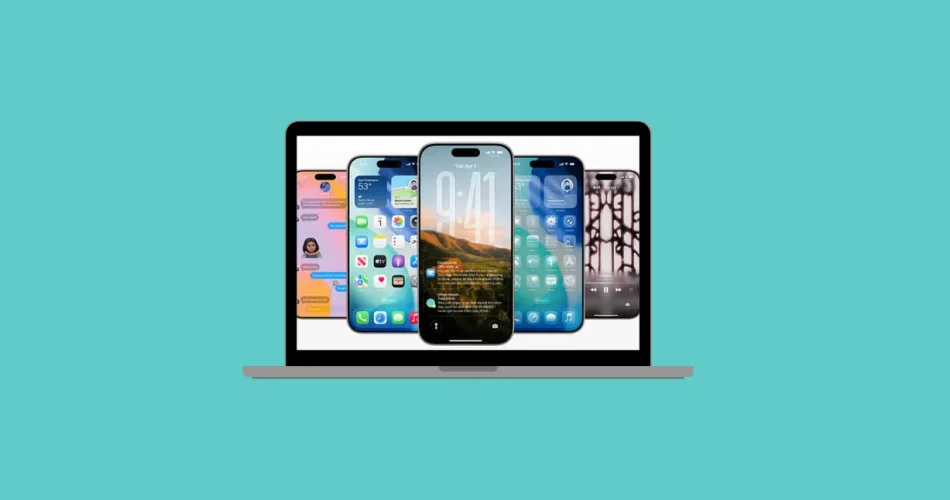
iOS 26’s public beta offers a sneak peek at Apple’s latest features, including the visually striking “Liquid Glass” design. However, installing beta software always involves risks, particularly regarding stability, battery life, and app compatibility. This guide carefully weighs the advantages of early access against the potential drawbacks, providing practical advice and crucial safety precautions for those considering installing the iOS 26 beta.

iOS 26 Public Beta: Stability and Potential Issues
iOS 26 represents a significant update with a redesigned interface and numerous new features. However, expect potential instability:
- Significant Battery Drain: Users report substantially reduced battery life (up to double the normal drain).
- Performance Lag: Lag and stuttering, particularly noticeable on newer devices (iPhone 15 Pro, iPad Pro).
- Overheating: Increased device temperatures, especially shortly after installation.
- App Crashes: Random app crashes, with some third-party apps (especially banking apps) experiencing compatibility issues.
- Connectivity Problems: Intermittent issues with Bluetooth, Wi-Fi, and accessories.
- Visual Glitches: Blurry icons, choppy animations, and other visual artifacts.
These issues are most prevalent in the initial days after installation due to intensive background processes. While some improvements may occur over time, persistent bugs are possible until later beta releases or the final public launch.
The Safest Approach: Installing on a Secondary Device
To minimize risks, install the iOS 26 beta on a spare iPhone or iPad:
Steps:
- Choose a Non-Essential Device: Select a device not crucial for daily tasks.
- Create a Full Backup: Create a complete backup of your chosen device before updating. Note that backups from iOS 26 beta cannot be restored to devices running iOS 18.5 or earlier.
- Monitor Performance and Compatibility: Observe the device’s performance and app functionality. Report bugs through Apple’s Feedback app. If significant issues arise, restore from your backup.
Installing on Your Primary Device (Strongly Discouraged)
While possible, installing the beta on your primary device carries substantial risks:
- Data Loss: Potential for irreversible data loss if you need to revert to a previous iOS version without a pre-beta backup.
- Disrupted Workflow: Frequent bugs, crashes, and battery drain can severely disrupt daily use.
- App Incompatibility: Banking and other essential apps may malfunction.
- Limited Support: Apple support will be limited for beta-related issues.
Expert and Community Recommendations
- Wait for Later Betas: Consider waiting for at least the third public beta (PB3) for improved stability.
- Backup Regularly: Back up your data frequently throughout the beta testing period.
- Realistic Expectations: Expect reduced reliability, battery life, and app compatibility compared to the official release.
- Avoid Beta on Critical Devices: If your phone is essential for work or emergencies, avoid the beta until the official release.
Practical Tips Before Updating
- Check App Compatibility: Research app compatibility with iOS 26 before updating.
- Create a Backup: Create a complete backup using your computer (not just iCloud).
- Report Bugs: Use the Feedback app to report any issues encountered.
- Allow for Background Processes: Keep your device plugged in and connected to Wi-Fi for several hours after updating to allow background processes to complete.
Conclusion:
The iOS 26 beta offers a preview of exciting new features, but its current state necessitates caution. Installing on a secondary device is strongly recommended to minimize the risk of data loss and workflow disruptions. Weigh the benefits of early access carefully against the potential for instability, battery drain, and app incompatibility before proceeding. For a reliable and stable experience, consider waiting for the official release.
And if you'd like to go a step further in supporting us, you can treat us to a virtual coffee ☕️. Thank you for your support ❤️!

We do not support or promote any form of piracy, copyright infringement, or illegal use of software, video content, or digital resources.
Any mention of third-party sites, tools, or platforms is purely for informational purposes. It is the responsibility of each reader to comply with the laws in their country, as well as the terms of use of the services mentioned.
We strongly encourage the use of legal, open-source, or official solutions in a responsible manner.
Comments